Some tools just live in a corner of the session, loaded and ready. Drumagog has been one of them since the late 1990s: when a snare sounds hollow or a kick lacks weight, you ask it to reinforce or replace the offending hit. Drumagog 6 is far more than a refresh, though. WaveMachine Labs calls it the biggest update in over twenty years, with both hit detection and replacement-sound selection rebuilt from the ground up.
A studio classic, rebuilt
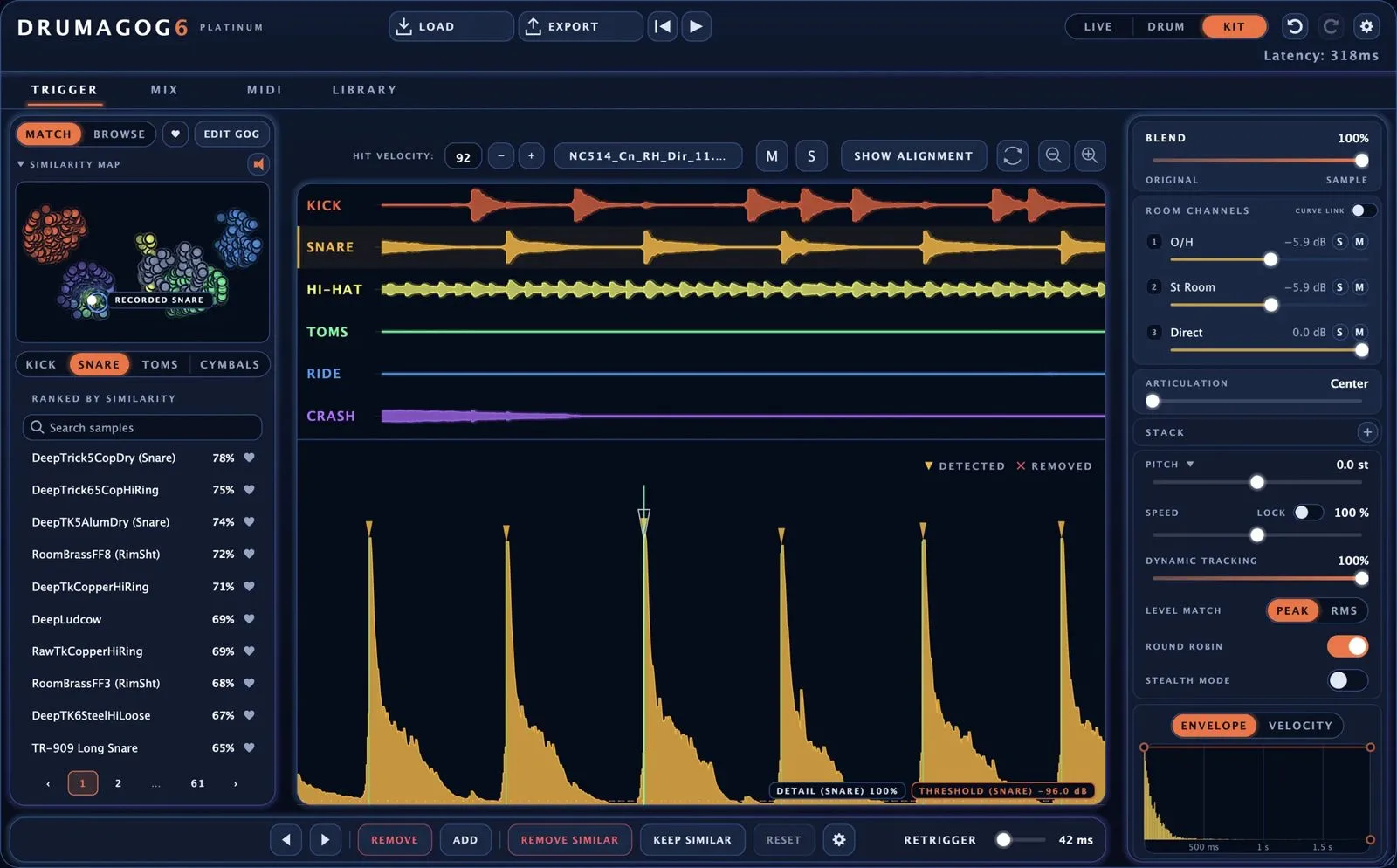
The core idea is unchanged: Drumagog listens to a drum track, finds every hit and fires a sample from its library in place of (or alongside) the original. What is new is the precision and the clarity. Every detected hit now appears on the waveform, ghost notes and mic bleed included, which makes the job far more transparent than a bare threshold meter ever did.
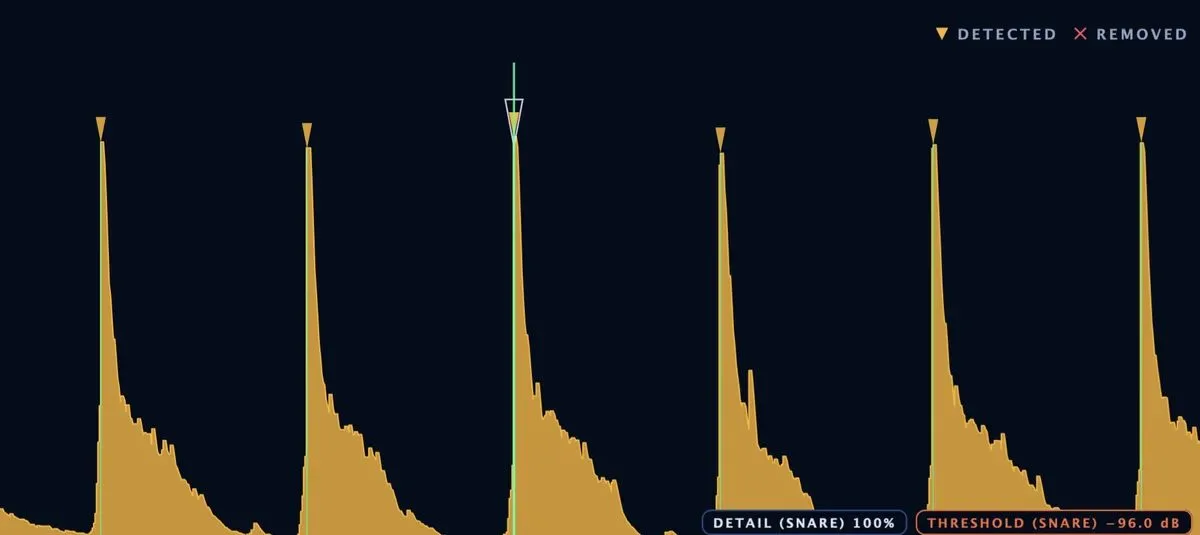
Two commands sum up the spirit of this version: REMOVE SIMILAR clears every hit that sounds like the one you selected in a single click, while KEEP SIMILAR keeps only those. That cleans up false triggers from a close-mic take in seconds, where you once spent long minutes nudging a threshold by trial and error.
Kit mode: a whole kit from one stereo track
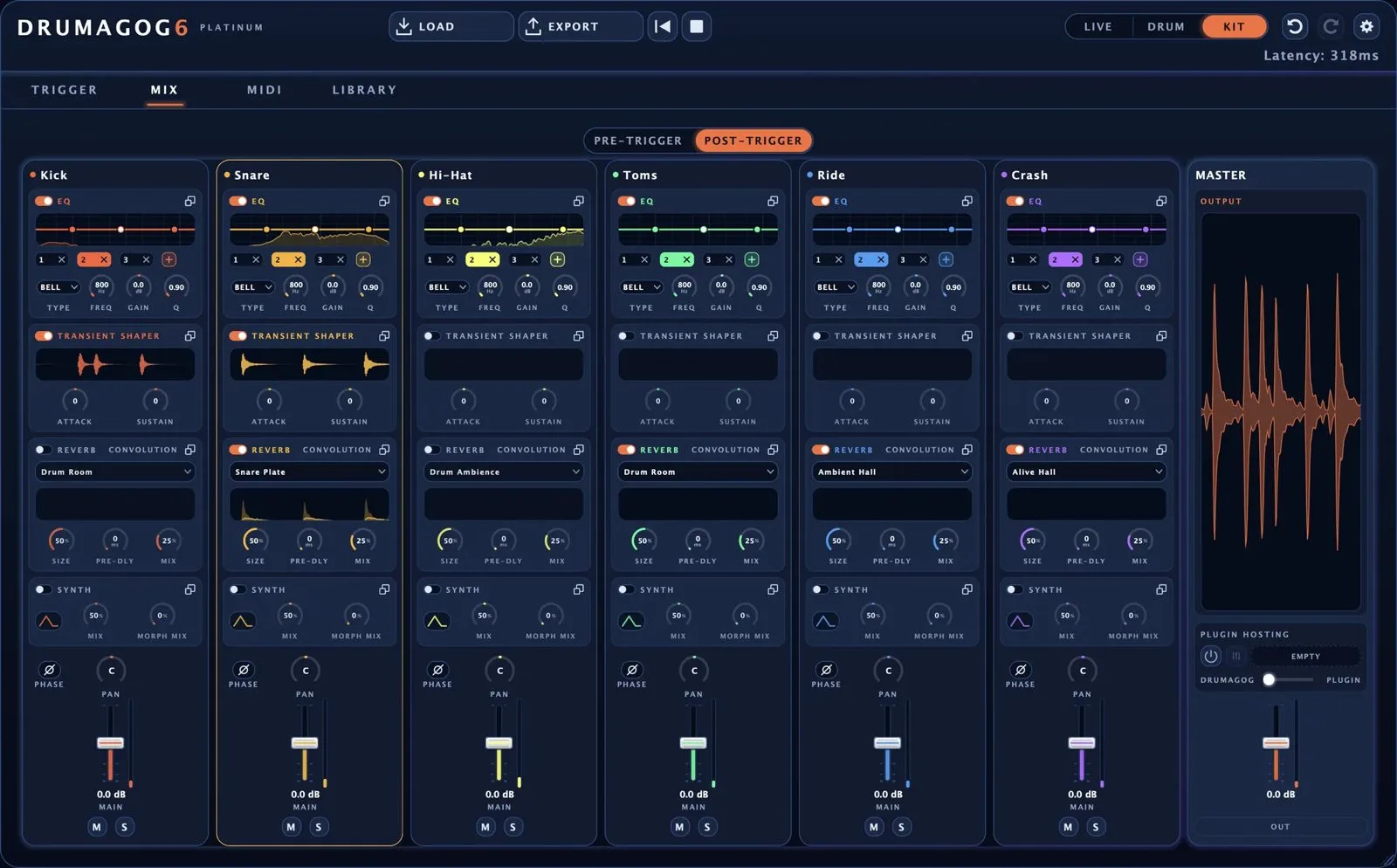
This is the big idea in Drumagog 6, and it is Platinum only. A single instance on the drum bus analyses a stereo track — or an overhead pair, or a room mic — and pulls out kick, snare, hi-hat, toms, ride and crash. Each piece gets its own sound, its own channel strip and, in DAWs that support it, its own output. You move from replacing one drum at a time to reconstructing the whole kit from whatever you have on hand.
Three detection modes for different jobs
- Live: around 2 ms latency, for tracking and the stage;
- Drum: 80 ms of lookahead, for sharper judgement when mixing close mics;
- Kit: the full kit handled in one pass.
The split is welcome: you do not ask the same thing of a live replacement, where every millisecond counts, as of a mix repair, where you can afford to look ahead.
Library, MIDI and integration
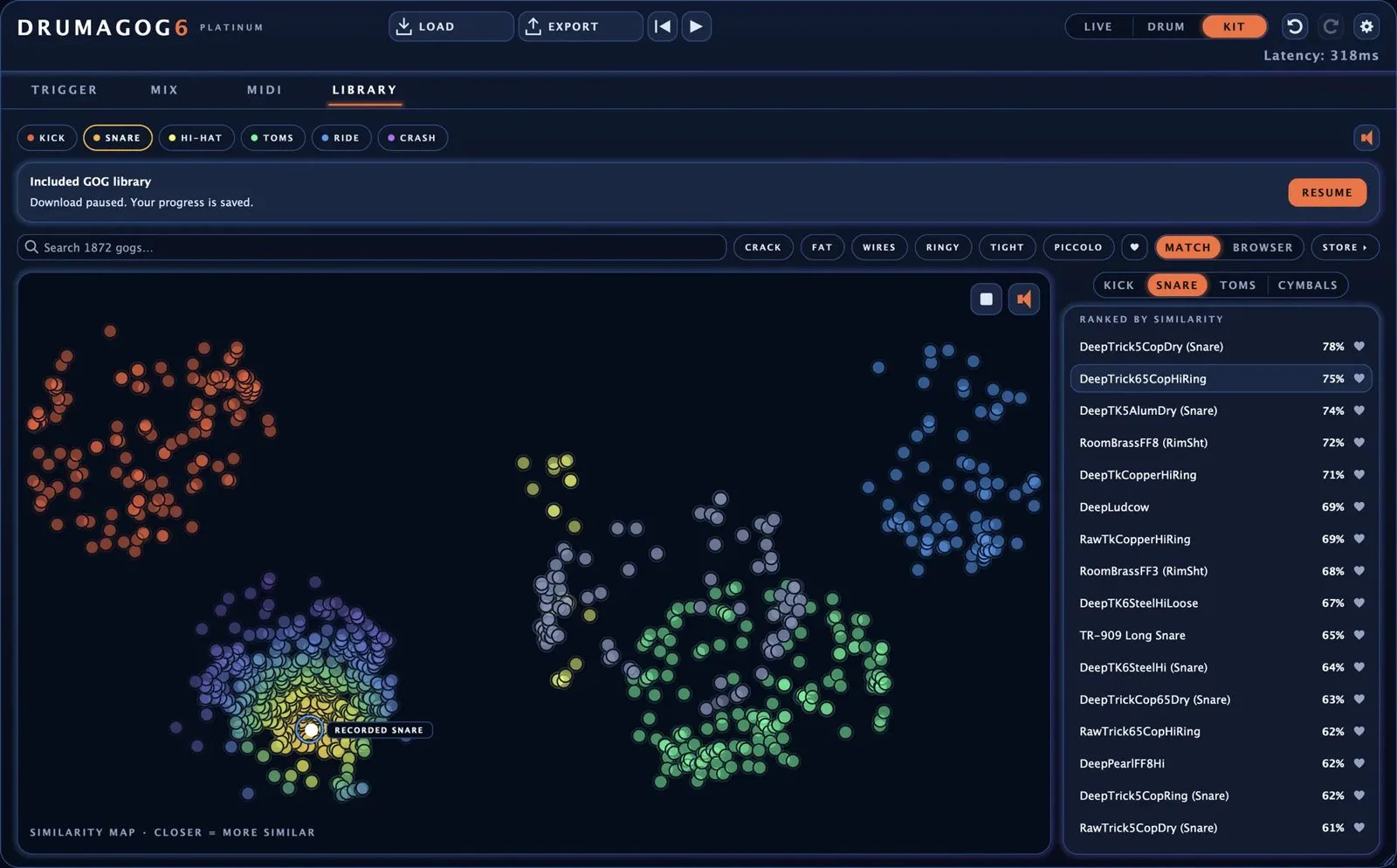
Drumagog 6 ships with 536 factory GOGs — the in-house format that groups a single drum’s samples by dynamic. A genuinely useful addition: the library sorts itself by how closely each GOG matches the drum you are replacing, and shows the whole thing as a map, so you are not clicking blind. Your GOGs from Drumagog 3, 4 and 5 still work, and you can turn any folder of samples into a self-sorting GOG.
For routing, every hit generates MIDI, with a built-in piano roll, draggable MIDI clips and a virtual MIDI port for DAWs such as Logic that cannot record a plug-in’s MIDI output directly. ARA 2 support (REAPER, Studio One, Cubase, Nuendo, Pro Tools) lets it analyse hits before playback even starts, and a standalone app exports without opening a DAW. It comes as VST3, AU and AAX on macOS and Windows. If you mix a lot of drums, our guides to compressor types and processing order make good companions.
Pro or Platinum: which one?
| Edition | Price | What you get |
|---|---|---|
| Pro | $99 | Live and Drum modes, hit editing, the full library, piano roll and MIDI output, EQ and a synth layer |
| Platinum | $199 | Everything in Pro, plus Kit mode, a separate output per drum, automatic hi-hat and tom tracking, gate, transient shaper, convolution reverb, Morph|Engine and plug-in hosting |
Drumagog 5 and ReStem 2 owners can upgrade at half price until 30 October 2026, and a free seven-day trial unlocks every Platinum feature. The official page lists the full breakdown of each edition.
My take
Drum replacement has long carried a whiff of cheating; Drumagog 6 owns it instead as a time-saver. Kit mode is the real find: rebuilding a playable groove from a single stereo track, with no need to re-mic twelve drums, genuinely changes a repair session. The usual truth still stands — a sample, however neatly sorted, is no substitute for a good take. At $99, the Pro version is a safety net plenty of home studios will keep loaded at all times; established rooms will treat it more as a fast editor than a rescue act. Either way, the tool has finally caught up with its era.