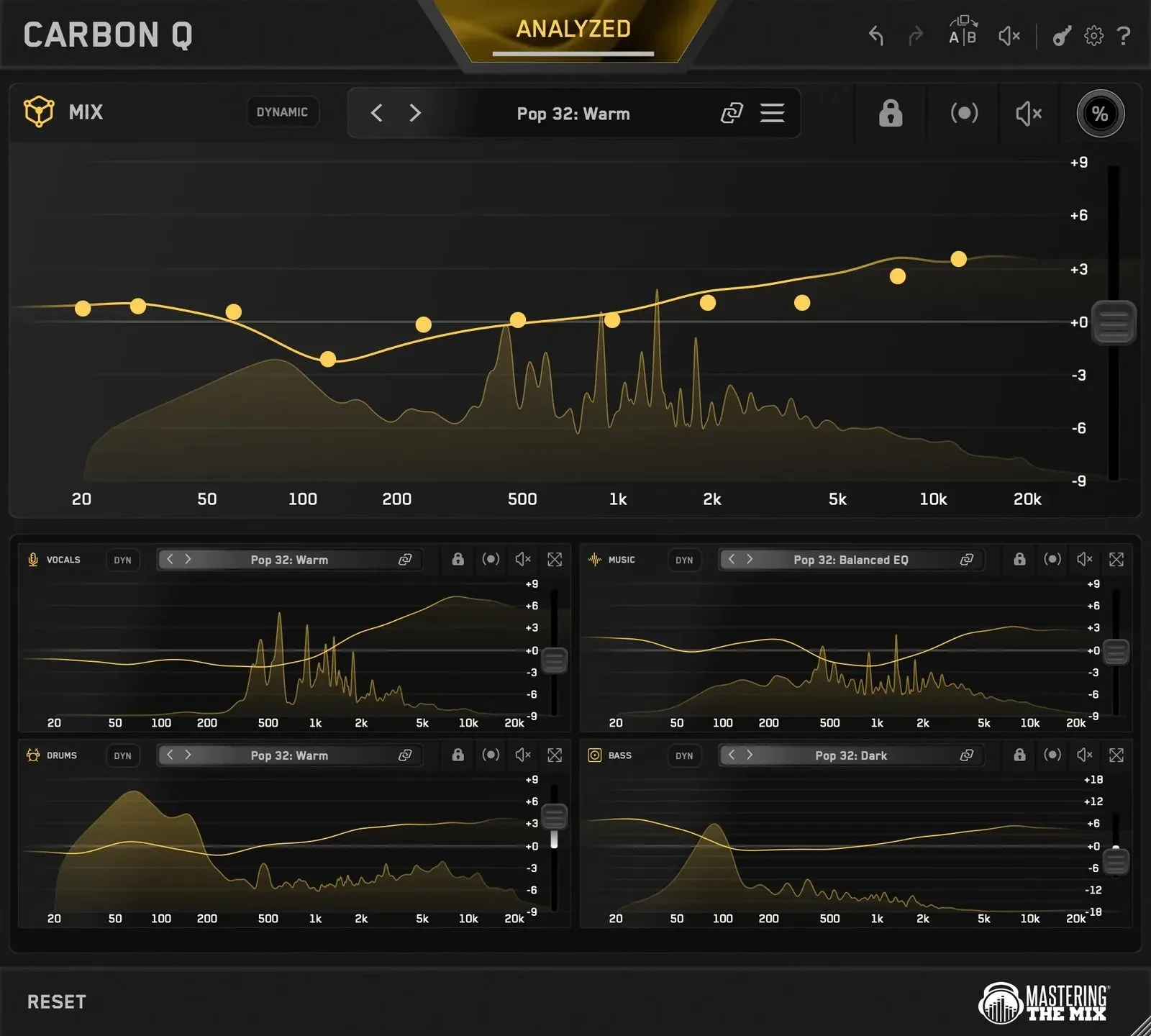
Most equalizers work one track at a time, in isolation. CARBON Q flips the problem around: it looks at the whole song at once. You drop an instance on the output, then one each on vocals, music, drums and bass; the moment they’re all loaded, they link up automatically. From any window you then control the EQ, level and preset of every channel, with no more jumping between plugin windows.
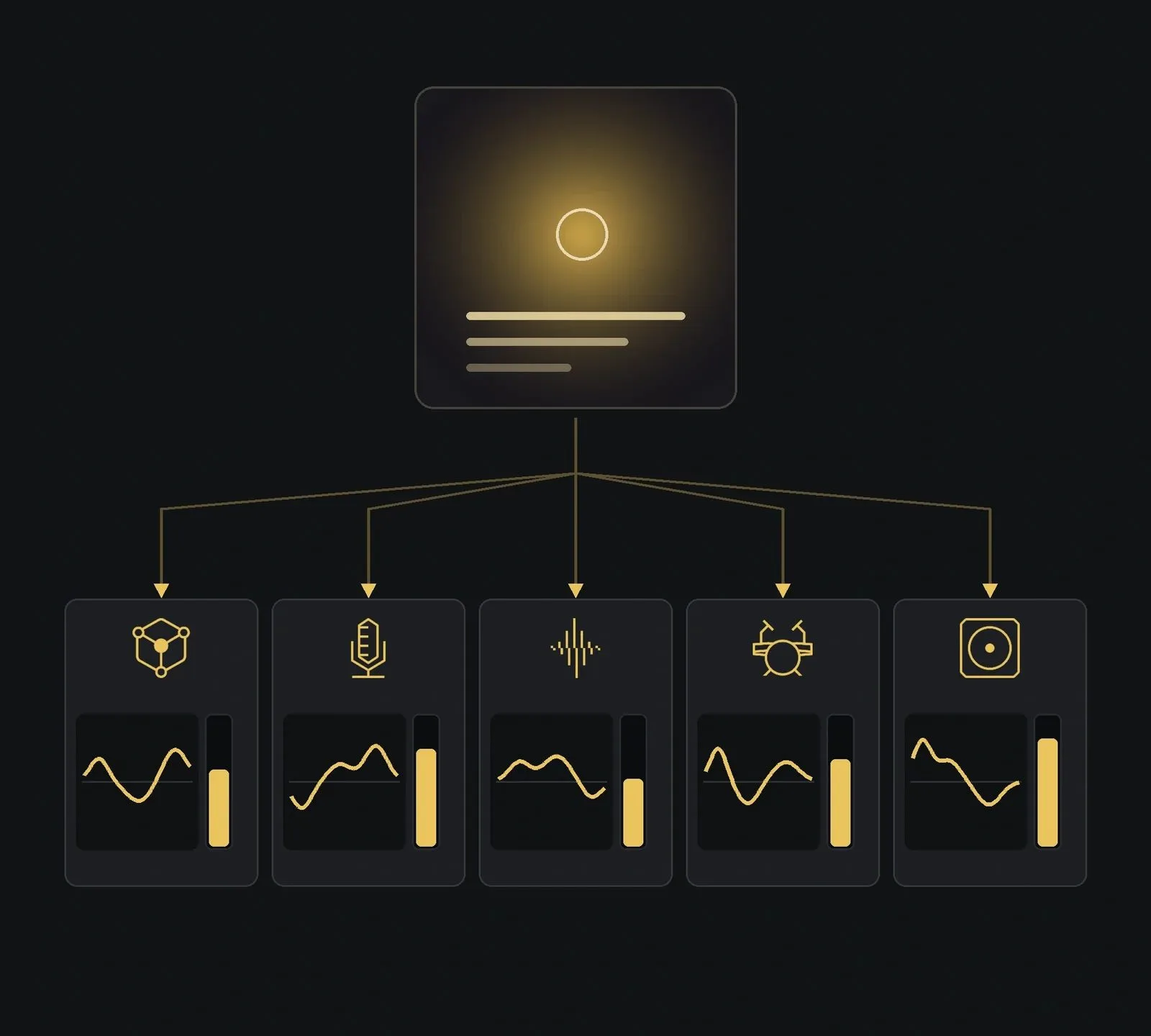
An EQ that sees the whole picture
The workflow is simple: loop the busiest section of the song, hit ANALYZE, then GO to have CARBON Q analyse the entire mix from there. On the processing side it stays a tonal-balance EQ — eleven fixed-point bands, each moving within ±9 dB — rather than a surgical tool. Added to that are multi-band dynamic control, a mid-side mode, reference-track matching and maximum-quality linear-phase filters. One caveat of that linear phase: a latency of around 41 ms, which keeps it to mixing and mastering, not real-time tracking.
Smart Presets, and any song as a template
This is where CARBON Q gets clever. Smart Presets compare your song against high-quality reference mixes and surface the ten closest at the top of the browser. Each preset sets both the tonal balance and the level balance across every channel at once, pulled straight from a mix that already works.
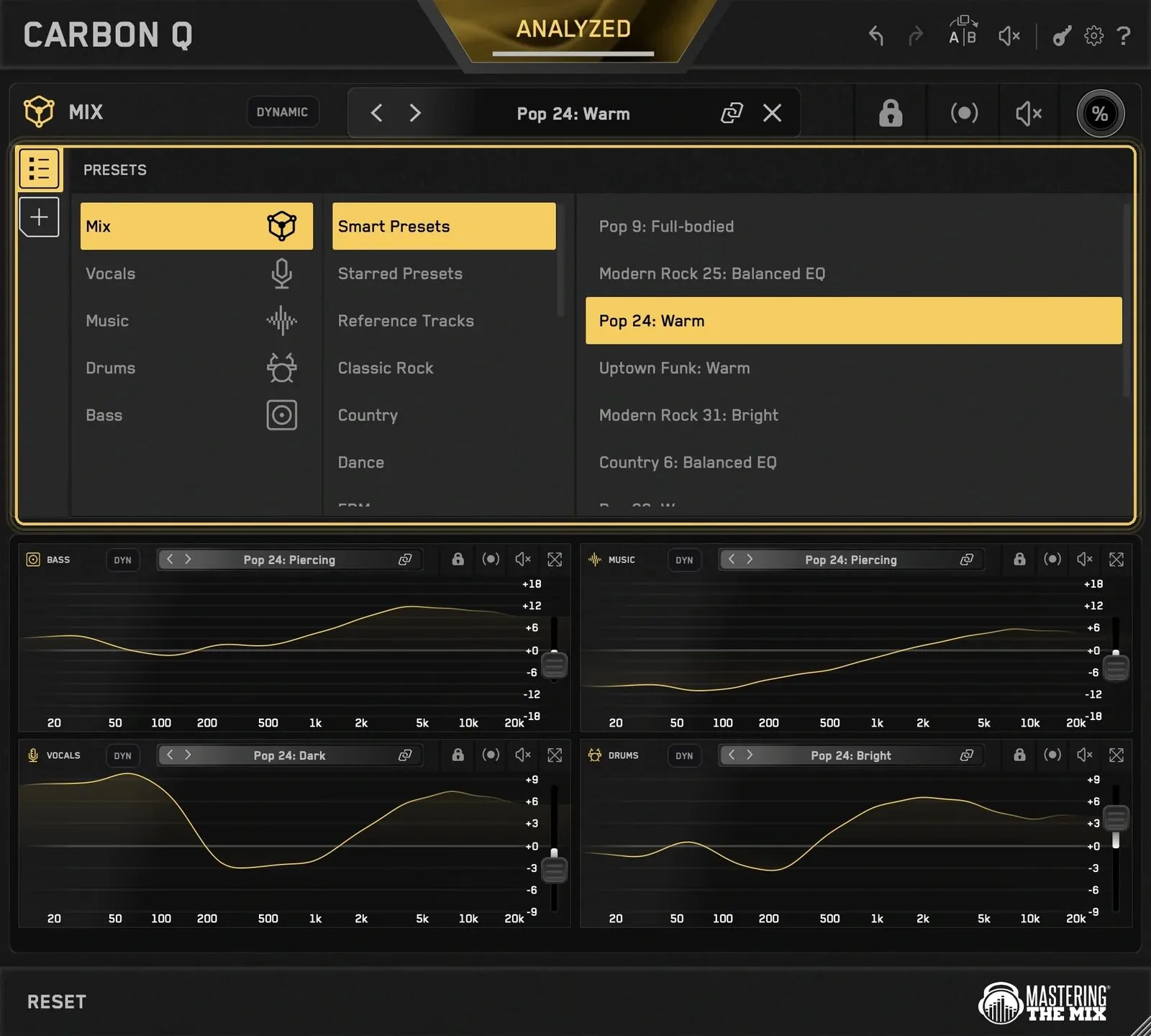
The Turn Any Song Into A Preset feature takes it further: drop one of your favourite records into the reference-tracks tab, and CARBON Q separates it into vocals, music, drums and bass, measures each element’s tonal balance and relative loudness, and automatically builds a preset from it. Better still, you can unlink the agents individually to pull, say, the vocal balance from one song and the drum balance from another. It all relies on local stem separation, which you’d expect to meet its limits on the densest productions — the point to check in use.
Mid-side, dynamics and level matching
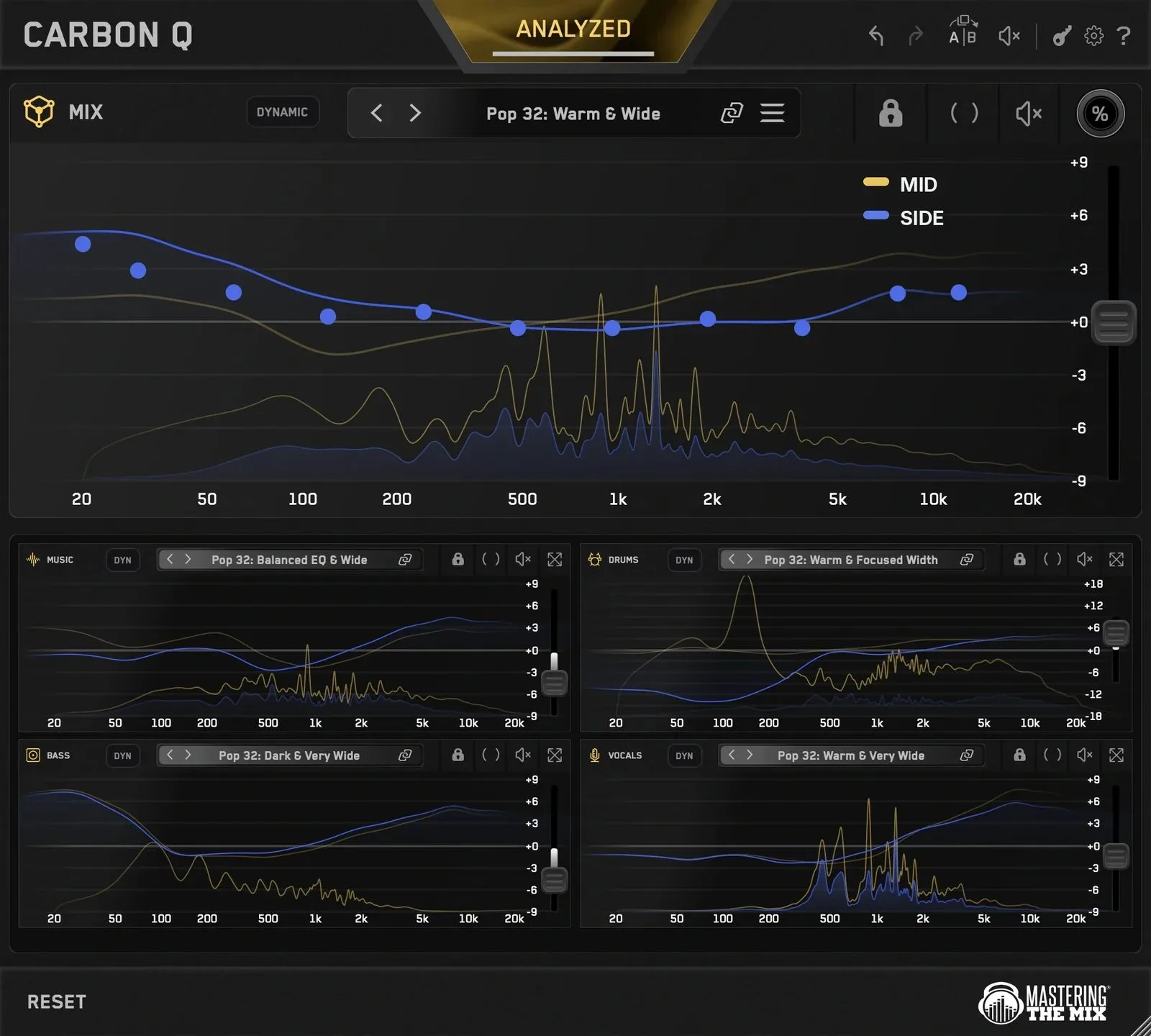
Louder almost always sounds better in the moment — which is exactly how an EQ move can fool you. CARBON Q keeps the output level steady in real time while you work, so you hear a change in tone, not in volume. The mid-side mode gives you control over the space and depth of the mix — yellow for mid, blue for side — and a Dynamic Mode locks each channel to its tonal target by controlling peaks, adjustable instance by instance.
Price and compatibility
CARBON Q is listed at €48.56 as a launch price until 6 November (around $78 afterwards), and it’s also part of the developer’s full bundle. It runs on macOS 10.15 or later as AU, VST3 and AAX with native Apple Silicon support, and on Windows 10 or later as 64-bit VST3 or AAX.
My take
Thinking of the mix as a whole rather than track by track is one of those ideas that feels obvious once it’s said, and pairing it with reference analysis makes it concrete. CARBON Q’s real value isn’t in its deliberately limited EQ bands but in what it lets you see: the relative balance of the mix’s four families, at a glance. The automatic level matching and the mid-side mode are the details that separate a gimmick from a tool you keep. The unknown is how reliable the stem separation stays across styles — and that 41 ms of latency, worth remembering when you place it in the chain.
Frequently asked questions
How do CARBON Q instances link up?
Automatically, as soon as they’re all loaded. You place a MIX instance on the output and an ‘agent’ instance on each group (vocals, music, drums, bass); every window then controls the EQ, level and preset of all channels.
Can you really turn an existing song into a preset?
Yes. Dropped into the reference tab, the song is separated into four stems, whose tonal balance and relative loudness CARBON Q measures to build a preset. You can then blend balances from several songs by unlinking the agents.
Is it a surgical equalizer?
No. CARBON Q targets tonal balance with eleven fixed-point bands and a ±9 dB range per band. For precise frequency corrections, you’ll still want a classic parametric EQ alongside it.
Can I use it while recording?
That’s not its purpose. Its linear-phase filters introduce around 41 ms of latency — fine for mixing and mastering, but awkward for real-time tracking.
Related reading: the AIR Stereophonic Bundle (Pultec-style EQ and stereo enhancer) and the Trident A-Range 500 EQ.