Restoration Suite has been part of Norwegian developer Acon Digital’s catalogue for more than ten years, alongside its Acoustica audio editor. Version 3 keeps the four specialised tools that built its reputation, but it adds a fifth plugin, the all-in-one module, and changes the method: the program now analyses the material for you, and cleanup no longer needs a captured noise profile.
An automatic diagnosis before you pick a tool
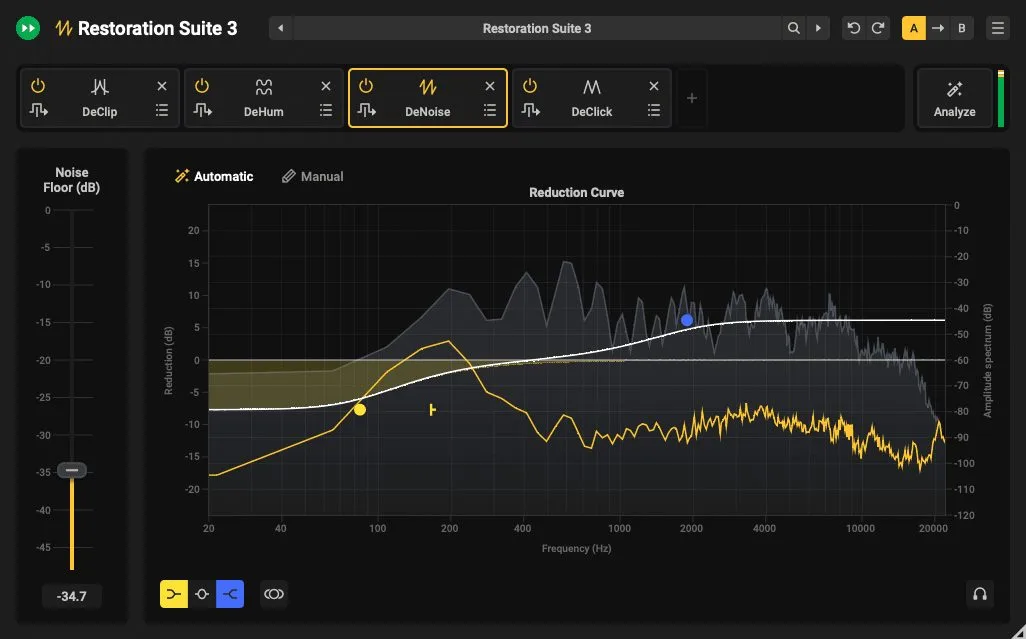
The heart of version 3 is the module called Restoration Suite 3. You drop it on the track, click Analyze and let a few seconds of the recording play. The plugin identifies the problems present, background noise, hum, clicks, clipping, then recommends the modules to use and pre-sets the processing. You fine-tune from there. The point is not to take control away from the engineer, but to remove the usual trial and error, the blind stacking of plugins to see what sticks.
This mirrors the approach of Acoustica 8, which moved Acon’s restoration to machine learning on the audio-editor side. The difference is the format: Restoration Suite 3 lives as a plugin, inside your DAW, on whichever track or bus you choose.
Four modules, two moving to AI
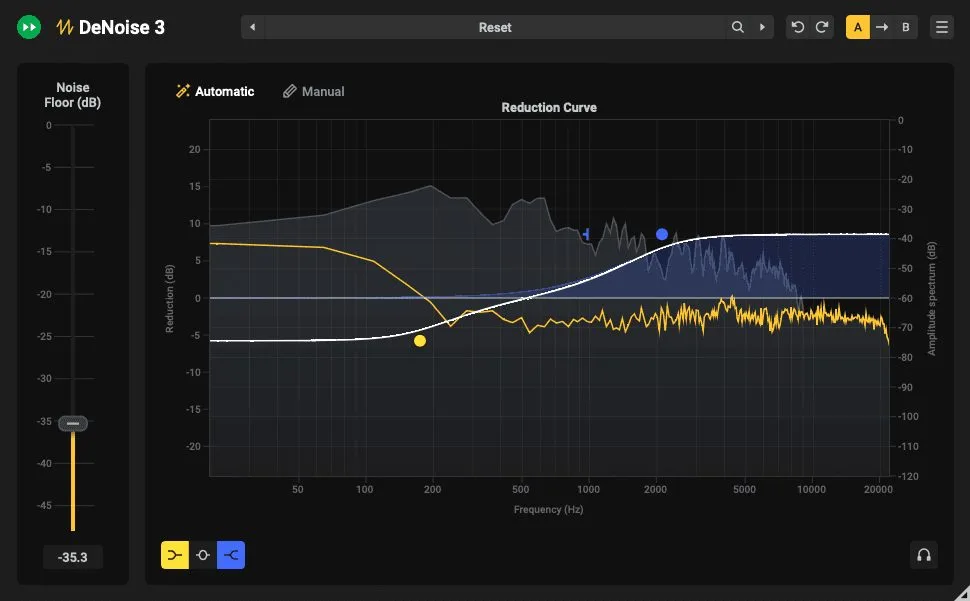
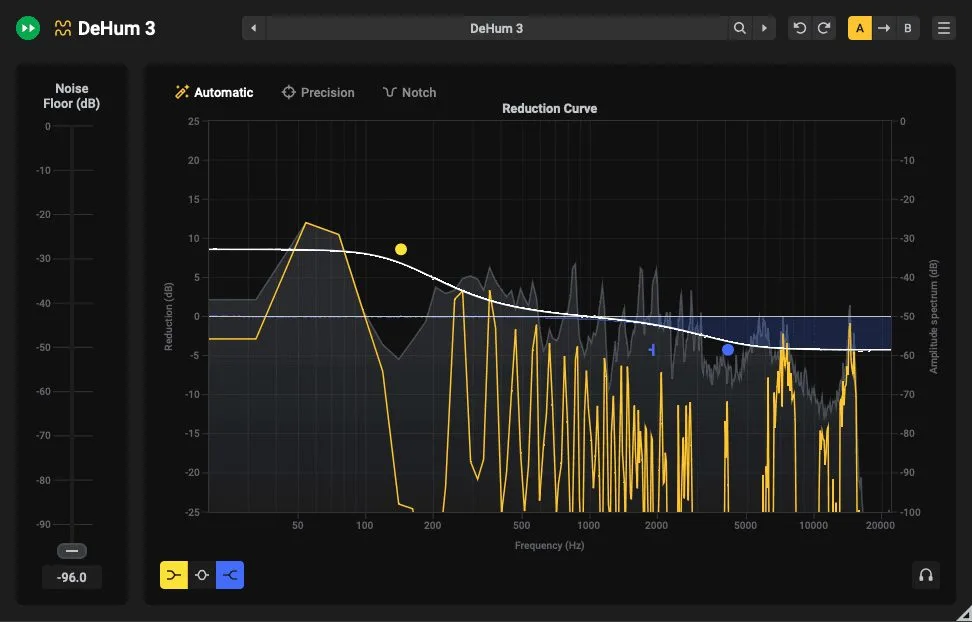
DeNoise 3 goes after hiss, broadband noise, wind noise and camera noise. Its automatic mode runs on a trained network and skips the noise-profile capture, the most tedious step of older denoisers; a manual mode remains for complex or unusual noise. DeHum 3 handles mains hum and buzz, with a machine-learning automatic mode, a Precision mode that follows hum drifting in pitch, and a low-CPU, zero-latency Notch mode.
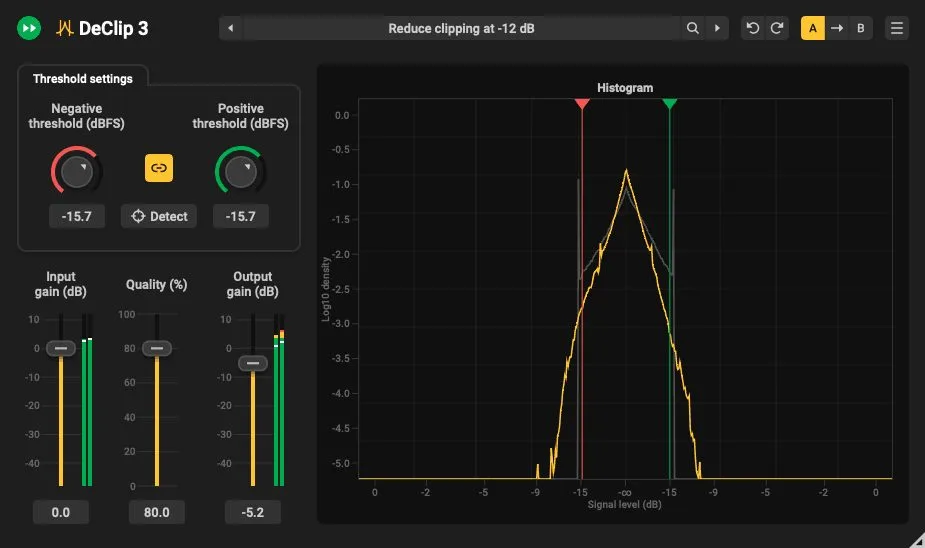
DeClick 3 removes clicks, pops, surface crackle and plosive thumps in a streamlined interface. DeClip 3 reconstructs peaks damaged by analog or digital clipping: one click detects the clipping level, a histogram shows what will be restored, and you trade processing load against quality. Each module behaves as its own tool, which the all-in-one module can call on your behalf.
| Module | Target | What is new in v3 |
|---|---|---|
| Restoration Suite 3 | All-in-one | Analyze button, automatic diagnosis and pre-settings |
| DeNoise 3 | Hiss, broadband noise | Machine-learning auto mode, no profile |
| DeHum 3 | Mains hum and buzz | Auto, Precision (drift tracking) and zero-latency Notch |
| DeClick 3 | Clicks, crackle, plosives | Streamlined interface |
| DeClip 3 | Analog and digital clipping | One-click threshold detection, quality/CPU trade-off |
For anything to do with gating and thresholds, restoration stays complementary to classic mixing tools: a noise gate cuts between phrases, a denoiser works during the wanted signal. They complement each other; they do not do the same job.
Formats, platforms and price
Restoration Suite 3 runs on Windows (VST, VST3, AAX, in 32- and 64-bit) and macOS (AU, VST, VST3, AAX, 64-bit, native on Apple Silicon and Intel). Processing goes up to 192 kHz and supports multichannel up to 7.1.6, so immersive formats on the restoration side. The suite needs a compatible host, Pro Tools 12 or later for AAX.
The launch price is 69 US dollars, a one-time purchase with no subscription, with an upgrade for Restoration Suite 2 owners and a free trial. A launch discount is showing at retailers; it will pass, the rest stays.
My take
The Analyze button is the kind of addition that looks minor and changes the daily grind. Restoration often means ten minutes working out which fault dominates before you treat anything; a correct diagnosis in a few seconds buys that time back, above all on a batch of uneven takes. Moving DeNoise and DeHum to a profile-free mode pulls the same way, less handling, a faster result. At 69 dollars for five modules that reach 7.1.6, the suite is well aimed: the dialogue editor, the podcaster and the archive restorer get an everyday tool, not a demo to pull out twice a year.