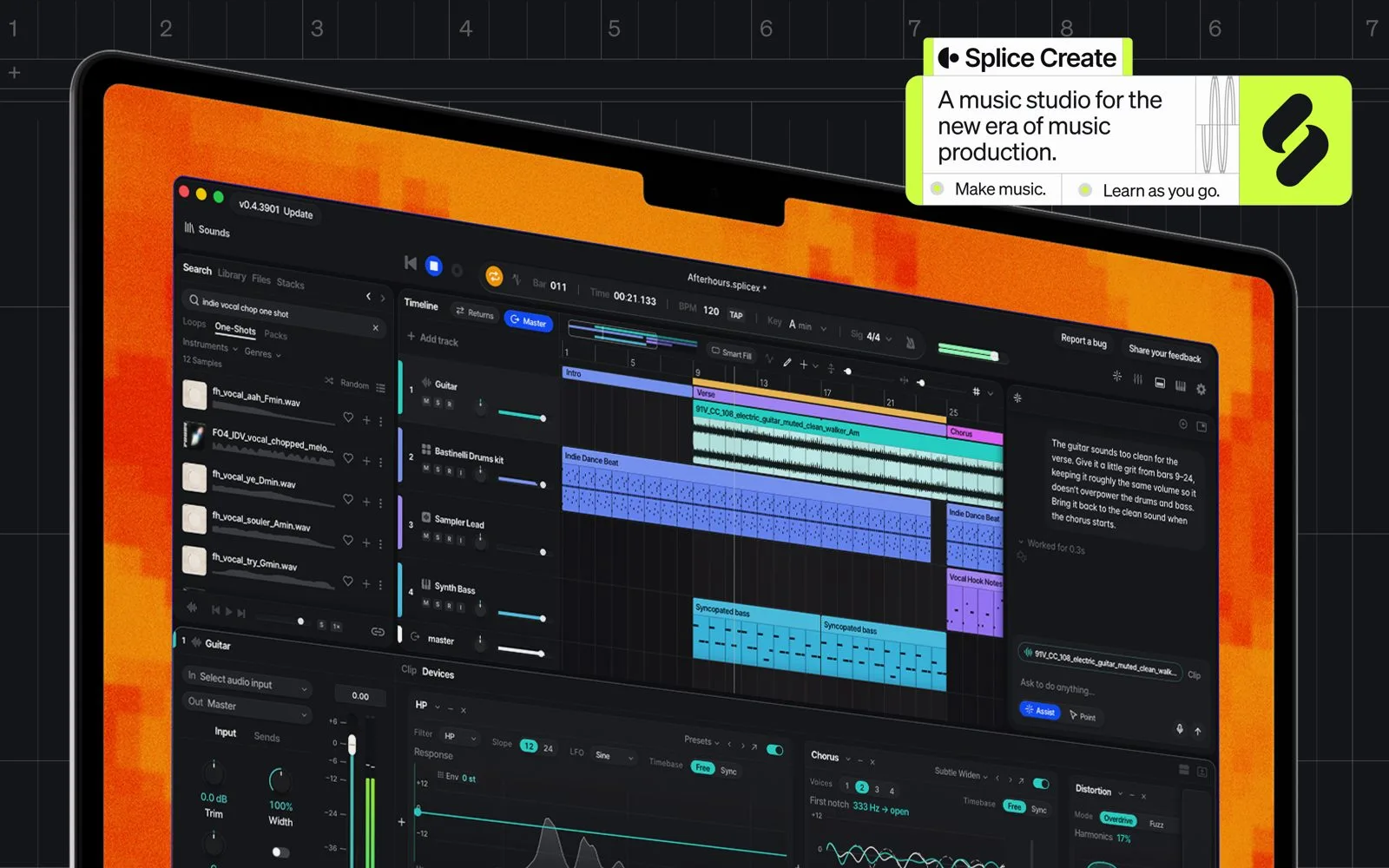
Splice built its name on a subscription library of royalty-free samples. The company has now taken an expected step and released its own production software. Announced on November 5, 2026, Splice Create is a full digital audio workstation that keeps the Splice catalog and a creative assistant in the same window as the timeline and the mixer.
A DAW built around the Splice catalog
On paper, Splice Create ticks the boxes of a modern sequencer: a multitrack timeline, a mixer, a built-in synth, a stock of effects and ready-made presets. The difference is the direct integration of the catalog. Splice’s millions of samples and its virtual instruments can be browsed and dropped into the session without ever opening a separate app or managing a downloads folder. For a producer used to bouncing between the platform and a sequencer, the drop in friction is real.

Rheo, the assistant that arranges by voice and text
The most talked-about part of the launch is the assistant, named Rheo. It responds to voice or text and can build, arrange and edit an idea. One point stands out, because it runs against the current wave: Rheo does not create new sounds. It searches the Splice catalog, writes MIDI patterns, leans on the Variations tool, and everything lands in the session as editable audio or MIDI. A single undo reverses a whole request, so you do not have to unpick a change step by step. This is assisted search and assembly, not signal generation from scratch, an approach close to the machine-learning stem separation arriving elsewhere, for instance with iZotope Photon.

Free to try, paid to export
The business model is plain. The download is free, on macOS 12 and later, in beta. You compose, arrange and mix without paying a cent. The wall comes at export time: you then need a Create Pro subscription, listed at $9.99 per month as an introductory price, or an existing Splice Creator or Creator+ plan. Free users can neither export their track nor license samples from within Create. Windows and web versions are announced, with no date.
| Item | Detail |
|---|---|
| Platform | macOS 12+, beta (Windows and web to come) |
| Download | Free |
| Exporting a track | Create Pro at $9.99/month (launch) or a Creator / Creator+ plan |
| Assistant | Rheo, driven by voice and text, no sound generation |
Splice’s bet
The sample library is becoming a software maker. The move makes sense: Splice already knows the habits of millions of beatmakers and owns a catalog no rival sequencer can present natively. The group has also bought Spitfire Audio and extended its creator-compensation model to generative AI tools, both signs of a strategy that reaches beyond the single sample. The hard part is standing up to established stations. Early impressions place Create below a Cubase 16 or an Ableton Live for editing depth. The tool is not chasing the same user: it goes for the quick idea, the skeleton of a track laid down in minutes, not the hundred-track mix session. For pure synthesis, you will still reach for a Massive XL and the like.
My take
A free sequencer wired to the biggest sample library around is a serious on-ramp for anyone who stares at an empty session. Keeping the assistant on search and assembly, rather than letting it invent sound, rings truer than the generative hype: you stay in control and edit everything. The real issue is export locked behind a subscription. While the beta stays open, it is worth testing the workflow to see whether the idea arrives faster than it does elsewhere.