Streaming your own radio online has never been more accessible: a computer, a decent connection and a few pieces of software are enough to reach listeners anywhere. But between “it works” and “it sounds pro and never drops,” there’s a technical chain to understand. Streaming server, encoder, codec, bitrate, latency, loudness: let’s walk through the links that make a reliable webradio.
The chain, end to end
A webradio always follows the same path. The audio source (your mix, from a console or a playout app) is sent to an encoder, which compresses it into a codec. The encoder pushes that stream to a streaming server, which relays it to every connected listener. The listener’s player decodes and plays the sound, a few seconds behind due to buffering. Each stage has its settings, and one weak link shows up as dropouts or poor quality.
The server: Icecast or Shoutcast
Two applications dominate stream hosting, and they do the same basic job: receive a feed from the encoder and distribute it.
- Icecast: open source, flexible, it handles MP3, AAC, Ogg Vorbis and Opus. It works with “mount points,” letting you serve several streams (say a high-quality feed and a lighter mobile feed) from one server. It provides listener stats and can relay other servers to spread the load.
- Shoutcast: the pioneer, historically centred on MP3 and AAC+. Its server (the DNAS) is still widespread, not least because it feeds a listening directory that brings in audiences. Quick to set up, it’s a common starting point.
Many specialised hosts offer either one turnkey. If you run the server yourself, plan above all for bandwidth: it multiplies by the number of simultaneous listeners (see below).
The encoder: the link that sends
The encoder is the “source” software that takes your audio and ships it to the server. Some are simple manual senders, perfect for a live show; others are built into automated playout software that chains tracks, jingles and live segments to a schedule. For a 24/7 station, an automation tool handles programming and encodes continuously; for a one-off show, a light encoder wired to your console is enough. The key: the encoder must stay stable for hours and reconnect on its own after a network hiccup.
Codec and bitrate: the crux
The codec decides the quality-to-data ratio. The bitrate sets the bandwidth consumed — and therefore your bill and the smoothness at the listener’s end.
| Codec | Strengths | Typical bitrate | Good to know |
|---|---|---|---|
| MP3 | Compatible everywhere | 128 kbps | Safe bet, a bit heavy for the quality |
| AAC / HE-AAC | Efficient at low bitrate | 64–128 kbps | Great on mobile, ideal for a light feed |
| Opus | Best quality per kbps | 64–96 kbps | Superb, but player/directory support still uneven |
| Ogg Vorbis | Free, solid | 96–128 kbps | Good open alternative, less widespread |
In practice, many webradios broadcast a 128 kbps MP3 feed for universal compatibility, paired with a lighter AAC+ feed for mobile. Running multiple feeds from one server is exactly Icecast’s strength. Bandwidth reminder: 100 listeners at 128 kbps is already 12.8 Mbps of continuous output — size accordingly.
Buffer and latency: accept the delay
Streaming isn’t instant live. Between encoding, the server and the player’s buffer, a few seconds pass. That buffer is your friend: it smooths network micro-glitches. Too short a buffer cuts latency but multiplies dropouts; too long, and your “live” runs well behind. For a music webradio, nobody counts the seconds; for an interactive show with listener calls, keep that delay in mind. The logic isn’t that of contribution links, where you chase every millisecond — a topic we cover in our piece on contribution codecs.
Loudness online: aim right
Unlike on-demand platforms that normalise every track, a live webradio stream is not re-levelled automatically: level consistency is on you. The goal is steady perceived loudness from track to track and voice to voice, with no jumps that send the listener reaching for the volume. Watch true peak so the codec’s compression doesn’t clip, and resist the “always louder” urge: past a point, you only gain fatigue and distortion. For hard numbers (LUFS, true peak), our guide to broadcast loudness is the reference.
Treat the sound before encoding
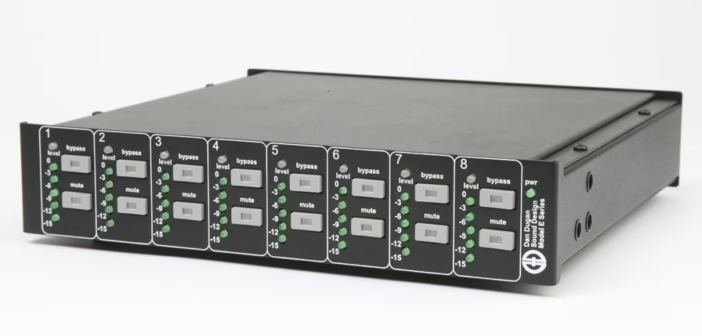
The little secret of stations that “punch”: broadcast processing ahead of the encoder. Gentle EQ, controlled multiband compression and a final limiter give that dense, even sound that identifies a station — without crushing the life out of the signal. It’s exactly the logic of on-air processing, moved to the web. And if your studio runs several mics on the desk, an automixer keeps the background mush at bay. Finally, to move audio cleanly between your studio machines, audio over IP long ago replaced the tangle of cables.
My take
A webradio that lasts is decided less by bitrate than by reliability: an encoder that reconnects on its own and a well-sized server beat a hi-fi stream that drops every ten minutes. Opus offers the finest quality per kilobit, but as long as some players drag their feet, good old 128 kbps MP3 stays the choice that “works everywhere.” The real differentiator is the processing before encoding: that’s what makes a small online station sound like a big one. Nail that link, keep a steady level, and your listeners will stay — the only statistic that counts.