Dithering is one of those settings you tick on autopilot when exporting a file, without always knowing what it does. Yet it’s a precise link in the digital chain: it kicks in whenever you reduce the resolution of a signal, typically when going from a 24- or 32-bit mix to a 16-bit master. Understood properly, it saves you from a master that sounds faintly dirty in its quietest passages.
Why reducing bit depth is a problem
In digital audio, bit depth sets how many levels are available to describe a sample’s amplitude — the signal’s vertical resolution, which we break down in our article on sample rate and resolution. When you reduce bit depth, each sample has to be rounded to the nearest available level. That rounding is called quantization, and it introduces a small error on every sample.
The issue isn’t the error itself, but its nature. At high level, it buries itself in the signal. At very low level — a reverb tail, a fade, a held note dying away — the error becomes correlated with the signal: it follows its shape. A correlated error is heard not as hiss but as harmonic distortion, an ugly metallic grain that shows up precisely when the track is at its most intimate.
What dither does
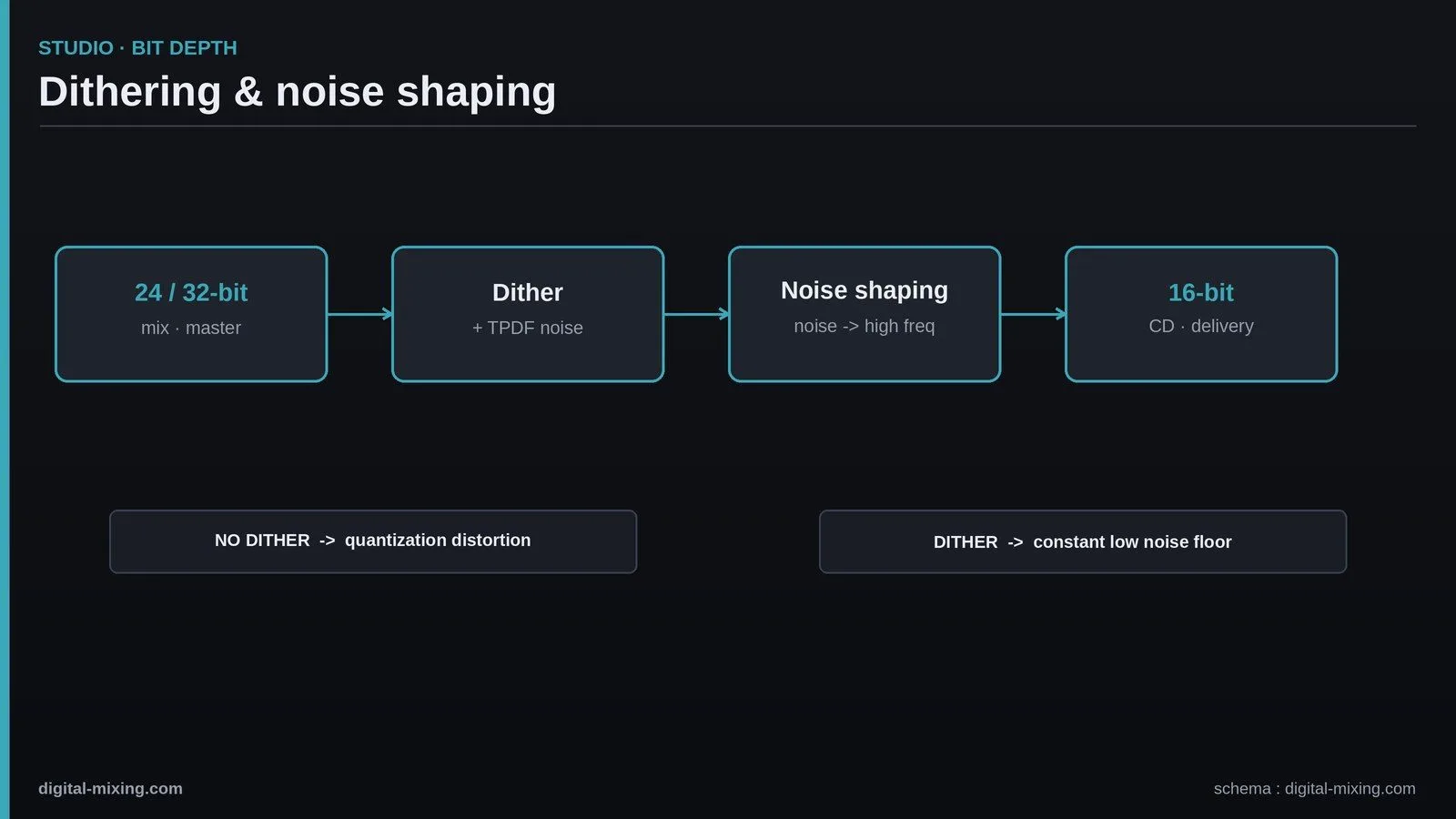
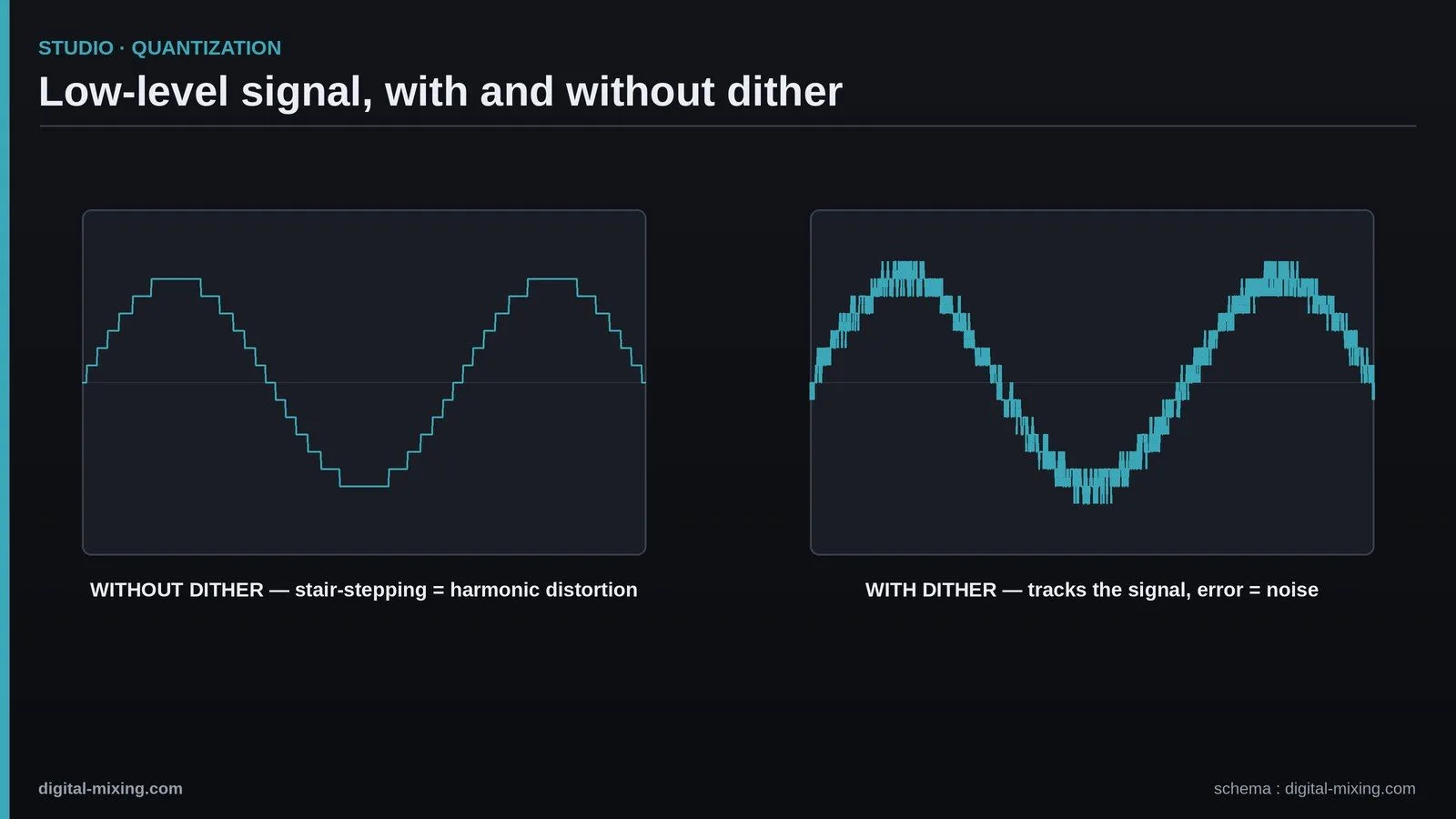
Dither solves this counter-intuitively: it adds a low-level random noise — on the order of the least significant bit — before the resolution is reduced. That noise decorrelates the quantization error from the signal. The result: the error no longer tracks the waveform, it becomes a constant, neutral noise floor, far less obtrusive than the distortion it replaces.
The usual choice is TPDF dither (triangular probability density function), the most common and safest noise shape for the job. The figure below shows the effect on a very low-level signal: without dither, the curve steps in stairs; with dither, it tracks the signal at the cost of a little hiss.
Noise shaping: moving the noise where the ear hears it less
You can go further with noise shaping. The idea: the human ear is far less sensitive in the extreme top end. Rather than spreading the dither noise evenly across the spectrum, noise shaping pushes its energy up into the high frequencies, above 15 kHz, where it’s barely audible. The measured noise level stays the same, but the perceived noise in the sensitive band drops noticeably.
It’s a valuable option at mastering, but it comes with a catch: aggressive noise shaping can cause trouble if the file is later re-encoded or reprocessed. Which brings us to the next point.
When to dither (and when absolutely not)
The rule fits in one sentence: you dither once, at the very end, at the exact moment you leave high resolution for the delivery format. In practice:
- On the final 16-bit export (a CD master, say): yes, dither is essential, placed after every process, including after the mastering limiter.
- Between two 32-bit float plugins inside your DAW: no. 32-bit float offers so much headroom in resolution that internal quantization is inaudible; dithering here would just stack up pointless noise.
- Twice in a row: never. Double dither adds two layers of noise. If a file has already been dithered, you don’t dither it again.
This discipline is part of sound gain staging and a controlled processing order, a subject we expand on in our guide to mastering chain order.
Dither, loudness and delivery formats
The need for dither depends on the output format. A 16-bit master (CD, some stores) must be dithered. Many streaming platforms, however, accept 24-bit: if you deliver at 24-bit without reducing resolution, there’s no reason to dither. So the question comes up alongside delivery levels and loudness and LUFS targets. Same logic on the clocking and conversion side: a clean system, a topic we cover in our article on word clock, limits other sources of degradation upstream.
In practice: where dither hides in your DAW
In a mastering or export tool, dither sits in three possible places: the export dialog (a “dither” checkbox with a choice of type and noise shaping), the last plugin in the chain (many mastering limiters include their own dither), or a dedicated dither plugin placed dead last. The classic trap is enabling two at once — the limiter’s dither and the export’s, for instance. Only one should stay active.
Does it still matter in the streaming era? On a dense, loud track, the difference is inaudible. But on dynamic music — classical, jazz, ambient, a bare vocal — the very quiet passages really do exist, and that’s exactly where dither decides between a clean silence and a parasitic grain. The safe habit: always dither any reduction to 16-bit, and never think about it twice.
My take
Dithering is the textbook detail you ignore until the day a reverb tail starts crackling on a 16-bit master. The good news: the rule boils down to one line — dither once, at the very end, when you leave high resolution. The rest is just well-placed curiosity: TPDF when in doubt, noise shaping if you know the file won’t be touched again. It won’t sell a record, but it’s the setting that stops a good master from betraying an amateurism the eye never catches.