The moment a studio runs more than one digital machine, one question comes up: who sets the pace? In digital audio that pace has nothing to do with music. It is a sampling rate, and it has to be clockwork-regular. Word clock, jitter and the master clock all circle this single idea. Plenty of folklore surrounds them, so let us separate the physics from the myth.
Why digital needs a clock
An analog-to-digital converter measures the signal voltage at fixed intervals: 44,100 times a second at 44.1 kHz, 48,000 times at 48 kHz, and so on. Each measurement is a sample. For the waveform to be reconstructed faithfully, those measurements must be taken at perfectly even instants. The clock keeps that beat: a reference signal that says “take a sample now,” tens of thousands of times a second.
As long as a device works alone, it simply uses its own internal clock and all is well. Trouble starts when you connect several digital devices — an interface, a digital console, a converter, a recorder — over AES/EBU, ADAT, S/PDIF or MADI. Each has its own clock, and no two clocks ever run at exactly the same speed. Without a common reference, one device’s samples drift against the other’s: you hear clicks, periodic crackles, even hard dropouts. The rule is simple and absolute: in a digital chain, one clock is the reference and everything else slaves to it.
Word clock: a synchronisation signal of its own
There are two ways to share that reference. The first is implicit: links such as AES/EBU or ADAT carry the clock inside the audio stream, and the receiving device recovers it and locks on. The second is explicit: word clock, a square-wave signal distributed separately, usually over a BNC connector and 75-ohm coaxial cable. It carries no audio, only the beat — a pulse at the sampling frequency.
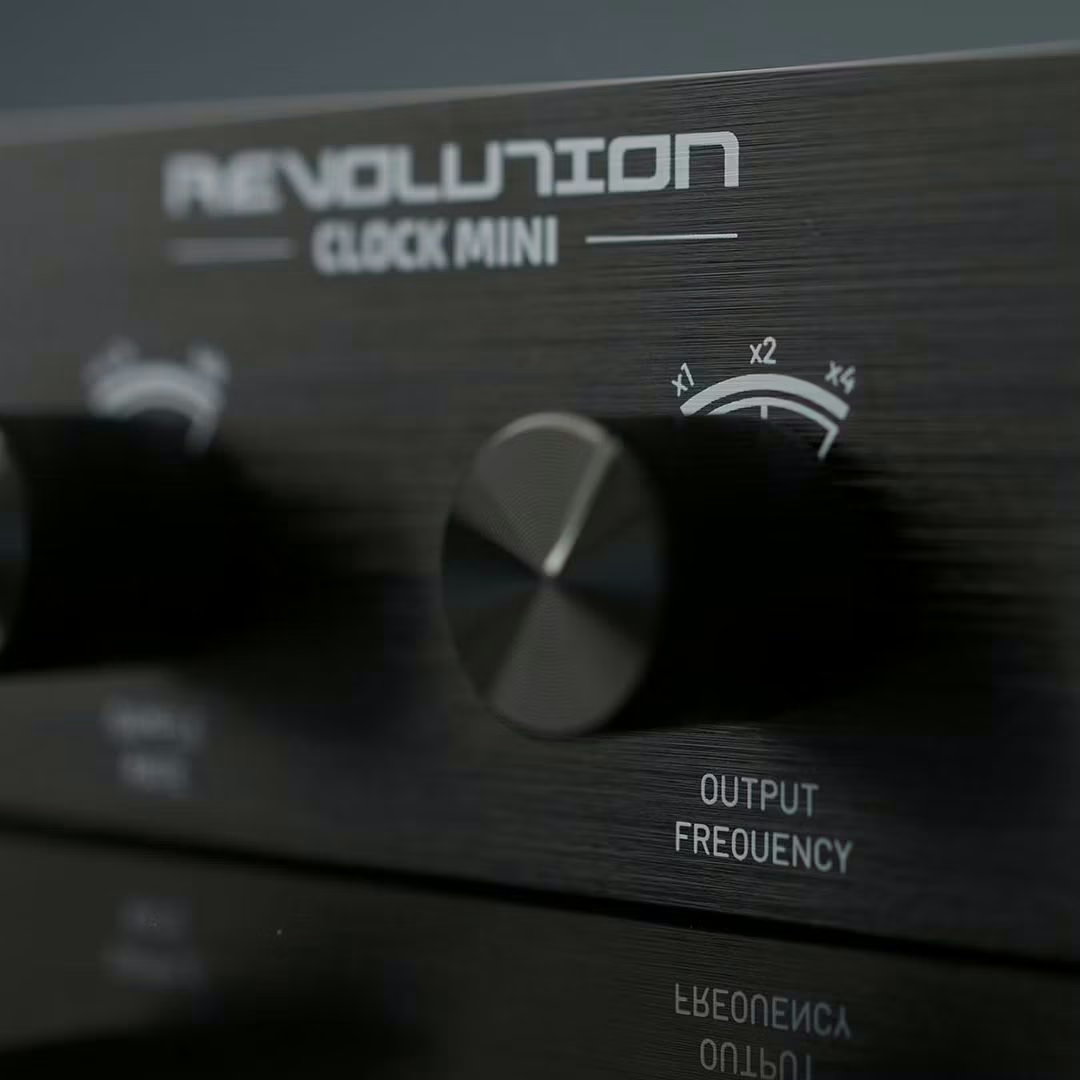
Either way, the logic is master/slave. You nominate one device as master: it uses its internal clock and, optionally, sends it out of its word clock output. The others switch to external mode (“Word Clock” or “External”) and sync to that pulse. The watchword: one master, never two, and identical sample rates everywhere. That is exactly the job of a box like the Black Lion Audio Revolution Clock Mini: give a whole rack of converters a single reference.
Jitter: where the clock is actually heard
A perfect clock would place every pulse at a rigorously equal interval. A real clock wobbles slightly: pulses arrive a touch early or late. Those timing variations, measured in picoseconds, have a name — jitter. They come from mediocre design, a low-grade phase-locked loop (PLL), reflections in a badly terminated cable, or ground problems.
Here is the key point, and it is widely misunderstood: jitter is only audible where you convert, at the input of the A/D converter and the output of the D/A. At that precise moment, a pulse that arrives too early or too late shifts the sample in time; the result is a modulation of the signal that shows up as spurious tones and a slightly raised noise floor — a kind of smearing. When a device merely passes digital data to another, however, transport jitter has no sonic impact: the receiver re-clocks the data. What matters, then, is not the clock “somewhere” in the chain but the one governing the converter at the instant analog becomes digital, and back again.
Do you need an external master clock?
This is the touchy subject. The sales pitch says a very-low-jitter external clock improves any converter. Reality is more nuanced. A good modern converter already carries an excellent internal clock, often tuned better for its own circuit than any outside reference. Forcing an external clock on it makes it re-lock through its PLL — and if that PLL is average, you can add jitter instead of removing it.
So the real value of a master clock is not cosmetic, it is logistical: cleanly synchronising several devices around a common reference in a studio that aligns many converters, a digital console and outboard gear. There, a star distribution from a good clock avoids slaving cascades and dropouts. On a single interface, though, leave it on its internal clock: that is almost always the safest setting.
The 10 MHz reference case
High-end setups go further: feed the master clock with an external 10 MHz reference, sometimes from a rubidium oscillator, to stabilise it further and lower its jitter. On paper it makes sense; by ear, on already-excellent gear, the differences often belong to the measurement bench more than the listening chair. Keep it for installations with a genuine technical need, not as a magic wand.
Setting your clock without mistakes
The procedure comes down to a few moves, and most trouble comes from skipping them:
- Pick a single master and switch every other device to external clock.
- Check the sample rate is identical everywhere — 48 kHz will never lock to 44.1 kHz.
- Watch the lock indicators (“Lock”, “Sync”): a blinking light means a sync fault.
- Terminate the word clock line at 75 ohms on the last link of a chain, or use a star distribution to avoid reflections.
- Connect word clock first, power up, let the system lock, then start the audio.
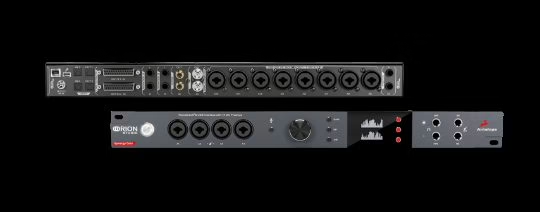
These habits sit alongside good level and gain structure in the digital domain: nothing spectacular, just the foundation of a chain that never lets you down. A recent interface such as the Arturia AudioFuse Studio Rev2 handles these settings from its control software.
And on audio-over-IP networks?
BNC word clock belongs to the world of point-to-point links. On an audio-over-IP network such as Dante, AES67 or ST 2110, synchronisation runs on PTP (IEEE 1588): a “leader” clock is elected on the network, and every device aligns to it within microseconds, with no dedicated sync cable. The master/slave principle has not vanished — it has simply moved into the network, adding the redundancy and determinism that plain BNC never had.
My take
Word clock is over-hyped in both directions: neither a pointless gimmick nor a magic potion. The right instinct is to reason from conversion, the one place jitter is heard. On a lone interface, its internal clock is enough and often beats a poorly used external reference. Line up several converters, though, and a clean master clock in a star topology becomes real comfort: no more dropouts, a system that locks first time. Spend your budget on what is audible first — the converters themselves — and treat the external clock as a synchronisation tool, not a sound sweetener.