Radio almost never airs "live" in the strict sense. Between staffed hours and automated nights, it’s a playout system that actually holds the wheel : it reads the log, chains elements, fires the jingles and covers the gaps. Understanding radio automation means understanding how a station keeps a coherent schedule with a small team — and why some stations sound "pro" while others give away their seams.
Playout, log and traffic: the basic vocabulary
The playout is the software that reads and airs the audio elements. It works from a log : the ordered, minute-by-minute list of everything that must air — music, ads, jingles, time signals, news. That log isn’t written by hand : it’s the merge of two separate plans.
- Music scheduling generates the rotation under separation rules (don’t repeat an artist too soon, alternate tempos and eras, respect A/B/C categories).
- Traffic (the ad department) places sold spots into the commercial breaks, in their reserved slots.
The playout merges the two into a single log, then airs it. It’s this music/ads/imaging separation that lets a small team program a whole week in a few hours.
Three operating modes
The same station shifts through the day between three regimes, and a good playout moves between them without a gap :
- Full automation : the software chains everything on its own, no human present. This is the mode for nights and weekends.
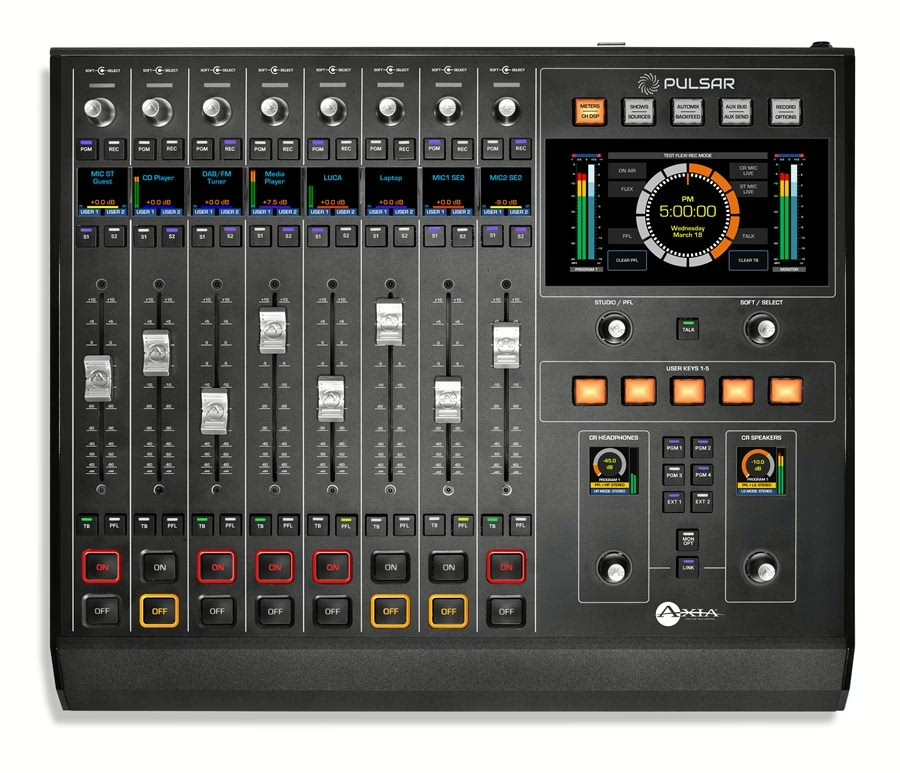
- Live assist : the presenter is in charge, but the playout lays out the log and fires elements at a button press. They keep the pace without loading each file.
- Manual / live : on the breakfast show or a special, you take full control, the software mostly serving as a cart player and safety net.
Voice-tracking: "faux live" done right
This is the technique that changed radio production. Voice-tracking means recording the presenter’s links in advance, tucked between two songs, with the transitions already set. On air, the listener hears a hosted, flowing show with links that land perfectly — even though it was all assembled earlier, sometimes for several days of programming.
The key to a good voice-track is in the crossfades and overlaps : the voice starts over the end of the previous song (the ramp, that instrumental intro you can talk over without covering the vocal) and ends right on the next song’s downbeat. Done well, it’s undetectable ; done badly, you hear it instantly — misalignments, gaps, a voice talking over the chorus. Voice-tracking doesn’t replace a live show, but it lets a station sound alive 20 hours a day with a handful of presenters.
Imaging: the station’s sonic identity
You recognise a station by its imaging : sung jingles, spoken sweepers, music beds under the voice, time signals, stabs. The playout handles these as triggerable carts, often placed automatically by the log (a station jingle every two or three songs, a stab before each commercial break). Imaging isn’t decoration : it gives the station its pace and signature, and it masks the technical transitions. A large part of radio production is dialling in that imaging : enough to stamp the identity, not so much that it smothers the content.
What happens on the audio side
Automation isn’t just reading files in order. On the way out, the technical chain stands guard : loudness normalisation so every song and ad leaves at the same perceived level, automatic ducking of beds under the voice, silence detection that switches to a backup source if the feed drops. At the end of the chain, the on-air broadcast processor unifies the station’s sound before the transmitter — that’s what gives it that dense, instantly recognisable feel, and it leans on the same loudness discipline covered in broadcast loudness.
The playout also talks to the rest of the studio through GPIO (mic-on that dips the bed, a channel opening on the console, a trigger that fires a networked newscast). On networked stations it handles syndication : local opt-outs, regional ad insertion, rejoining the national feed to the second.
Which software for which station?
The market runs from free to high-end. On the professional side you’ll meet RCS Zetta, WideOrbit or Myriad in large groups ; lighter options like PlayoutONE or Aircast for local and community stations ; and open-source projects like Rivendell or LibreTime for a tight budget. The choice hinges less on spec-sheet length than on integration : compatibility with your contribution chain and codecs, with your music scheduling tool, and how painless voice-tracking is day to day. If you broadcast online, the same logic runs all the way to the streaming encoder.
My take
Automation gets a bad rap : it’s tied to soulless nights and "jukebox" stations. That misses the point. A well-tuned playout, with careful voice-tracking and coherent imaging, lets a small team run an on-air sound as alive as a live show — and frees up time for what really matters, the content. The real trap isn’t the machine, it’s cutting corners : voice-tracks slapped together, crossfades that land wrong, and the listener tunes out. The technology has been mature for years ; what makes the difference is the care you put into the transitions.