There is one scenario every studio engineer has learned to dread: a beautiful control surface, mechanically perfect, struck silent by a software or operating-system update. That is exactly the fate hanging over Avid D-Control surfaces ever since Pro Tools dropped support for them on Apple Silicon Macs. Neyrinck has just delivered a practical answer: a mode called D-Control Basic, added to its V-Control Pro software, that puts those big consoles back to work on current machines.
The problem: intact hardware, orphaned
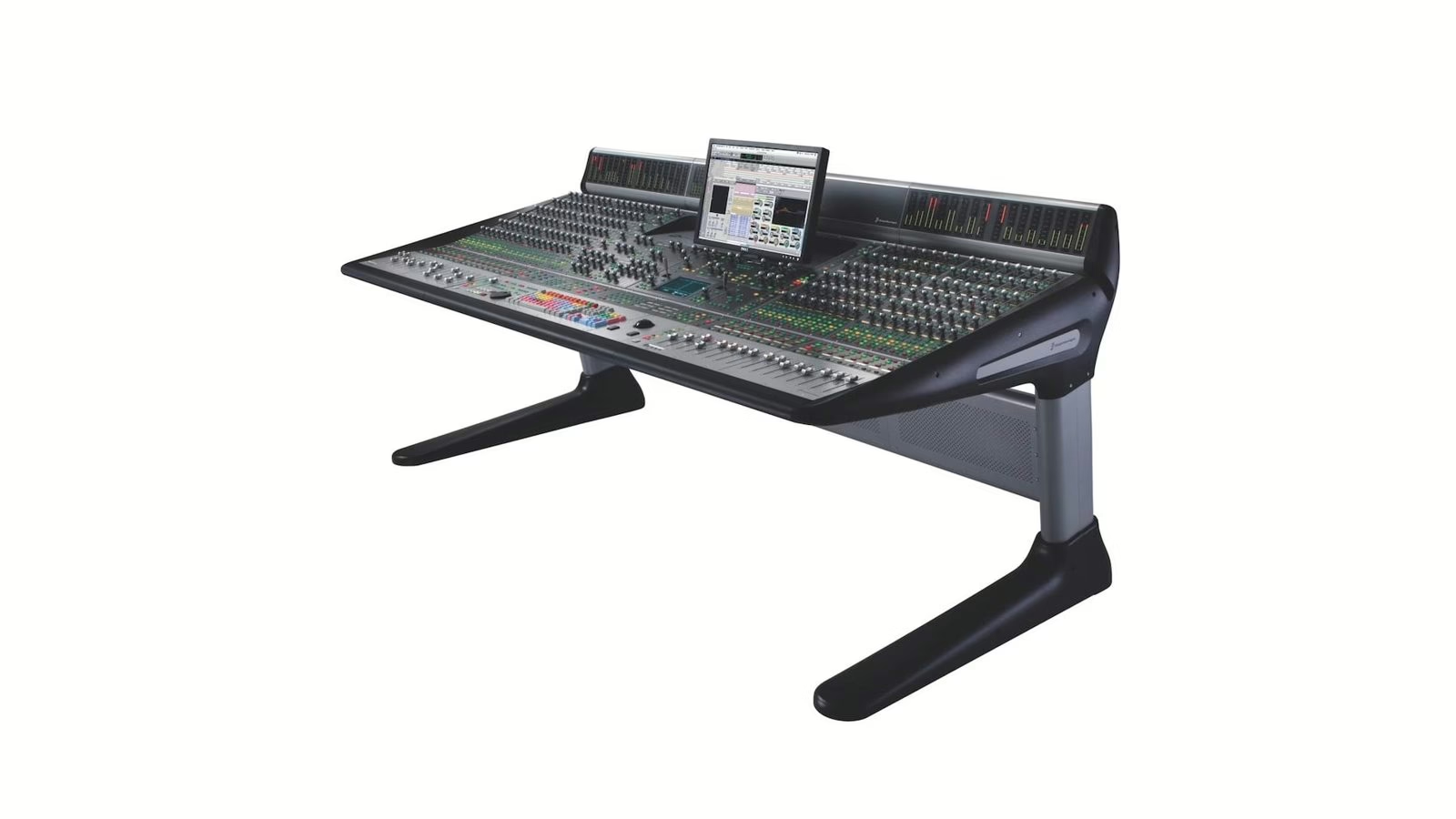
The D-Control is a large-format control surface born in the Digidesign ICON era, built to drive Pro Tools hands-on: motorised faders, encoders, dedicated sections for EQ, dynamics and automation. Plenty of studios still own one, and for good reason — mechanically, these surfaces have not aged. The problem lies elsewhere. Moving to Apple Silicon, Pro Tools dropped native support for the D-Control. The result: tens of thousands of dollars of intact hardware cut off from the very DAW it was meant to command. It is the kind of dead end you know all too well once you have lived through a platform transition from the inside.
That gap is exactly what D-Control Basic fills. Rather than attempt an unmaintainable native integration, Neyrinck leans on HUI, the veteran control protocol inherited from Mackie and Digidesign that Pro Tools still recognises. The surface appears to the DAW as a standard HUI controller, and V-Control Pro bridges the D-Control’s Ethernet to that protocol.
What D-Control Basic gives back, and what it leaves out
The name is honest, and Paul Neyrinck owns it: “We named it Basic on purpose. What we can give you is a working console instead of a dead one — faders, transport, pan, automation, sends, inserts and plug-in editing on a machine you can actually still buy.” In short, you get back the bulk of everyday mixing work.
In practice, D-Control Basic revives the transport, the motorised faders (16 or 32, at 0.1 dB resolution), panning, mutes, solos, record arm and track selection, automation modes, sends A–E with flip-to-faders, inserts A–E on strips 1–8, and full X-Mon monitor control. Some sections stay dark, though: there is no reassignable focus strip, and the dynamics, EQ and soft-key sections do not respond. Sends beyond E, and inserts beyond E on the remaining strips, are also unavailable. This is a sensible use of the HUI protocol, not a full reconstruction of the console.
As for configuration, D-Control Basic supports one D-Control Main unit and up to two Fader Modules, for a maximum of 32 channels. Devices connect over Ethernet, the surface is added as a controller in V-Control Pro’s Setups window, and Pro Tools is set up for two or four HUI banks. Support is currently limited to Pro Tools; other DAWs are not covered by this specific mode.
Price, availability and plain common sense
D-Control Basic is available now and requires a V-Control Pro Plus 2 license, priced at $299 (down from $349), as a perpetual license with no subscription. Set against the value of a D-Control and the cost of a comparable new surface, the bill is trivial. It is the very definition of a common-sense purchase: a few hundred dollars to bring an otherwise idle investment back to life.
Our take
I spent years running studios technically, a good chunk of it on a Euphonix System 3000 — another large digital surface, from another school entirely. You develop a particular attachment to these machines: the geography of your hands on the faders, the reflexes, a physical relationship with mixing that a mouse will never replace. And you also know the dread of watching one go obsolete not because it breaks, but because the software moved on without it. What Neyrinck does here is not a spectacular technical feat — it is better than that: it is a piece of industrial common sense. Extending the life of well-designed hardware instead of pushing you toward a replacement is exactly what we would like to see more often.
Do not let the word “Basic” fool you: for an engineer mixing day in, day out, motorised faders, transport, automation and plug-in editing cover the vast majority of the gestures. The comfort of a real surface, without buying a real surface. If the big-console debate interests you, revisit our take on choosing an analogue or digital mixing console and our look at the Harrison Audio Flex-10. Full details are on Neyrinck’s site.