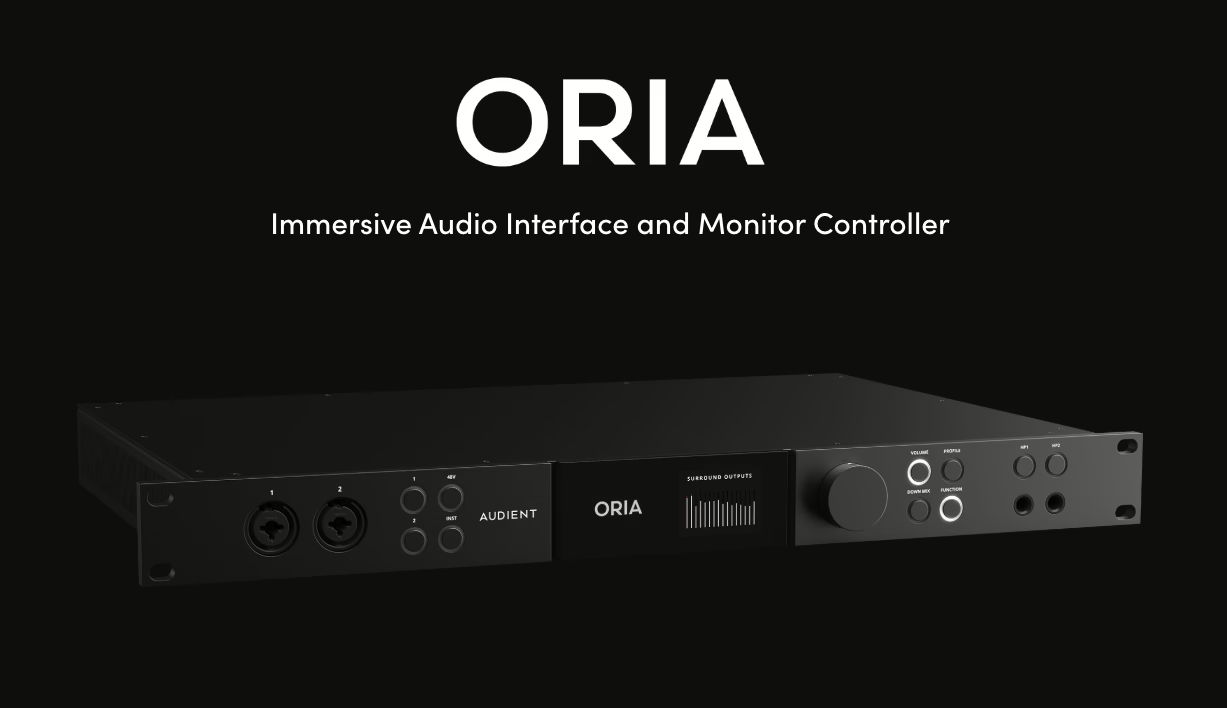
Between the boom in home studios, the arrival of immersive formats and the generalisation of mixing at home, the issue of acoustic correction has become central in 2025. With the ORIA Mini, Audient is offering a room-correction box that sits between your audio interface and your speakers, and directly applies an internal calibration profile generated by Sonarworks SoundID Reference.
Announced at the end of September 2025 and already tested by several specialist media outlets, the ORIA Mini clearly targets home studios and project rooms that cannot be turned into fully treated studios, but still want reliable monitoring in order to mix and deliver masters that translate consistently across all systems.

This article sets out the context for room correction in 2025, explains how the ORIA Mini works, details concrete use cases for home studios, compares it with competing solutions, and highlights the limitations you should keep in mind before investing.
Why room correction is no longer optional in 2025
Untreated rooms, problematic low end and the gap between headphones and speakers
Most home studios operate in bedrooms, living rooms or offices that were never designed for audio. These spaces often have parallel walls, large glass surfaces, bulky furniture and limited volume. These characteristics create strong room modes, peaks and dips in the low end, unstable stereo imaging and harshness in certain frequency areas, particularly in the upper midrange.
In these conditions, even very good nearfield monitors cannot fully compensate for the room. Many producers and beatmakers therefore turn to headphones, which avoid some room issues but introduce other biases: an unnatural stereo field, a particular perception of the low end, quicker listening fatigue, and difficulty judging the actual size of the mix in the room. Monitoring room correction is precisely designed to make speaker listening more reliable, even in an untreated home studio.
Limitations of purely software-based solutions
For around a decade now, solutions such as Sonarworks SoundID Reference or IK Multimedia ARC have popularised room correction in the form of a plug-in or system-wide application. The principle is simple: the user measures the room response with a measurement microphone, the software calculates a compensation curve, and this curve is then applied to the monitoring bus or at the global system level.
These tools have proven their effectiveness, but they present several important limitations for home studios:
- Additional latency: convolution and filters add delay, which can be distracting when playing live or singing while monitoring.
- Dependence on software: correction disappears if the plug-in is not loaded, if the system app is disabled, or if there is a driver issue.
- Complex output management: correction is sometimes applied to all outputs (DAW, browser, video player) even though the profile was created for a specific speaker pair. You then have to constantly enable or disable the correction depending on the source.
Hardware correction units such as the Audient ORIA Mini address these specific limitations by offloading processing to a dedicated DSP placed after the audio interface, independently of the computer’s software configuration.
Audient ORIA Mini: how this hardware correction box works
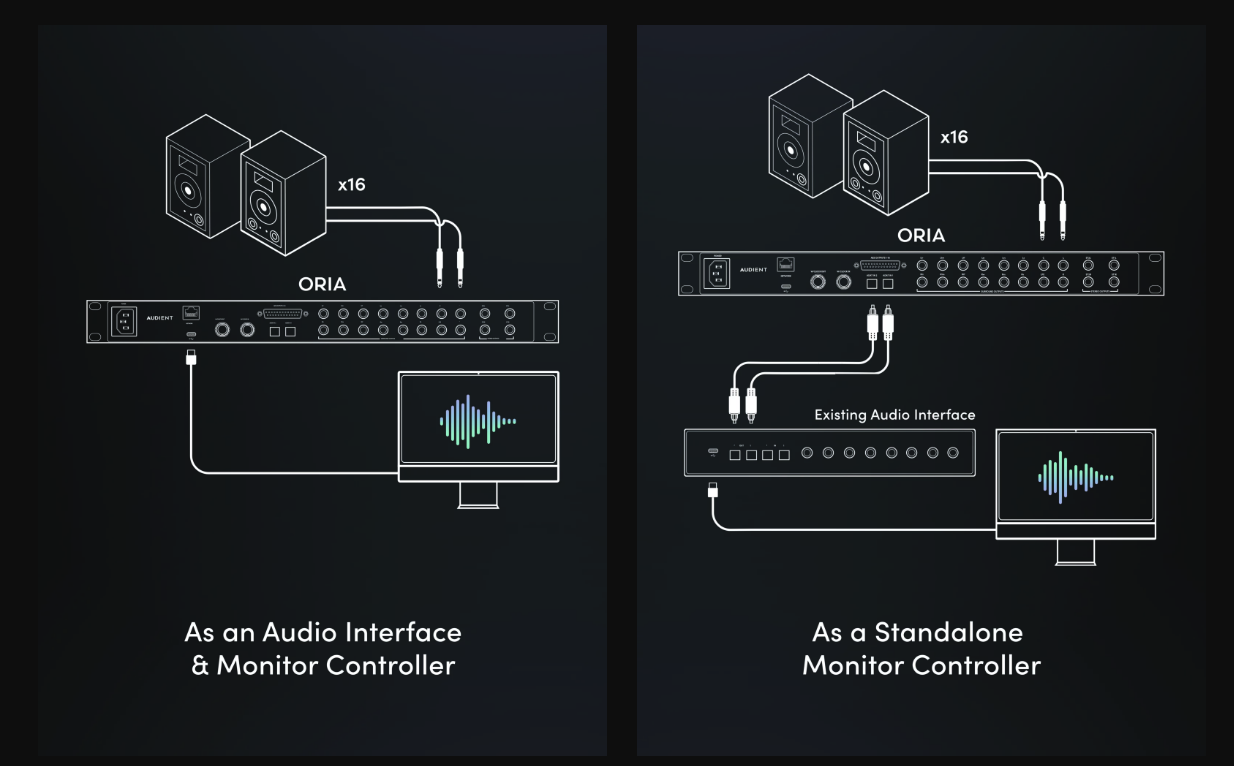
Placement in the signal chain: between the audio interface and your studio monitors
The ORIA Mini is a compact rectangular box powered via USB, acting both as a stereo monitor controller and as a room-correction processor. It sits downstream of your audio interface: the interface outputs are connected to the ORIA Mini inputs, then the ORIA Mini outputs feed your studio monitors and, if applicable, a subwoofer.
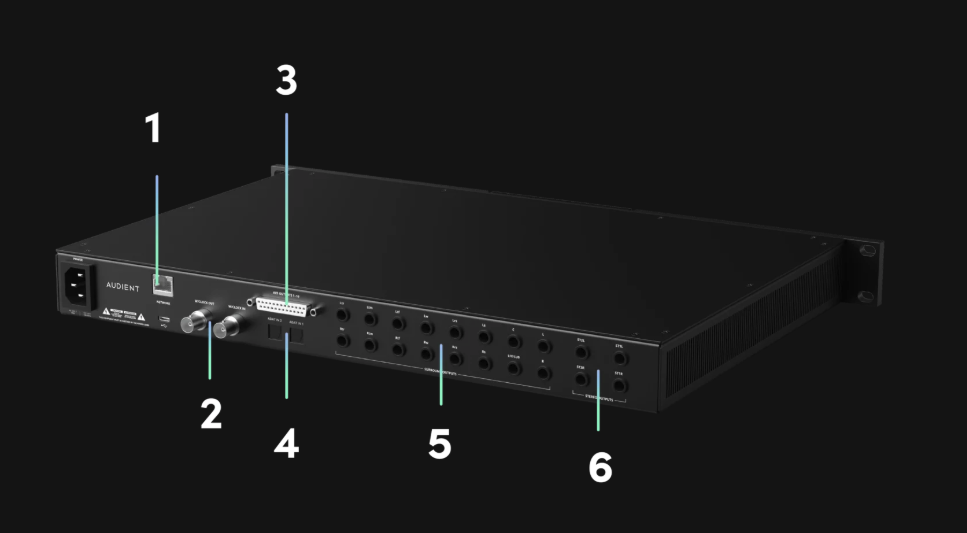
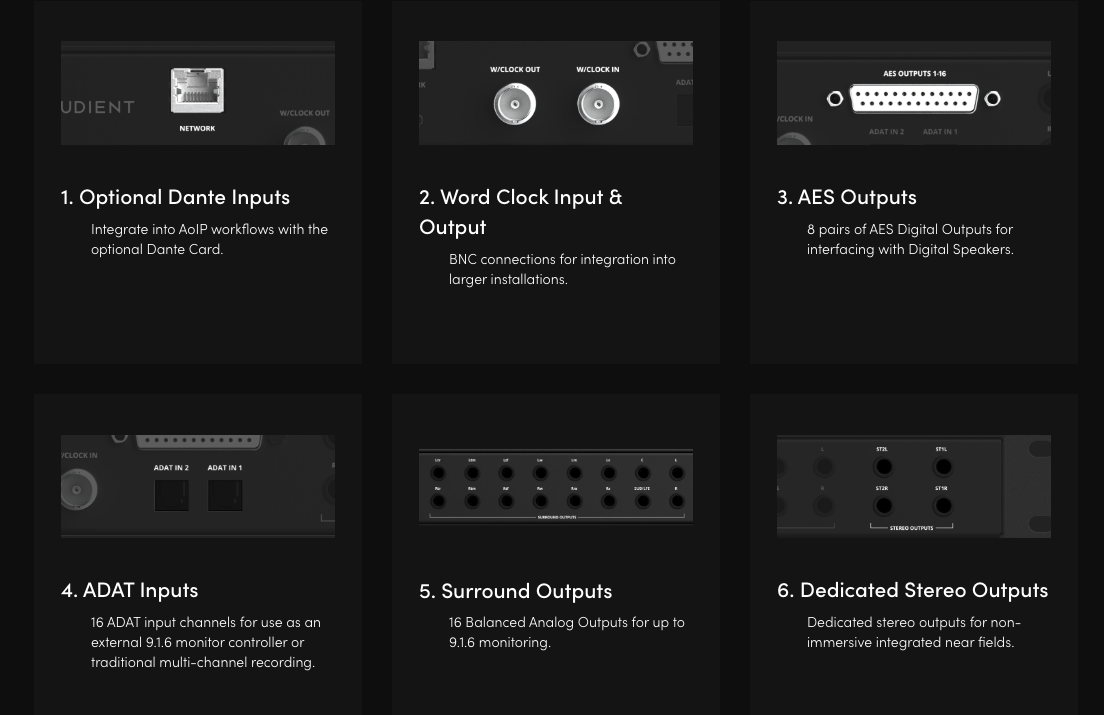
On the rear panel, the ORIA Mini offers:
- two balanced analogue TRS inputs (left and right);
- a S/PDIF digital input that lets you avoid an extra conversion step if your interface supports it;
- three analogue TRS outputs (left, right, sub) for a 2.1 setup.
The unit operates up to 96 kHz and uses 32-bit converters with a quoted dynamic range of 127 dB. Audient emphasises a neutral conversion stage, designed not to degrade the signal while still delivering precise correction. This point matters, because the signal passes through the ORIA Mini with an extra round of conversion.
Room measurement and SoundID Reference profile applied in the internal DSP
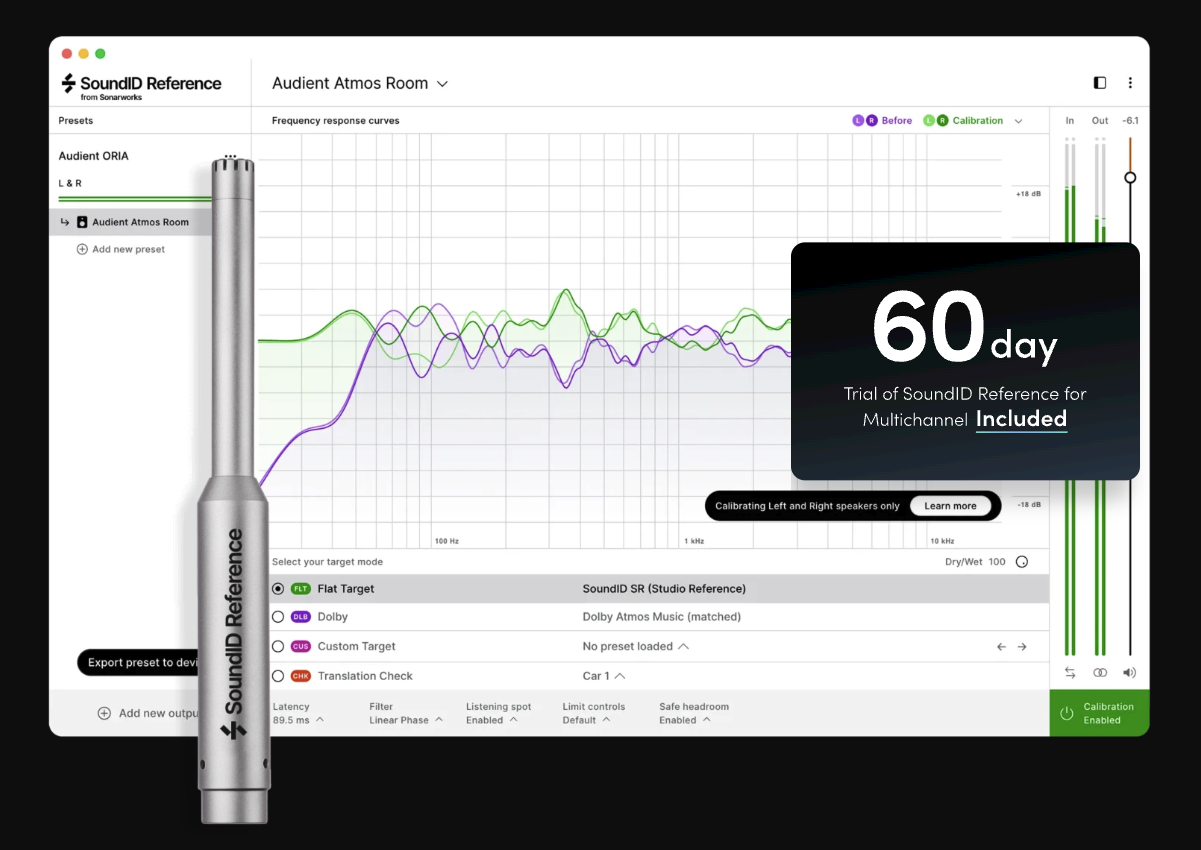
The ORIA Mini relies on Sonarworks SoundID Reference for measuring and generating the correction curve. The full bundle includes a calibrated measurement microphone and a SoundID Reference licence for speakers and headphones. The calibration procedure follows these main steps:
- Connect the supplied measurement mic and launch the calibration wizard in SoundID Reference.
- Carry out frequency sweeps at numerous points around the sweet spot to measure the response of the room and speakers in the listening area.
- SoundID Reference computes a target curve and a correction profile tailored to the setup (speakers only or 2.1 system).
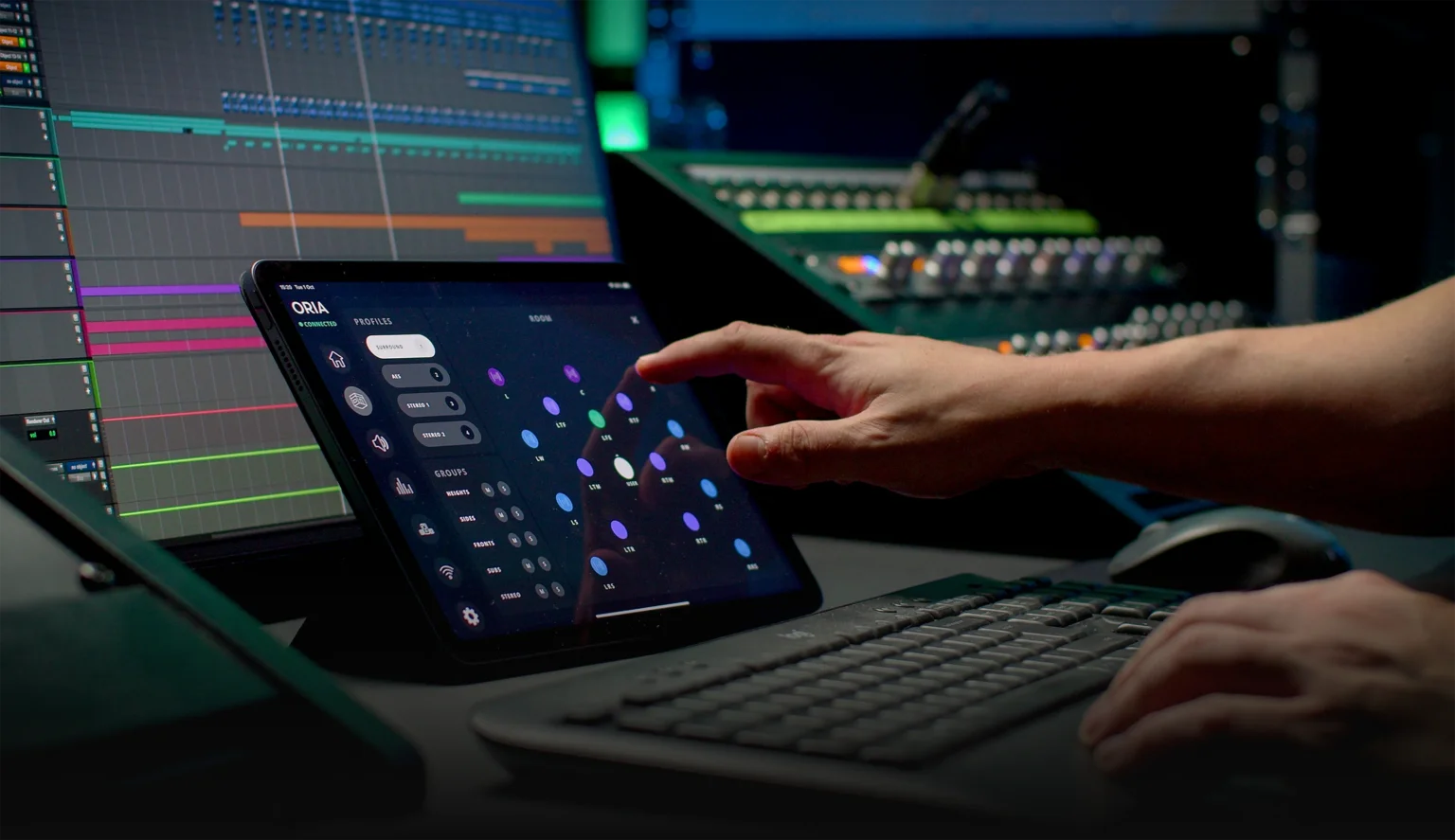
- Export the profile into the ORIA Control software, which then transfers the correction curve into the ORIA Mini’s DSP.
Once this step is complete, the correction is applied directly inside the unit with no need to run the SoundID plug-in or app on the computer. Multiple profiles can be stored in internal memory, and four favourite slots are instantly accessible from the front panel via the “Profile” button and its corresponding LEDs.
Advantages: no plug-in, no system-wide reconfiguration, broad compatibility
Once the profile has been loaded, the ORIA Mini functions as an autonomous link in the monitoring chain. Room correction remains active:
- regardless of the software you use (DAW, video player, web browser, streaming platform, games console connected to the interface, and so on);
- with no plug-in on the master bus, simplifying mix sessions and preventing export mistakes when the correction is accidentally left on;
- without adding load to the computer’s CPU and with very low latency, as processing is handled by the internal DSP.
The ORIA Mini is also compatible with most interfaces that provide line outputs, and with the majority of 2.0 or 2.1 monitoring setups. The ORIA Control software also allows for manual calibration via EQ, delay, level and subwoofer-management settings for users who prefer to work with other measurement tools.
Concrete use cases for a home studio
Recording and mixing in a bedroom or living room
In a home studio set up in a bedroom, office or living room, the space is often shared with everyday life. It is difficult to install bass traps and thick panels on every wall. In this context, the ORIA Mini brings a significant improvement:
- the frequency response at the listening position becomes more linear, making it easier to make decisions about low end, low mids and brightness;
- stereo imaging becomes more stable, helping you place vocals, instruments and effects within the soundstage;
- mixes end up much closer to what you get on other systems (car, Bluetooth speaker, earphones). This reduces the number of back-and-forth checks on different playback systems.
For a home studio that cannot be permanently acoustically treated, this hardware monitoring correction is an attractive intermediate solution between a simple plug-in and a full-blown acoustic refit.
Switching from a working mix to a “client” listening mode on the fly
The four favourite profiles recallable from the front panel let you set up several listening modes without changing your DAW configuration:
- a neutral reference profile for mixing;
- a profile simulating car speakers or small-speaker systems to check low-mid clarity;
- a more “hi-fi” profile to approximate a consumer listening environment;
- a profile dedicated to another speaker pair or to secondary monitors.
This quick switching between profiles allows you to check how your mix translates without having to own multiple physical systems. For a producer or engineer working alone, it makes it easier to move between analytic listening and a more comfortable “client-style” playback.
Taking the ORIA Mini on a writing retreat or into a project control room
Thanks to its compact form factor and USB power, the ORIA Mini fits easily into a mobile setup. You can take it along for a writing retreat, a session at a band’s rehearsal space, or a project control room, together with an audio interface and a pair of monitors. Once there, you simply carry out a fresh room measurement with SoundID Reference, load the profile into the ORIA Mini, and regain a calibrated listening environment in a different room.
For a live sound engineer preparing mixes at home, this kind of tool helps to make a desktop monitoring setup more reliable without committing to a large budget for fixed acoustic treatment, while still keeping your existing speakers and interface.
Comparison with competing solutions
Standalone Sonarworks software vs Audient ORIA Mini hardware
The first comparison is between using SoundID Reference in pure software form and integrating it via the ORIA Mini.
Using Sonarworks SoundID Reference in software only offers several advantages:
- a lower entry cost if you already own an interface and a measurement mic;
- a great deal of flexibility to adjust the target curve, the amount of correction applied, and to calibrate both speakers and headphones.
On the other hand, this approach means dealing with latency, keeping an eye on whether the plug-in is on the monitoring bus, and configuring the system app to avoid applying correction to outputs that should remain untouched.
With Audient ORIA Mini + SoundID Reference, the logic is different:
- the cost is higher, as you have to factor in the box itself (around €299) and potentially the SoundID Reference licence and measurement mic if you do not already own them;
- room correction becomes an autonomous stage in the audio chain, independent of your DAW or operating system;
- the unit also acts as a simple monitor controller with sub management and listening profiles, which may save you from having to buy a separate controller.
Dirac, Trinnov and other correction systems
Several types of products coexist in the hardware-correction market:
- High-end systems such as Trinnov Nova, aimed at professional and broadcast studios, with advanced options but a much higher price tag, running into several thousand pounds.
- Affordable correction boxes, for example IK Multimedia ARC Studio, which also sit between interface and speakers and include their own correction engine.
- Correction integrated into monitors, offered by some manufacturers (Genelec, Neumann, etc.), but limited to certain models and sometimes requiring a complete change of speaker pair.
The ORIA Mini positions itself between these different categories: it adopts the dedicated-box concept of ARC Studio, while benefiting from the Sonarworks SoundID Reference algorithm and professional-grade audio conversion, an area where Audient is already well established with its interfaces.
In which situations is the ORIA Mini the best compromise?
The Audient ORIA Mini appears to be a smart compromise in several typical scenarios for a home studio or project room:
- the user already owns a satisfactory audio interface and a pair of studio monitors they do not wish to replace;
- the working room has genuine acoustic issues but is still usable with a minimum of treatment and correction;
- the priority is to have reliable, always-on acoustic correction without a plug-in on the master bus and without extra CPU load;
- a simple monitor controller with multiple listening profiles would bring real day-to-day benefits.

Limitations and things to watch out for
What correction cannot fix in a home studio
Even a powerful correction system like the ORIA Mini cannot turn a highly problematic room into an ideal mixing environment. Correction algorithms mainly act on frequency response and, to some extent, on phase. They cannot remove very strong early reflections, flutter echoes or an excessively long reverberation time.
In a small, cluttered room (bunk bed, nearby bay window, bulky furniture), monitoring correction will improve the situation but cannot replace a minimum of passive treatment and some thought about where to place the listening position. In extreme cases, a good reference headphone setup often remains more trustworthy than speakers that are heavily compromised by the room.
The importance of speaker placement and passive treatment
Before running calibration with SoundID Reference, it is still important to:
- place the studio monitors correctly (symmetrically in the room, at the right distance from the walls, aimed at the listening position);
- treat first reflections on the side walls and ceiling at the listening point using absorptive panels or DIY solutions;
- reduce excessive reverberation and the most pronounced resonances as much as possible.
The correction applied by the ORIA Mini will be more natural and effective if these prerequisites are met. Another thing to watch is the output level of the audio interface: the ORIA Mini accepts a maximum input level of roughly +18 dBu. If the interface outputs exceed this level, you need to reduce the interface output level or adjust its reference setting to avoid clipping in the ORIA Mini.
FAQ: Audient ORIA Mini and acoustic correction for home studios
Do I still need to treat the room if I use the ORIA Mini?
Yes. The ORIA Mini mainly corrects frequency response and the overall balance of the monitoring system at the listening position. It does not replace passive treatment, which controls reflections, reverb time and the most severe resonances. A few panels at the first reflection points and a well-thought-out room layout are still essential to get the most out of hardware acoustic correction.
Is the ORIA Mini compatible with any audio interface and any speakers?
The ORIA Mini is compatible with most audio interfaces that provide analogue line outputs or an S/PDIF output, as well as with the majority of studio monitors with balanced line inputs. The unit is designed for 2.0 or 2.1 configurations. You simply insert it between the interface outputs and the speaker inputs for the correction to be applied.
Can you store multiple room or speaker profiles in the ORIA Mini?
Yes. You can create several correction profiles with SoundID Reference, for example for different speaker pairs, with or without subwoofer, or with distinct target curves. These profiles can then be imported into the ORIA Mini and stored in its internal memory. Four favourite profiles can be recalled directly from the front panel.
Does the ORIA Mini add any noticeable latency?
Correction is carried out in the ORIA Mini’s internal DSP and does not depend on the computer’s processor. In a home-studio recording and mixing context, the latency added by the correction process is negligible and does not interfere with playing instruments live or singing while monitoring. Your audio interface retains its usual overall latency performance.
What is included in the different ORIA Mini versions available on the market?
Audient and Sonarworks offer several ORIA Mini configurations:
- a hardware-only version focused on the correction box itself, for users who already have a SoundID Reference licence and a measurement mic;
- an “Add-on” bundle pairing the ORIA Mini with SoundID Reference for users who are partially equipped;
- a complete bundle including the ORIA Mini, a SoundID Reference licence for speakers and headphones, and a calibrated measurement microphone.
The best choice will depend on the gear you already own in your home studio: if you already have SoundID Reference, the box-only version or the Add-on bundle will be the most suitable; otherwise, the full bundle provides a turnkey solution for calibrating your studio monitors.