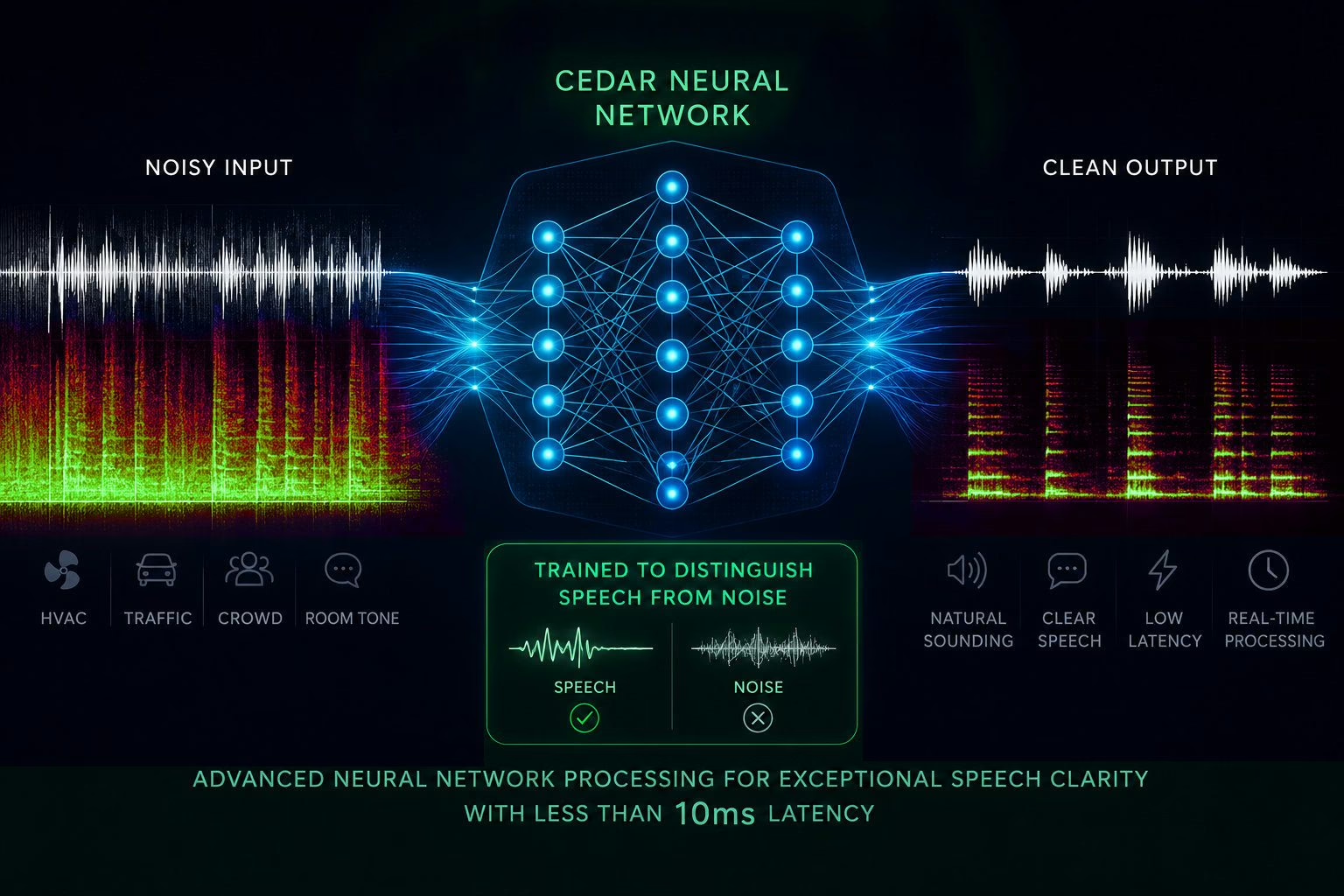
The CEDAR Voxis just put a simple question to the whole profession: can you isolate a voice, live, under 10 ms of latency, with the cleanliness of a restoration algorithm? CEDAR Audio, a name built on audio repair, says yes, targeting front of house, live capture and broadcast for 229 euros / 199 pounds / 269 dollars. It is a bold promise, but CEDAR is not alone. Over the last two years, neural networks have shifted voice cleanup from the realm of slow offline processing into real-time work you can drop onto a channel.
Here are seven tools that do the same job as Voxis, in whole or in part: pulling a clean voice out of background noise, room reverb or a messy capture. Some are free, others cost several hundred dollars. I have spent enough nights at the console fighting an air-conditioning unit, a chatty crowd and a bleeding monitor to know that none of these tools is magic: they share a family of artefacts, and above all very different use contexts. A plugin you insert on a console channel has nothing to do with a system app that hijacks your mic for a video call.
One honest note up front: this is not about demixing a finished track into drums, bass and vocals. The subject here is the voice, captured live or in post, that you want to lift out of its sonic environment. Three families, from closest to Voxis to furthest away.
The same job: isolate the voice in real time, on a channel
These three sit on a channel, inside a DAW or a live rig, and work in real time. This is exactly what Voxis is built for.
Supertone Clear
Born as Goyo, then bought and matured by Korea’s Supertone (part of HYBE), Clear is arguably the most direct alternative. Just three knobs: Ambience, Voice and Voice Reverb. The neural network splits the voice, the background noise and the reverb into separate components you dial in independently. You can strip an air-conditioner without choking the voice, or tame a live room while keeping intelligibility. Processing is designed to run live, and the dead-simple layout makes it lethal in the field.
Against Voxis, Clear pushes reverb control further, where CEDAR focuses on three noise bands and a voice gain. In exchange, Supertone does not claim Voxis’s surgical latency for front of house: it is an excellent live-capture and mixing tool, a little less of a pure FOH reinforcement tool.
At a glance: Supertone (HYBE) · around $99 (often on sale near $69), limited free trial · VST3, VST, AU, AAX · macOS 10.13+ and Windows 10+, native Apple Silicon.

Waves Clarity Vx Pro
This is the heavyweight of real-time plugins. Clarity Vx Pro isolates the voice from ambience using Waves’ in-house neural networks, in a single pass, automatable, without the metallic artefacts of old denoisers. The Pro version adds multiband processing, focus controls and a far finer reduction mode than the standard edition. For post-production dialogue or a sung vocal you need cleaned fast and well, it is a reference.
Its limit against Voxis is context: Clarity Vx Pro shines in the studio and in post, on a comfortable workstation. At front of house it is heavier and less geared to guaranteed minimal latency than CEDAR. It is the mirror image of the Voxis trade-off: more cleaning power, less stage focus.
At a glance: Waves · perpetual around $799 (regular sale price near $249), also bundled in Waves subscriptions · VST, VST3, AU, AAX · macOS and Windows.
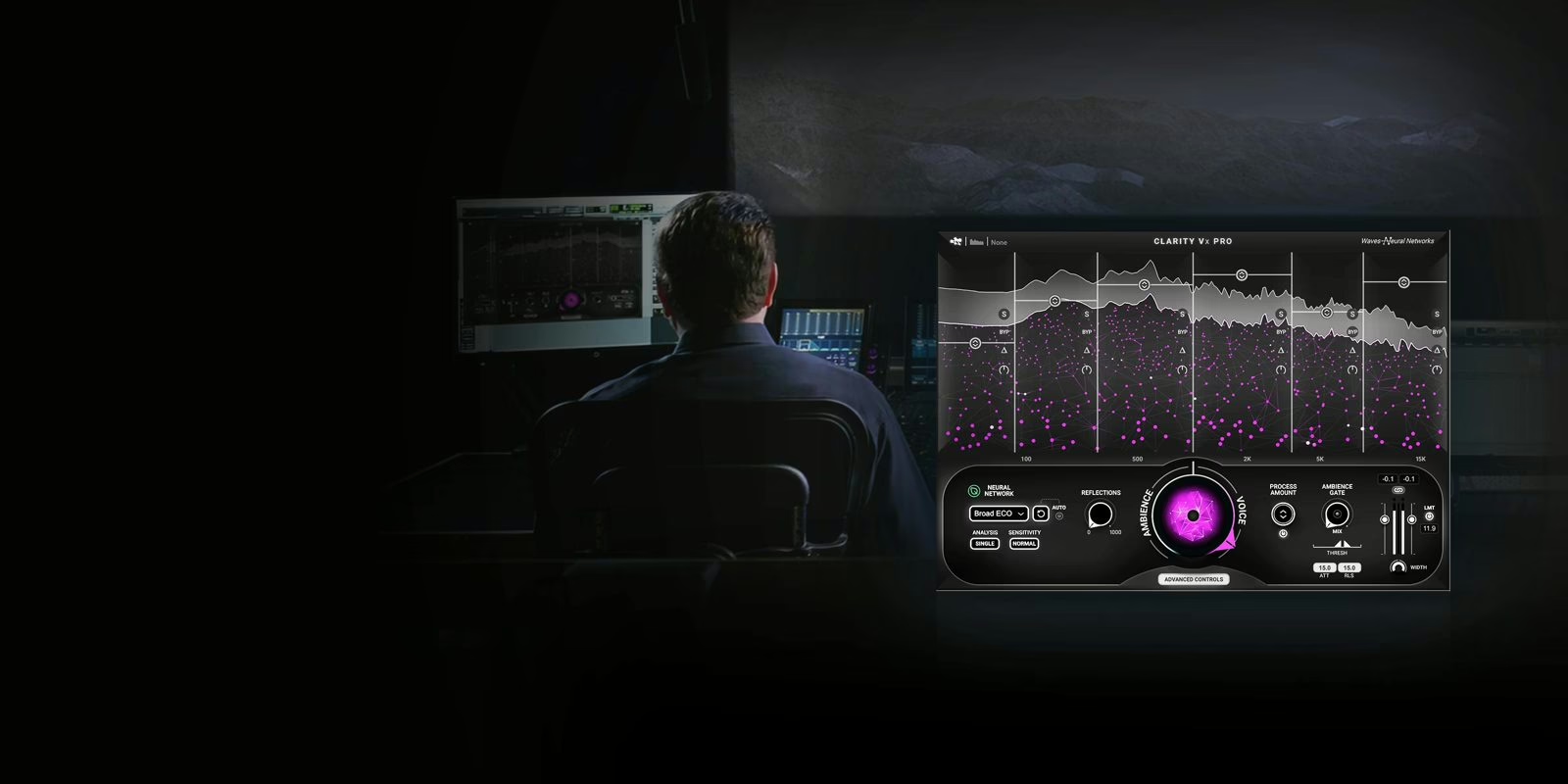
Official Waves Clarity Vx Pro page
Bertom Denoiser Classic
The surprise of this roundup, and proof you can do a lot with nothing. Denoiser Classic is free (pay what you want) and reports strictly zero latency: no FFT, no analysis window, time-domain processing that makes it perfectly usable live. The signal is split into six bands, each with its own expander tracking the noise in real time. Set a threshold, refine band by band, and you get clean, CPU-friendly denoising.
It does not do everything Voxis does: no neural network, no smart voice/reverb separation, no reconstruction. On stationary noise (hiss, air-conditioning, mains hum) it is excellent; on a complex, shifting background like a crowd it shows its limits fast. But for zero dollars and zero latency, it is the tool to keep on hand, in the studio and on stage alike.
At a glance: Bertom Audio · free (pay what you want; Pro version $25) · VST3, AU, AAX · macOS, Windows and Linux, native Apple Silicon · zero latency.
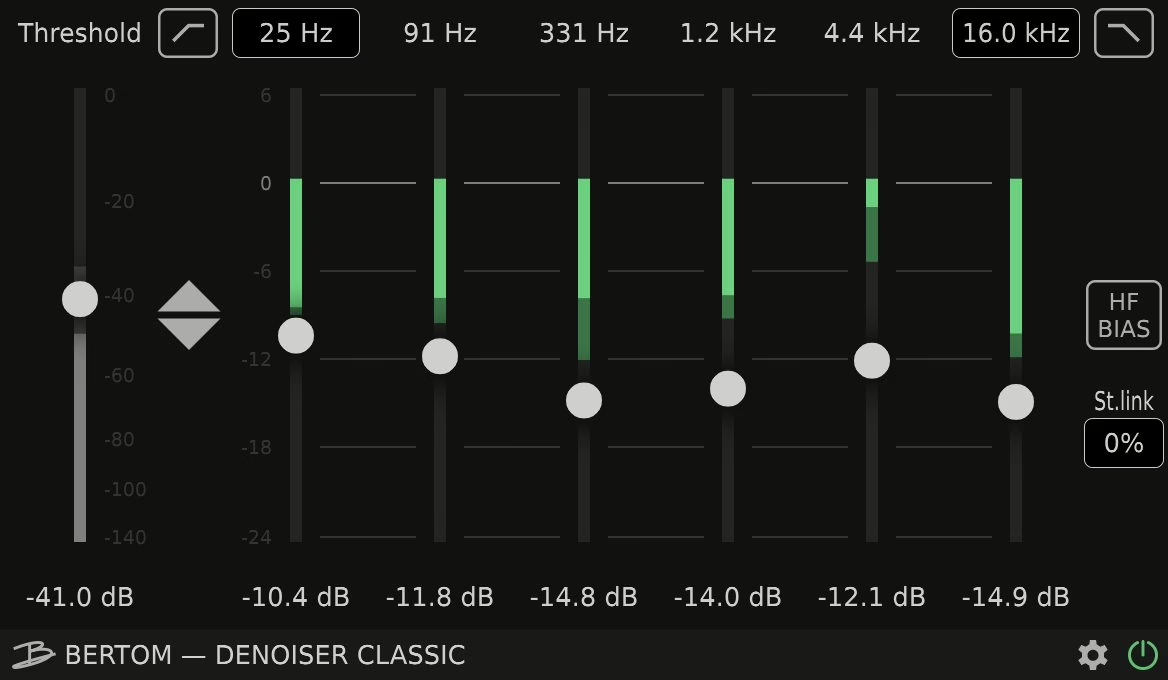
Official Bertom Denoiser Classic page
Isolation on the machine side: stream, video calls and podcast
These two are not plugins you insert on a console channel: they are system apps that hijack your mic and hand the computer an already-cleaned source. You will not patch them into front of house, but for a stream, a video call or a podcast recording, they do exactly the same job as Voxis, on the software side.
NVIDIA Broadcast
Completely free, with one condition: owning an NVIDIA RTX graphics card. The app leans on the GPU’s Tensor cores to remove noise and room echo in real time, with an effectiveness that long served as the free reference. Keyboard clatter, PC fan, mic hiss, the reverb of a bare room: Broadcast swallows all of it while barely touching voice clarity.
It is not a sound engineer’s tool: no fine tuning, no channel insert, an all-or-nothing operation. But for a creator with an RTX card, it is the most effective entry point to a clean voice, without spending a cent.
At a glance: NVIDIA · free · system app (virtual mic), not a DAW plugin · Windows, NVIDIA RTX GPU required · noise and room-echo removal.
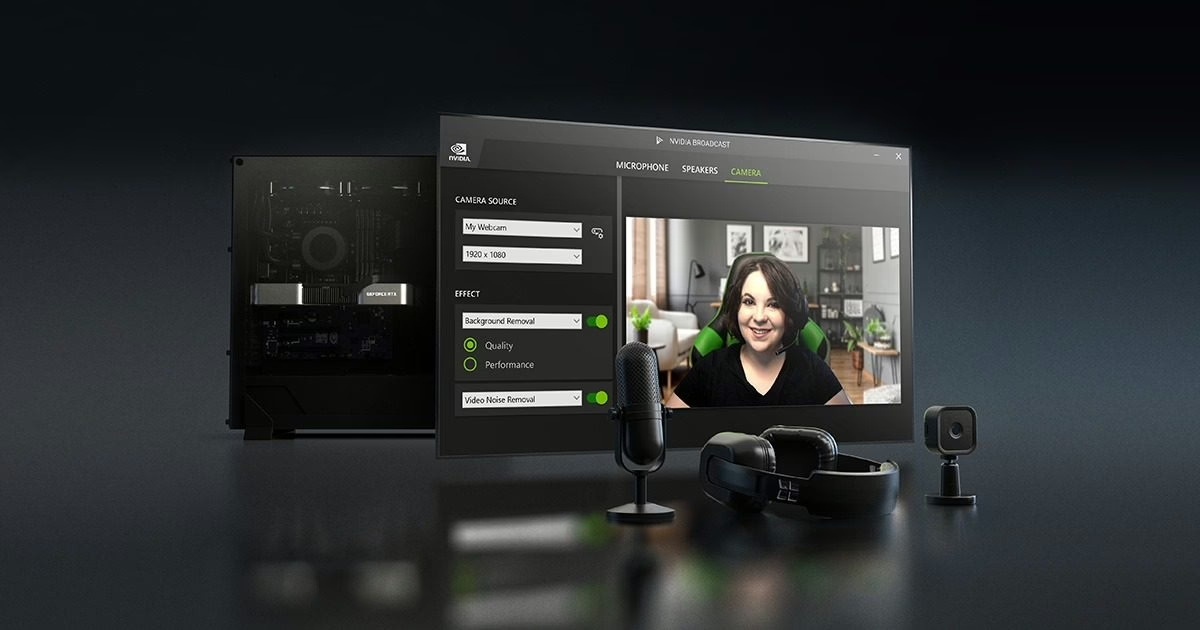
Official NVIDIA Broadcast page
Krisp
Krisp turned real-time noise removal into a service, independent of hardware. The app sits between your mic and any application (Zoom, Teams, Meet, Discord, OBS) and strips noise, echo and stray voices on the fly, on any machine, with no dedicated GPU. For a travelling podcaster or a video-call speaker, it is the simplest solution to deploy.
The trade-off is twofold: it is a subscription, and the processing, very good for speech, is not designed for a sung vocal or the demands of a mix. This is the communication and content side, not music production. The free plan (60 minutes of cleanup per day) is enough to test it seriously.
At a glance: Krisp · freemium (free 60 min/day; Pro around $8/month) · system app (virtual mic) · macOS and Windows · removal of noise, echo and stray voices.

The studio cousins: restore and rebuild the voice
These two plugins go further than plain denoising, but they are built first for post-production. They can run in real time, yet their true home is the painstaking repair of a recording, not front-of-house reinforcement. Cousins of Voxis by their goal, they drift away from it by their use.
iZotope RX 12
The absolute reference for audio restoration in post-production. RX 12 is a full suite, with a spectral editor and a long list of modules. Two matter for our subject: Dialogue Isolate, fully reworked with new neural networks and now available as a real-time plugin, and Voice De-noise. Dialogue Isolate separates speech from non-stationary backgrounds (crowds, traffic, footsteps, weather) with a finesse few tools reach, and now handles de-reverb inside the same module.
It is also the heaviest and most expensive of this roundup, and most of its power lives in the standalone application, not on a live channel. If your need is to rescue a compromised recording rather than hold a front of house, RX 12 is unrivalled, but it is a workshop investment.
At a glance: iZotope (Native Instruments) · RX 12 Standard $399, Advanced $1,399 (Elements $99) · standalone app + VST3, AU, AAX · Dialogue Isolate offline and real-time, de-reverb, spectral repair.

Accentize dxRevive Pro
dxRevive takes the problem from the other end. Rather than only subtracting noise, it identifies and rebuilds the missing frequency components of a voice: it does not filter, it regenerates. The result, on dialogue captured over the phone, on a distant lavalier or through a degraded codec, can be spectacular, restoring a studio-like texture to a mediocre take. Processing is 100% local and fast enough to run live.
That is also what sets it apart from Voxis: Voxis isolates a voice that is already present, dxRevive rebuilds a damaged one. On a clean but noisy live capture, CEDAR’s subtractive approach feels more natural; on a degraded source, Accentize’s reconstruction works wonders. Two philosophies, one and the same end goal.
At a glance: Accentize · dxRevive Pro 299 euros (dxRevive standard 99 euros) · VST3, AU, AAX · macOS and Windows · local processing, reconstruction of missing frequencies.
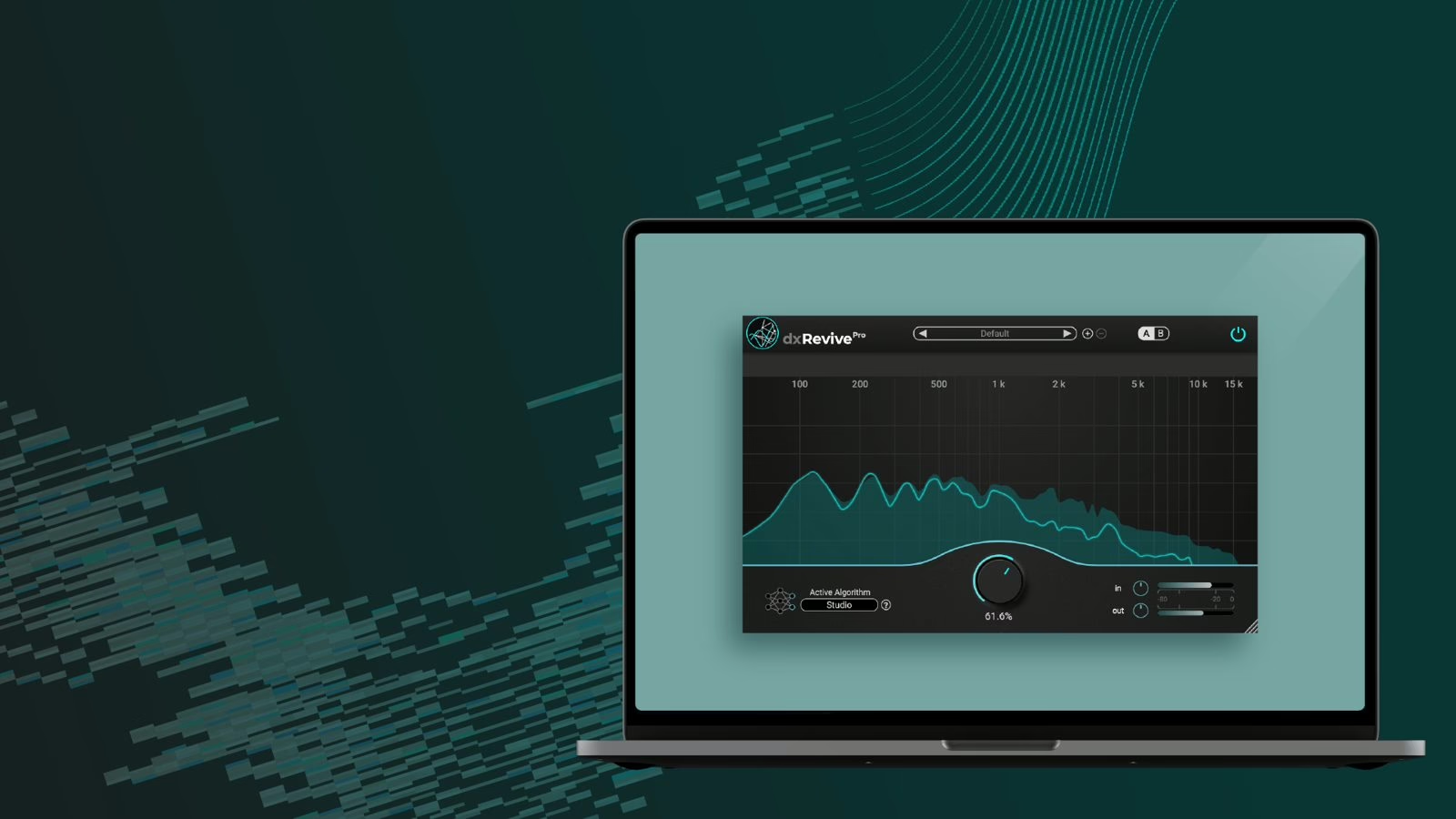
Official Accentize dxRevive Pro page
At a glance
| Product | Maker | Price | The job in a word |
|---|---|---|---|
| Supertone Clear | Supertone | ~$99 | Isolate (real-time) |
| Waves Clarity Vx Pro | Waves | ~$249-799 | Isolate (studio/post) |
| Bertom Denoiser Classic | Bertom Audio | Free | Denoise (zero latency) |
| NVIDIA Broadcast | NVIDIA | Free (RTX) | Clean up (system) |
| Krisp | Krisp | Freemium | Clean up (system) |
| iZotope RX 12 | iZotope | $399-1,399 | Restore (post) |
| Accentize dxRevive Pro | Accentize | 299 euros | Rebuild (post) |
Which one should you pick?
It all depends on what you are defending. To hold a live front of house with controlled latency, the CEDAR Voxis stays the most specialised of the bunch; next to it, Supertone Clear is the most versatile alternative for capture and live mixing, and Bertom Denoiser Classic the free, zero-latency safety net to keep on every session.
For studio and post, move up a tier: Waves Clarity Vx Pro for fast, artefact-free cleanup, iZotope RX 12 when you have to save the unsavable, Accentize dxRevive Pro when the source is degraded to the point of needing rebuilding. And for a stream, a video call or a podcast, no need for heavy artillery: NVIDIA Broadcast if you have an RTX card, Krisp if not, and the voice is clean in two clicks.
The real lesson of this generation of tools is that voice isolation is no longer a workshop luxury. It is coming to the stage, to the video call, to the Sunday podcast. To go further on the stage side, see our roundup of the best in-ear monitors for the stage and, on the studio side, our tour of vocal chains to sit a voice in the mix.