System calibration is rarely the glamorous part of a load-in, yet it is often the part that makes or breaks the result. With the new version of TRACT System Calibration, Waves moves beyond a standalone corrector: the company now bundles three complementary plugins that cover the whole chain, from measuring the PA to keeping an eye on level during the show. All of it lives inside the SoundGrid rack, with no round trip to a separate measurement application.
Three plugins, one workflow
The logic is simple: measure, correct, monitor. Each of those steps now has its own module. TRACT Measure captures the PA’s frequency response and delay, TRACT System Calibration turns those measurements into a correction curve and time alignment, and TRACT SPL shows sound pressure level continuously. The point is practical, not theoretical: no more juggling a measurement app, an EQ editor and an SPL meter. Everything happens in one place, off the same captures.
TRACT Measure: measurement without third-party software
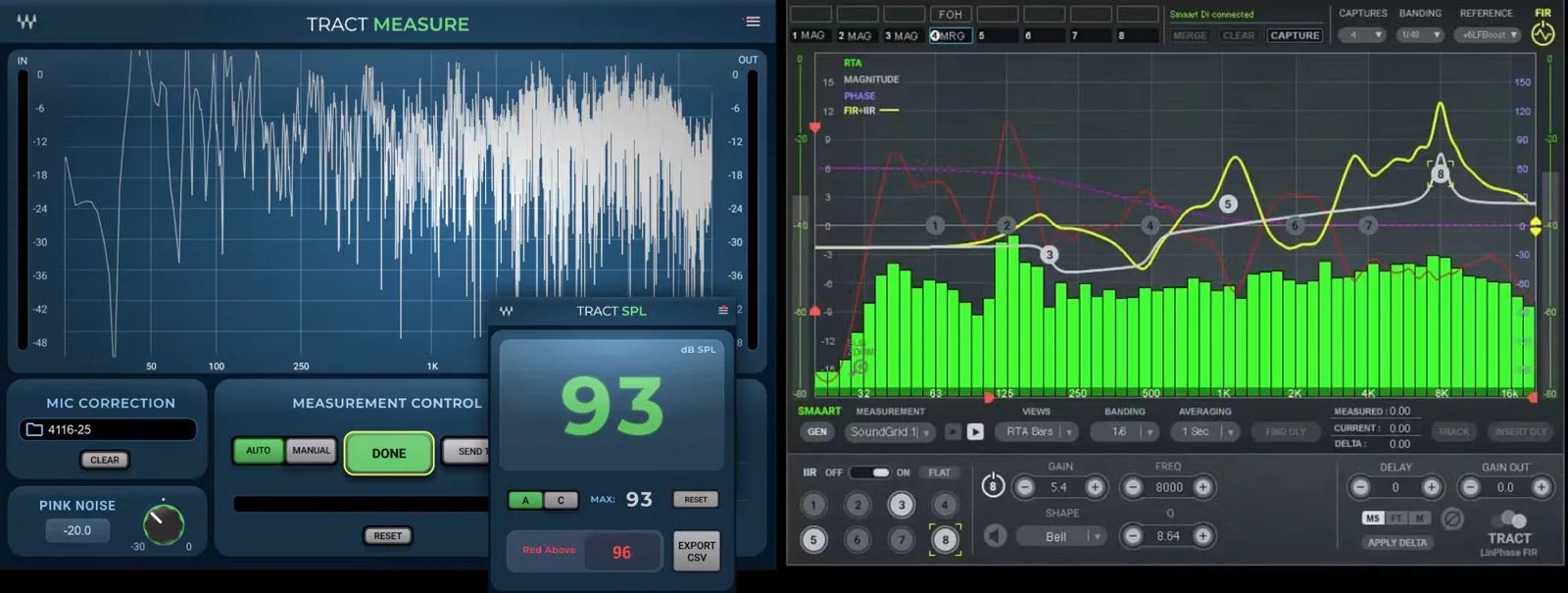
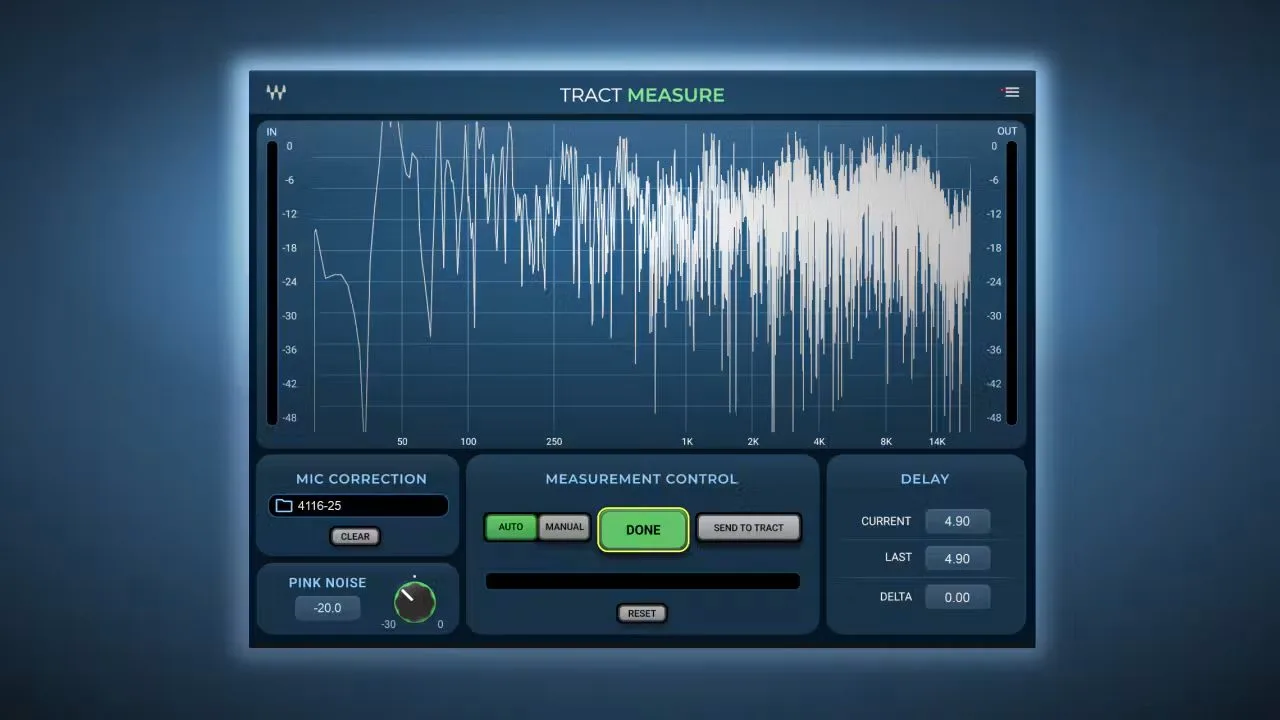
Until now, feeding TRACT meant going through Smaart. That is no longer required. TRACT Measure generates its own pink noise, reads a measurement mic and computes both the frequency response and the system delay. A mic-correction field lets you load the calibration file for the capsule in use, so you don’t mistake the microphone’s flaws for the room’s. You capture several positions across the audience, then merge them into a single representative curve: the correction is no longer tied to one, often misleading, listening spot.
TRACT System Calibration: linear-phase correction and time alignment
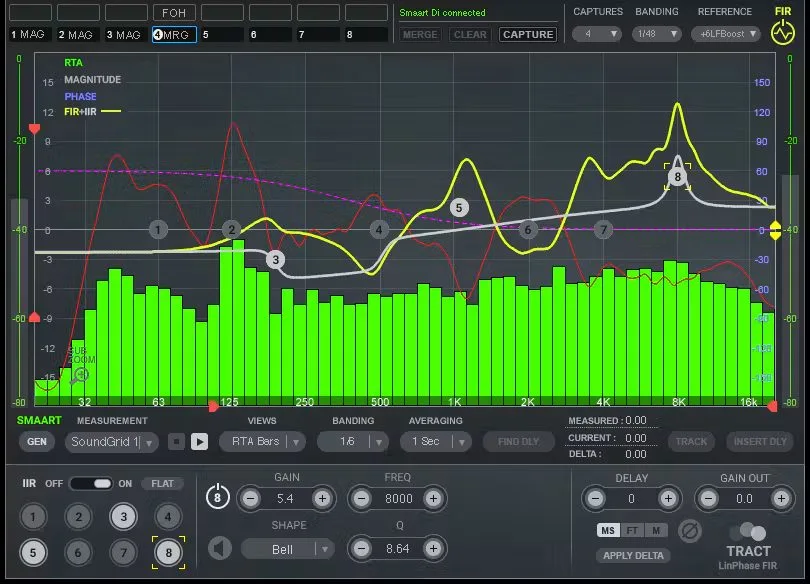
The heart of the system is still the calibration module. From the measurement data, it computes a correction curve and time offsets to apply to mains, front fills and delay towers. Correction can be linear-phase FIR, to flatten the response without touching phase, or IIR for more conventional, lower-latency tweaks. Time alignment brings the various subsystems back into coherence at the target listening area. This stays a measurement-driven approach, not approximate tuning by ear.
TRACT SPL: level under watch
The third module answers a now-daily constraint: level management. TRACT SPL displays SPL in real time, with A and C weighting, max hold and an adjustable alert threshold that turns the readout red past a given value. CSV export documents the night, which matters the moment a venue enforces a regulatory limit. Watching level from the same rack as the correction is one less worry when the pressure is on.
Smaart, consoles and integration
Waves hasn’t walked away from the existing ecosystem: TRACT System Calibration still accepts measurements from Smaart, whether you work with the transfer function in Smaart v8 or Di v2. Use TRACT Measure or your usual tool, as you like. On the host side, the suite runs in eMotion LV1, in SuperRack Performer and SuperRack SoundGrid, but also on any console via MultiRack, or inside a DAW to prep a calibration ahead of the date.
| Plugin | Role | Highlights |
|---|---|---|
| TRACT Measure | Measurement | Pink noise, mic correction, merge of multiple positions |
| TRACT System Calibration | Correction | Linear-phase FIR or IIR curve, time alignment |
| TRACT SPL | Monitoring | Real-time SPL, A/C weighting, alert threshold, CSV export |
What it changes in the field
The real news isn’t a single feature but the continuity. Measuring, correcting and monitoring from one SoundGrid rack removes the breaks that eat into soundcheck time, and incidentally the transcription errors between two apps. For a crew already touring on LV1 or SuperRack, the case is clear: calibration stops being a separate step and becomes part of the rack. On the commercial side, the suite is available on its own, in the brand’s live bundles — Live Plus, Mercury, Pro Show, SD7 Pro Show — or through the Ultimate subscription, and a bundle pairing TRACT with Smaart Di v2 is still offered for those who want both measurement approaches.
My take
Pulling measurement, correction and SPL into one suite finally treats calibration as a workflow rather than a scattered toolbox. Adding TRACT Measure is the most useful move: dropping the third-party software for a clean measurement lowers the barrier without softening the rigor of the FIR approach. The real question is scope: the payoff is highest for anyone already living in SoundGrid, less obvious for a crew with settled habits and a Smaart rig dialed to the millimetre. For the former, it’s a welcome simplification. For the latter, one more option — but a coherent one, and that is already rare.
Manufacturer reference: Waves TRACT System Calibration product page. For more, revisit our guide to system tuning for live sound and our look at Waves Tracks Live 2.0.
Frequently asked questions
Do you have to use Smaart with TRACT?
No. The TRACT Measure module captures the frequency response and delay itself, using its own pink noise and a measurement mic. Smaart is still supported for those who prefer their usual tool, via the transfer function in Smaart v8 or Di v2.
Which environments does the suite run in?
TRACT runs in eMotion LV1, SuperRack Performer and SuperRack SoundGrid. The suite also works on any console via MultiRack, or inside a DAW to prepare a calibration before the date.
What is the difference between FIR and IIR correction?
Linear-phase FIR correction flattens the frequency response without introducing phase shift, at the cost of some latency. IIR correction behaves like a more conventional EQ, lighter on latency, handy for spot fixes.
How do you combine several measurement points?
You capture the response at different positions in the listening area, then TRACT merges those captures into a single correction curve. The result no longer hinges on one spot, which rarely represents the whole room.
How do you get the suite?
It is sold on its own, included in several of the brand’s live bundles (Live Plus, Mercury, Pro Show, SD7 Pro Show) and in the Ultimate subscription. A bundle pairing TRACT System Calibration with Smaart Di v2 is also available.