The aux send is the most used function on a console and the least understood. Most engineers know roughly what it does — send a signal somewhere other than the main mix — but the setting that decides everything, the choice of tap point, gets picked at random or copied from a preset. This guide rebuilds the mechanism from the ground up: where the signal is tapped, what changes when you touch the fader, and how the vocabulary shifted when digital consoles arrived.
- An auxiliary is a copy of a channel’s signal, tapped at a specific point and sent to a bus independent of the main mix.
- The tap point is the only structural choice: pre-fader for stage monitors, post-fader for effects.
- On a digital console, auxiliaries merge with mixes and often feed matrices downstream.
- An auxiliary replaces neither a subgroup nor a VCA: these three objects do different jobs.
An aux send is a copy of the signal
A console channel has one main output — the fader, feeding the main bus — plus parallel outputs that tap the signal along the way without interrupting it. Each aux pot sets the level of one of those copies. The original signal carries on exactly as before: an aux send takes nothing away from front of house.
All copies carrying the same number are summed into an aux bus, which has its own master level and its own physical output. A console advertising eight auxiliaries therefore offers eight independent mixes of the stage, built from the same sources but balanced differently. That is what lets you give every musician the monitor mix they need without ever touching the mix going to the audience.
Pre-fader or post-fader: the only setting that really matters
A pre-fader send taps the signal before the channel fader. Its level therefore depends only on the aux pot: pull the fader down to negative infinity and the send keeps delivering exactly the same thing. A post-fader send taps after it and tracks the fader proportionally: drop the channel 6 dB and the send drops 6 dB.
Every operating convention follows from that difference. Stage monitors are built pre-fader, because a musician must not lose their own voice in the wedge the moment the FOH engineer decides to pull it down in the room. Time-based effects — reverbs, delays — run post-fader, because the amount of effect has to stay proportional to the dry signal: a vocal pulled down while its reverb stays put sounds like the singer walked ten feet backwards.
A monitor accidentally built post-fader behaves perfectly during soundcheck — then vanishes on the first song where you pull the channel down. The symptom is always identical: the musician waves at you mid-set even though it “worked earlier”. Before touching a single level, check the pre/post state of that send. Watch out for VCA masters too: because they sit upstream of the post-fader tap point, pulling a VCA takes everything heading to your effects down with it.
Two variants are worth knowing. Pre-EQ taps ahead of the equaliser: the musician then gets the raw signal, which isolates their wedge from your FOH corrections but also denies you any cleanup upstream. Post-EQ pre-fader, the default on most modern consoles, is almost always the right compromise: the channel is already filtered and compressed when it reaches the stage, and the fader has no effect on it. The rarer pre-mute send keeps feeding even when the channel is muted — handy for a talkback feed, dangerous everywhere else.
Aux, mix, matrix: the vocabulary digital redistributed
On an analogue console the distinction is clean: auxiliaries are send buses, subgroups are summing buses, and the two sections sit physically apart on the surface. Digital consoles collapsed that boundary. They talk about mixes, individually configurable as mono or stereo, and the same bus can be declared an auxiliary or a group depending on how you feed it. A mix fed by channel sends is an auxiliary; a mix fed by direct assignment is a subgroup.
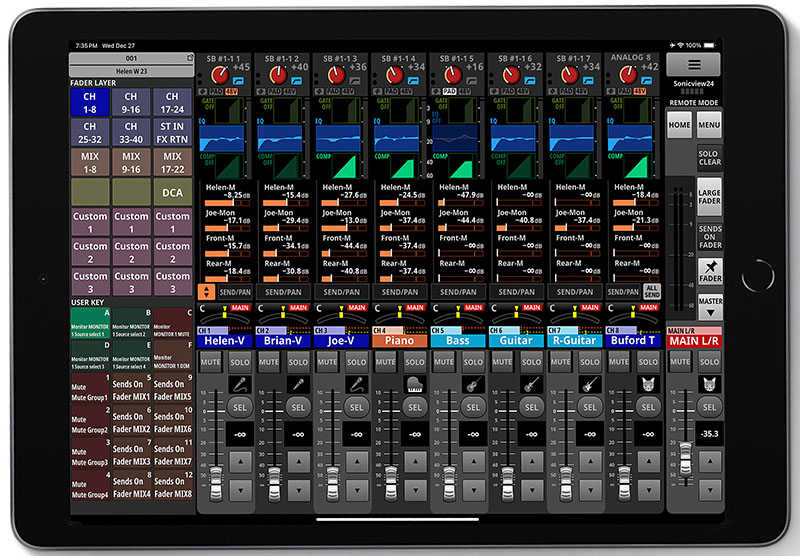
Digital also popularised the single most useful function of the lot: sends on fader. Select a mix and the channel faders stop showing the FOH level and show the send level into that mix instead. Building a monitor becomes what it actually is — mixing — rather than twisting twenty-four small pots. The price is a real risk of error: leaving the mode without noticing and working on the wrong faders happens to everyone, at least once.
Finally, matrices sit downstream. A matrix does not tap channels; it taps buses that already exist, which makes it a mix of mixes. That is what you use for an overflow room feed, a delay ring, a broadcast feed or a recording. The full logic of these stages is covered in our guide to routing and buses on a digital console.
What auxiliaries actually do in the field
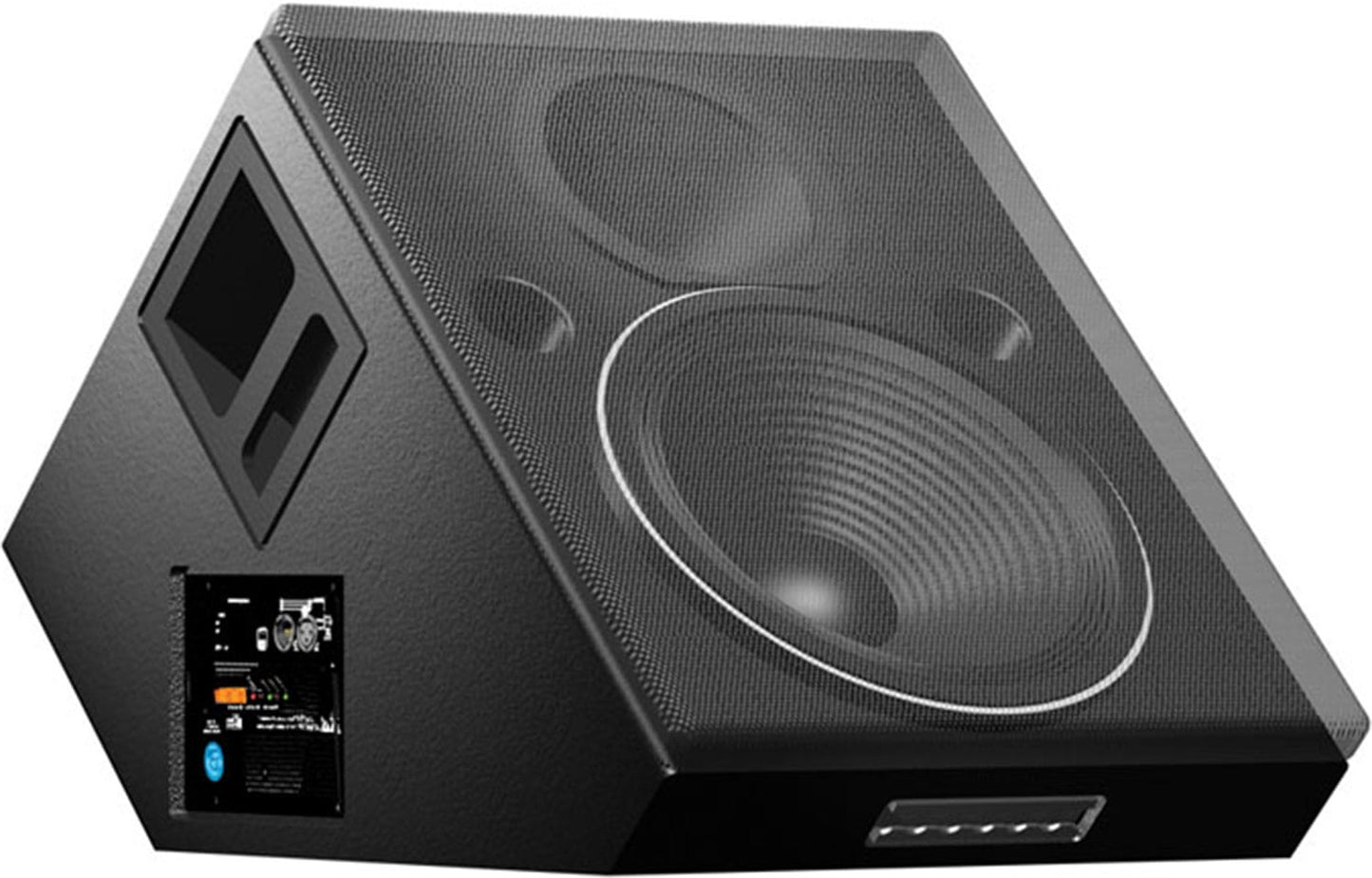
Stage monitors remain use case number one, whether they feed floor wedges or an in-ear system. One mono auxiliary covers a wedge; in-ears want a pair or a stereo mix, which eats twice as many buses and explains a great many rider negotiations. Building those mixes well is the subject of our guide to mixing stage monitors for a band.
Next come effects, post-fader, with the rule that keeps the gesture musical: the effect returns on a dedicated channel and you dial the send per channel rather than inserting a reverb on every voice. Then the production uses: a feed to a recorder, a secondary zone — bar, lobby, dressing rooms —, a delay ring at the back of the room, a dedicated stream mix. In radio and television the same mechanism drives talkback and off-air feeds.
A setting routine that avoids surprises
The sequence that works, whatever the gear, comes down to four moves. First check the pre/post state of every send before raising any level — that single check prevents ninety per cent of incidents. Then set the aux bus master to its nominal position rather than running channel pots wide open into a half-closed bus: you keep headroom at both ends. Build the mix source by source, starting with what the musician actually needs rather than the whole stage. Finally check your gain before feedback by raising the level to the point of ringing and backing off a few decibels, which gives you a usable reserve.
On stages where soundchecks run back to back, the costly mistake is never a bad setting: it is an aux plan that changes from one day to the next. Fixing a convention and sticking to it — monitors always on the first buses, effects always on the last, never a gap in the middle — beats the finest improvised mix. The day you hand the console to someone else with five minutes’ notice, that discipline is what saves the show, not your ears.
Auxiliary, subgroup or VCA: three different tools
The three are often presented together because they all have faders, but they answer different questions. The auxiliary creates an additional mix, meant to leave the console. The subgroup creates a summing point inside the main mix, so an ensemble can be processed in one move. The VCA creates nothing at all: it remote-controls faders without ever summing audio.
| Object | Is audio summed there? | Typical use |
|---|---|---|
| Auxiliary | Yes, in a bus separate from the main mix | Stage monitors, effects, zones, recording |
| Subgroup | Yes, inside the main mix | Compressing a drum kit, processing backing vocals |
| VCA | No, it carries no audio at all | Riding the level of a set of channels |
A touring console runs all three at once, and that is the normal case. If the third one is still hazy, our article on running VCA groups on a real stage covers how to build a plan that survives contact with a show.
Frequently asked questions
How many auxiliaries do five musicians need?
Count one mono bus per wedge — four or five on a classic stage — and a pair or a stereo mix per musician on in-ears. Add two post-fader sends for effects. An eight-mix console therefore covers a wedge-based stage but runs out fast as soon as in-ears appear.
Can a send be switched from pre to post mid-show?
Technically yes, but the send level jumps at the moment of the switch because the tap point changes. Avoid it during a song: the musician will hear the step. Decide this at soundcheck and leave it alone.
What is the difference between an auxiliary and a matrix?
An auxiliary taps input channels. A matrix taps buses that already exist, including the main mix. You use the first to build a mix, the second to build a mix of mixes — a lobby feed, a delay ring, a broadcast send.
Why does my wedge ring when front of house is clean?
Because feedback happens in the mic-to-wedge loop, independently of the house system. Correction belongs on the aux bus concerned, not on the channel: fixing the channel would degrade what the audience hears too.