Making a snare hit harder, taming room resonance on overheads, pulling a bass attack out of a dense mix: these are the jobs a transient shaper (or transient designer) handles with two knobs, where a compressor would have you juggling four interdependent controls. It looks simple and is devastatingly effective once you grasp the logic. Here’s what it actually does, and how to use it.
What is a transient?
A transient is the very short burst of energy that opens a sound: the crack of a stick on a drumhead, the pick hitting a string, the initial rush of a cymbal. It lasts a few milliseconds, but it’s what creates the sense of closeness, punch and definition. Right after it comes the body of the sound, then the tail (the sustain and decay): the drumhead ringing, the natural room reverb trailing off.
Our ears read a huge amount of information in that attack. Reinforce it and the sound steps forward, cuts through, “sounds” louder without being louder. Soften it and the instrument sits back, blends in, turns gentler. A transient shaper works precisely on that attack/tail balance.
Why it isn’t a compressor
People often mix the two up, since both act on dynamics. The difference is fundamental: a compressor reacts to a level threshold. Below it, nothing happens; above it, gain is reduced by a ratio. So its action depends on the input level, and it’s up to you to set attack and release so it “catches” or “lets through” the transients.
A transient shaper has no threshold. It detects the shape of the envelope — the rise and fall of the sound — and acts on it regardless of level. Whether your snare hits hard or soft, the attack is boosted the same way. That’s the principle behind the differential-envelope technologies SPL made famous: the unit follows the signal’s natural curve and amplifies or attenuates its phases, never reasoning in threshold decibels. That level-independence is exactly what makes the tool so predictable.
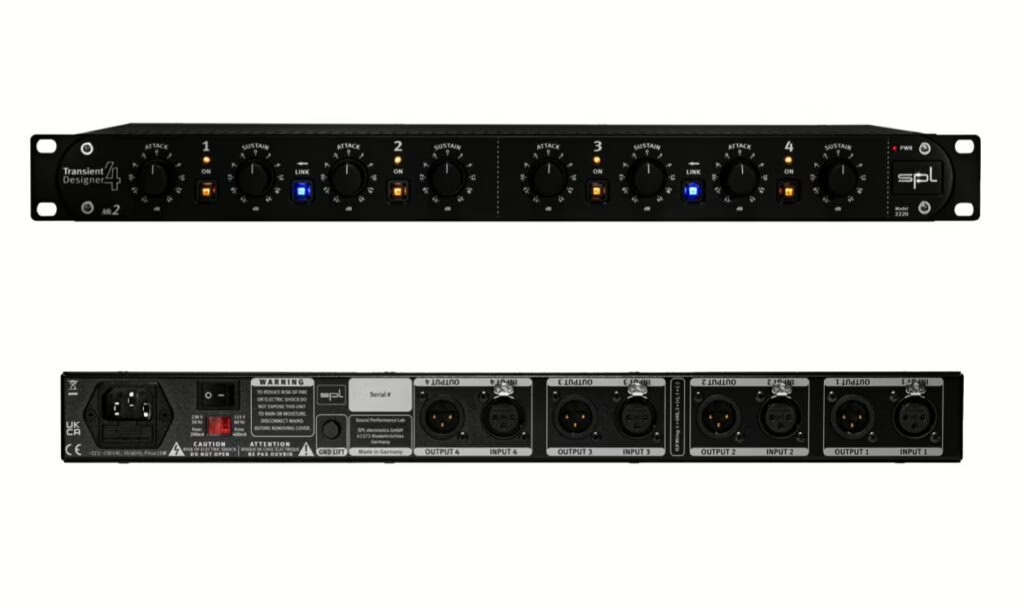
Two controls: Attack and Sustain
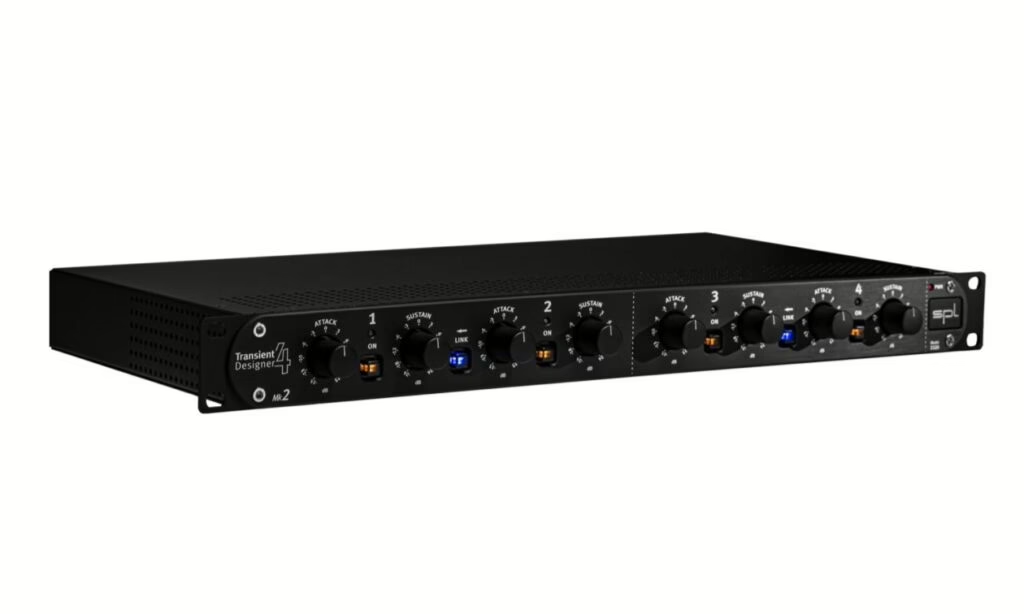
The vast majority of transient shapers come down to two knobs.
- Attack — turned up, you boost the initial spike: the hit gets snappier, the instrument steps forward. Turned down, you round the attack off: tame an overly aggressive pick, soften a clacky piano, push a sound back.
- Sustain — turned up, you extend and reinforce the body and tail: the snare “breathes” longer, the room comes through. Turned down, you shorten the tail: dry out a drum kit, cut the room captured by the mics, tighten a muddy bass.
That’s it. No threshold, no ratio, no time constants to calculate. You listen, you turn, you judge. That economy is also a trap: because the effect is dramatic, you quickly overdo it (see below).
The use cases that matter
The transient shaper’s natural playground is drums. A kick lacking impact: push the attack. A lifeless snare: add sustain to make it sing. Overheads where the room takes over: pull sustain and the kit tightens instantly — often more effective and more natural than a noise gate, because you aren’t cutting anything, you’re dosing.
But it shines elsewhere too: emphasising a picked bass so it crosses the mix, calming the clack of a too-close acoustic guitar, bringing bite back to a crushed sampled loop, or partially “de-reverbing” a vocal cut in a live room by trimming sustain. On a whole drum bus, a touch of added attack can beat an aggressive parallel compression when you want punch without raising the level — two complementary approaches we cover in our guide to parallel compression.
Hardware or plugin?
The concept was born in hardware, with multichannel rack units patched across drum sends in the studio. In plugin form the same principle is everywhere, often enriched: per-frequency-band processing (boosting attack only in the highs, say), finer detection, or modes that target only unwanted transients. For most mixing work a good plugin does exactly the job; hardware keeps its place for those who like to treat on the way in, during tracking, hands-on across a channel strip.
Pitfalls to avoid
First pitfall: overdoing it. Attack cranked all the way turns a drum kit into a tiring click and pushes peaks up — watch your true peak and keep headroom. Second pitfall: placement in the chain. Before a compressor, the transient shaper boosts spikes the compressor will then crush; after it, it restores life to an already-compressed signal. Both orders are valid, but they don’t give the same result — try both. Finally, on a multi-mic capture (a drum kit, a guitar miked several ways), heavy processing on a single track can reveal phase problems: always listen in the context of the mix, never in solo.
The transient shaper is part of a dynamics toolkit where each device has its role: the compressor manages average level, the de-esser targets sibilance, parallel compression adds body. To place each one, our guides to compressor types, sidechaining and de-essing pair nicely with this one.
My take
The transient shaper is one of the rare processors that gives a clear result in ten seconds with no theory up front. That’s its strength and its danger: you love it because it “works,” and you end up abusing it because it works too well. Used with restraint, it fixes in one move what an hour of compression wouldn’t. The right habit: treat one thing at a time, in small doses, and hit bypass regularly to check you’re actually improving things. On a dull drum kit or over-reverbed overheads, it’s often the shortest path to a sound that holds up.