A digital live console isn’t judged on its preamps or effects engine alone. What makes the difference on a show night is its ability to store a complete state of the mix and recall it with one press, cleanly. That’s the whole point of scenes and snapshots: playing a show isn’t mixing once, it’s chaining dozens of different configurations while staying in control. Here’s how the system works, and how to prepare it so it serves you instead of trapping you.
Scene or snapshot: what are we talking about?
The vocabulary changes from one maker to the next, but the idea is the same. A scene (or snapshot, or cue depending on the brand) is a photograph of the console’s state at a given moment: fader levels, mutes, EQ, dynamics, aux sends, effects assignments, sometimes even routing. You build an ordered list of scenes and step through it as the show unfolds — often with a single “Next” key.
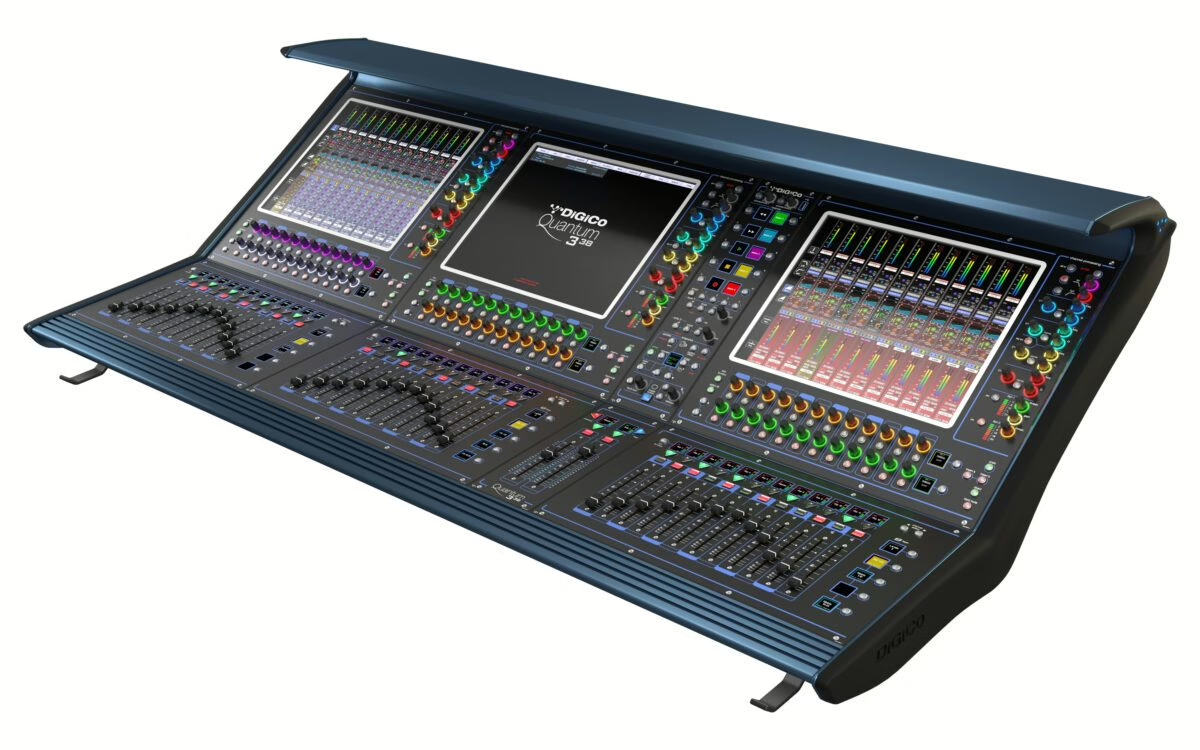
On DiGiCo surfaces they’re snapshots; on Yamaha and Allen & Heath they’re scenes; elsewhere they’re cues. The name doesn’t matter: the question that counts is always the same — what exactly does a scene recall when I load it?
Scope: the concept that changes everything
This is what beginners underestimate and pros watch constantly. Scope (or recall scope) defines which parameters a scene recalls and which it leaves alone. A scene can recall everything, or only a handful of things — say, just mutes and levels, leaving EQ untouched.
Why is it decisive? Because in a show not everything should move on every change. You may want the “song 4” scene to recall the balance and mutes, but definitely not the preamp gain you just set by ear, nor the monitor level the drummer asked you to raise. Too wide a scope, and every scene wipes your live corrections. Too narrow, and your scenes stop being useful. The right setting is thought through in advance, based on what must stay frozen and what must stay alive.
Safes: freezing what must never jump
The essential companion to scope, the safe function (recall safe, sometimes “isolate”) shields a channel or parameter from recalls. In practice: you safe the lead vocal preamp, and whatever your scenes do, its gain will never be recalled — you keep control of it all night.
The classic uses are clear. You safe preamp gains once the balance is done, so a scene can’t overwrite them. You protect a talkback channel, a laptop input for playback, or a monitor console’s master. On many desks you distinguish recall safe (the channel ignores recalls) from global filters that exclude a whole category of parameters across all scenes. Used well, safes and scope form the safety net that lets you improvise without breaking the show’s structure. It’s the same organising logic as groups and VCAs: decide in advance what moves together and what stays independent.
Building a scene list that holds up
A good scene list is built like a score. A few field principles:
- Name everything, clearly. “S04 – Ballad” beats “Scene 12”. In the dark, six songs in, a meaningful name prevents mistakes.
- Plan a clean opening scene. A first scene that returns the console to a known state — mutes in place, faders at rest — saves you from a bad recall left over from last night.
- Number with gaps. Leaving room between scenes (10, 20, 30…) lets you insert a last-minute cue without renumbering everything.
- Split functions. One scene for the intro, one for the encore, one for the final blackout: several simple scenes beat one that tries to do it all.
That discipline matters as much for a multi-band festival as for a locked-down tour. It obviously pairs with a careful patch plan: a scene only recalls cleanly what’s correctly routed upstream.
Prep offline, secure the live show
The great luxury of digital is offline prep. Most consoles offer editor software or an offline mode that lets you build the whole session — patch, scenes, names, scope — from a computer before you even reach the venue. You then load the file into the console and only make fine adjustments on site. Compact surfaces like the Yamaha DM5 have taken this approach well down into small setups.
On the day, a few reflexes cut the risk: check the scope before the first scene, safe whatever was set by ear (gains especially, once the monitors are dialled in), and save the session to USB during soundcheck. A digital console won’t forgive improvisation on its recall system — but once you understand and prepare that system, it gives you a freedom no analogue desk ever offered.
My take
Scope is the real subject, and it’s the one that gets explained least. A well-prepped digital console is 90% scope and safes thought out cold, and 10% mixing in the heat of the moment. The habit that changes everything: decide, before the first recall, what’s allowed to move and what stays under your hand. Once that frame is set, chaining twenty scenes in a show becomes a pleasure rather than a source of dread. It’s unglamorous to describe, but it’s exactly what separates a calm gallery from a night spent chasing your own recalls.