With smart:chain, sonible isn’t just shipping another console strip: the Austrian developer is pitching a channel strip that claims to think across the whole session rather than one track at a time. Eight processors in a single window, a shared analysis of the signal, and instances that talk to each other — that’s the argument, and it’s worth examining without getting swept up by the word “intelligent.”
Eight processors in one strip
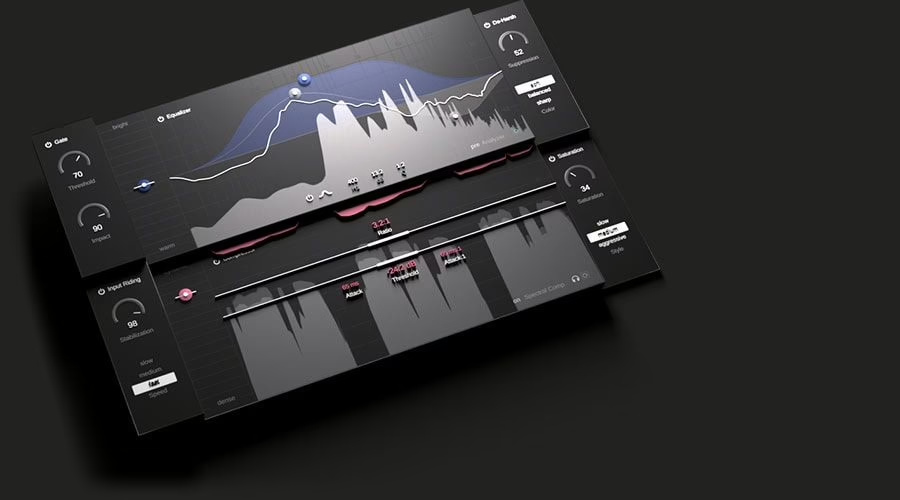
The window gathers the blocks you’d normally open one after another: EQ, compression, de-harshing (taming aggressive highs), gating, input riding (catching level at the input), saturation and leveling. Nothing exotic on the list, and that’s the point — these are the basic moves of a clean mix. The new idea isn’t in the modules themselves but in how they’re chained and pre-set.
Where smart:chain separates itself from a plain bundle is that a single analysis of the material feeds every stage. The EQ, the compressor and the leveler start from a shared reading of the track, with coherent starting points instead of eight settings ignoring one another. On a cleanly captured vocal or guitar, what you mainly save is the rough-in — the time spent nudging thresholds and frequencies before you even start mixing for real.

The real bet: intelligence at session scale
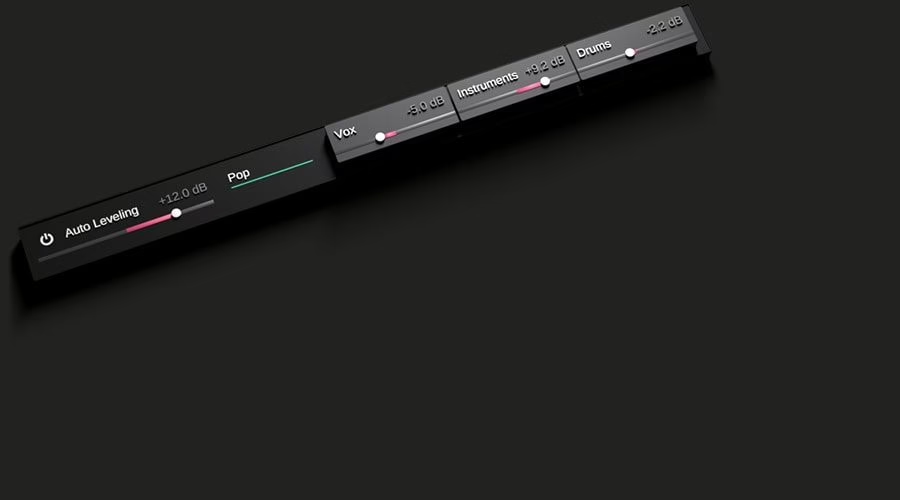
This is the most interesting and most unusual part. Multiple smart:chain instances communicate from one track to the next. The plugin offers depth staging — front, middle, back — and adapts its processing to the layer you assign each element, so the lead stays up front and the pads sit behind without you carving three EQs by hand. A project-wide auto-leveling analyses the level relationships between tracks and lays down a genre-aware starting balance. And all of it is driven from a single window, with navigation across tracks and groups, without opening each instance one by one.
On paper, it’s the software answer to a genuine frustration: a mix is never an isolated track, it’s a relationship between tracks. Yet most “intelligent” plugins reason in a vacuum, on the signal you hand them, knowing nothing about what plays alongside. Attacking the problem at session level is the right question to ask.
What I expect from it, without dogma
I’ve never been among those who sneer at software assistance: fully in-the-box is perfectly viable, I adopted it early and never looked back. But I judge a tool by the result, not the sales pitch. An automatic starting point saves real time on the rough-in; it doesn’t make the decisions that make a mix — what should dominate, the intent, the move that breaks the rule. The danger with these chains is the mix that’s “fine everywhere, memorable nowhere.” Used as a starting point, a strip like smart:chain can be a real workshop gain; used as autopilot, it flattens. The difference lies in the ear of whoever wields it, not in the plugin.
Availability and price
smart:chain is available for macOS (VST3, AU, AAX) and Windows (VST3, AAX), with native Apple Silicon support and a 44.1 to 192 kHz sample-rate range. The launch price is 99 dollars, against 179 list, with an education discount. A functional trial lets you test the session-wide features on a real project before deciding — and that’s exactly where it should be judged, not on a solo track that says nothing about the promise.
To place smart:chain in a mix chain, these references still help: our guide to sidechaining in the mix, our explainer on gain staging in the digital domain, and our roundup of harmonic saturation plugins. Full details are on sonible’s site.