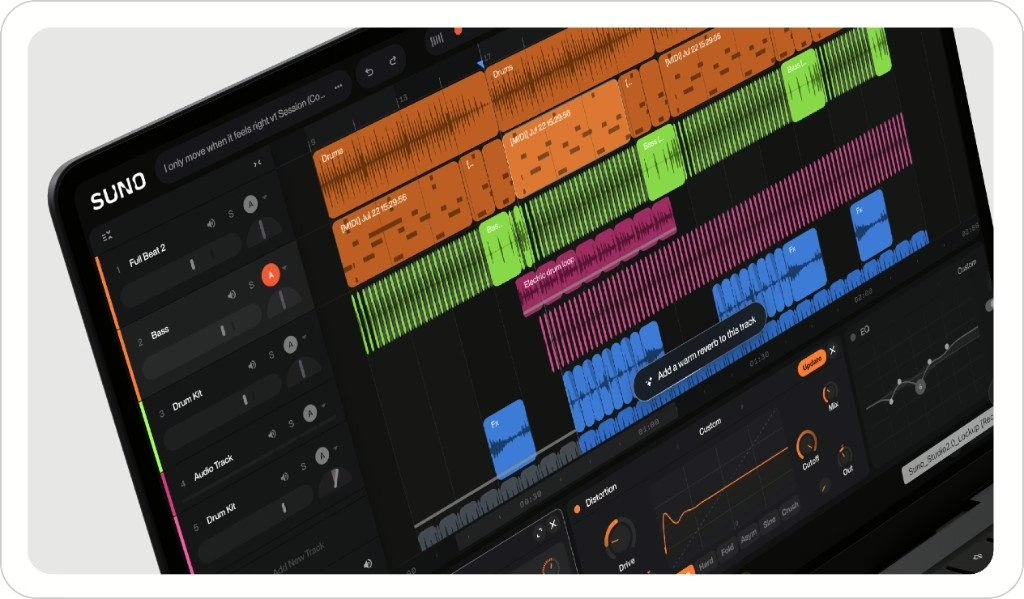
Until now, Suno was famous for one thing: type a sentence, get a full song in seconds. With Studio 2.0, the platform shifts its ambition. Its browser-based workstation now folds in MIDI recording and editing, an in-house wavetable synth, sequencer-grade automation, and a chat bar that can generate instruments, vocals and even bespoke plugins. In short: Suno stops selling you a song machine and starts offering an actual production tool.
From prompt generation to a real workstation
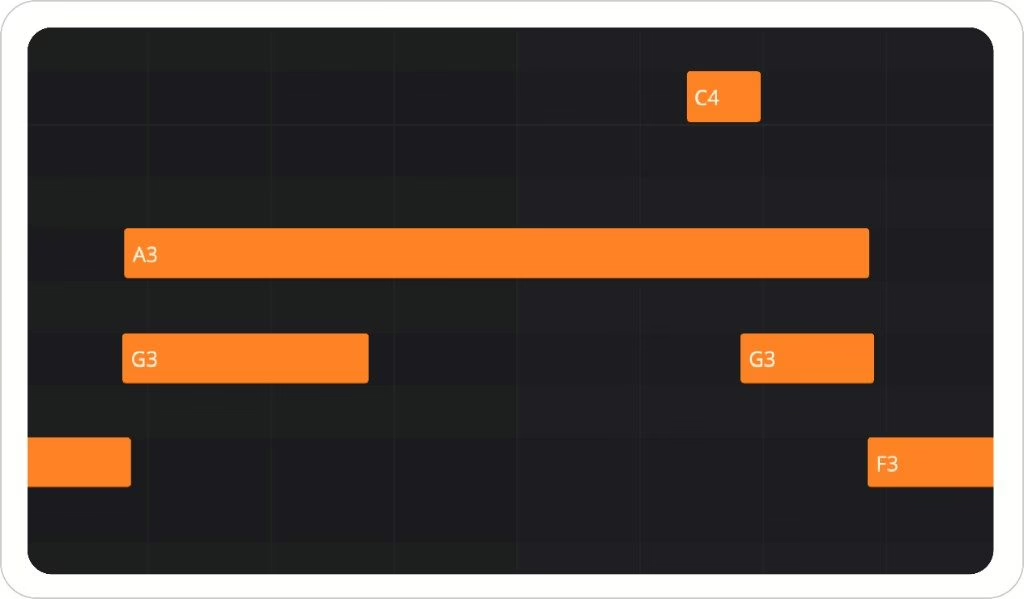
The first Suno Studio, launched last year, stayed generation-centric: you started from text, got audio, and arranged it at the margins. Studio 2.0 flips the logic by bringing back the classic gestures of computer-based music. You can now import, record and edit MIDI right on the timeline, play notes from a controller or, failing that, from your typing keyboard, complete with arpeggiator and chord mode. The musical gesture is back at the centre — where the previous version mostly left you watching the result.
The detail that best betrays the change of course: a MIDI phrase you play can act as a starting point for a generation. You lay down a melody, and the AI builds on it. It’s no longer “describe me a song,” it’s “here’s my idea, develop it” — a change of stance that moves the tool closer to how a producer actually works.
A wavetable synth and a chat bar that builds your plugins
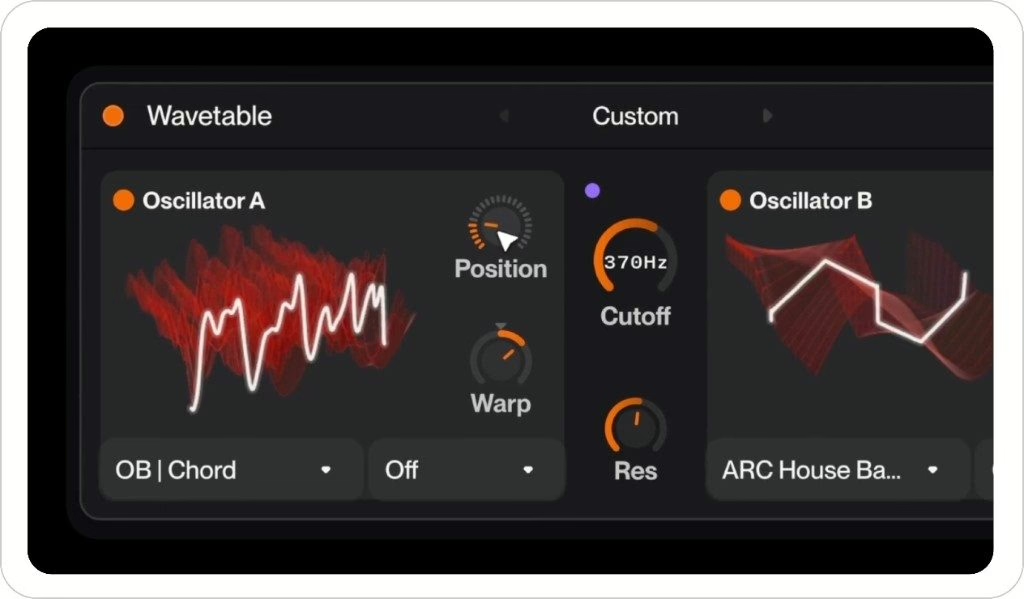
Studio 2.0 carries its own wavetable synthesizer, pitched as versatile: bass, leads, pads, chords. Nothing revolutionary on paper — wavetable synthesis has been around for decades — but having it built in avoids round trips to external instruments and rounds out the “everything in the browser” logic.
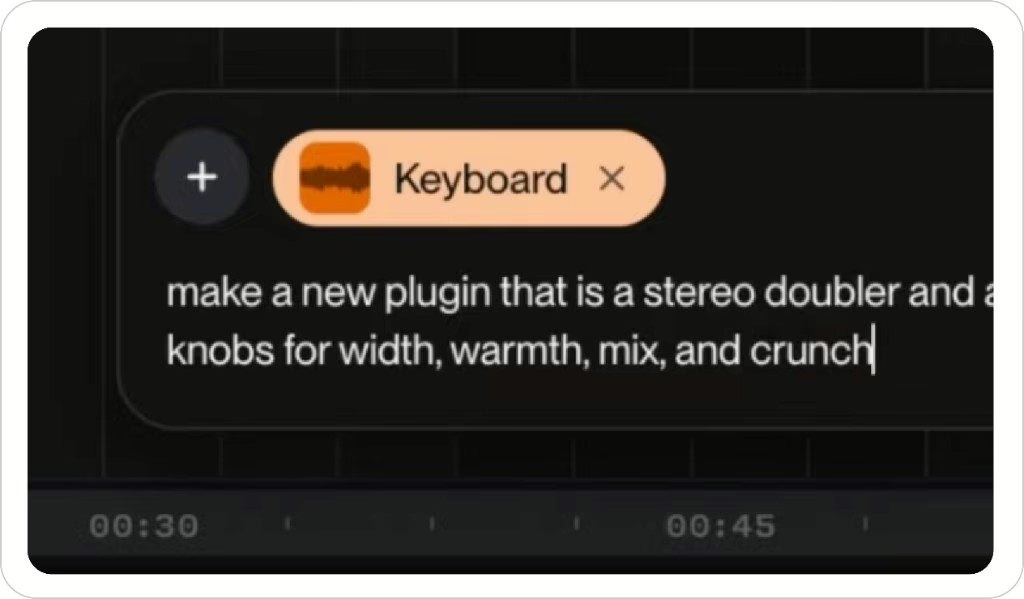
More unusual is the chat bar. Beyond generating instruments and vocals, it can, on request, create brand-new synth presets and even custom effect plugins. You describe the processing you want in plain language, and the assistant builds a version of it. That’s the most spectacular promise of this release — and, inevitably, the one to judge in real use, once the demo shine wears off.
Effects, automation and export: the fundamentals, at last
- MIDI recording, import and editing on the timeline, typing-keyboard play with arpeggiator and chord mode
- Built-in wavetable synth for bass, leads, pads and chords
- Chat bar able to generate instruments, vocals, presets and custom effect plugins
- Seven built-in audio effects, including sidechain compression and a convolution reverb
- Automation curves to evolve parameters over time
- Revamped stem separation
- Unlimited multitrack export at 32-bit / 48 kHz for Premier subscribers
The presence of sidechain compression and a convolution reverb says a lot: these aren’t decorative effects, they’re the tools every producer expects from a DAW. Paired with automation curves, they finally make real mixing possible inside the tool, without exporting to a third-party station. On source separation, Suno joins a well-established trend, one we’d already seen at work with Waves StudioVerse Mix Unlock and the spectral resynthesis of Steinberg SpectraLayers 13.
My take
I went all-digital very early, back when plenty of people still swore nothing would replace the console and the tape machine. So I have no reflex to reject a DAW in a browser, and Studio 2.0 is, technically, a fine piece of engineering. But the contradiction nobody names has to be said out loud: you’re bolting every manual-control tool — MIDI, automation, plugins — onto an automatic generation engine, as if to reassure the very musicians the AI was supposed to spare from learning. The split is deliberate, and it’s locked behind the priciest tier.
Which leaves the real question, the one about sound: is an effect plugin “described out loud” worth a treatment designed by an engineer who knows what they’re doing? I’ll want to hear it. For now, what I take away is that the line between generation tool and production workstation is blurring a little further — and yesterday’s analog-versus-digital argument already looks like a quarrel from another century.