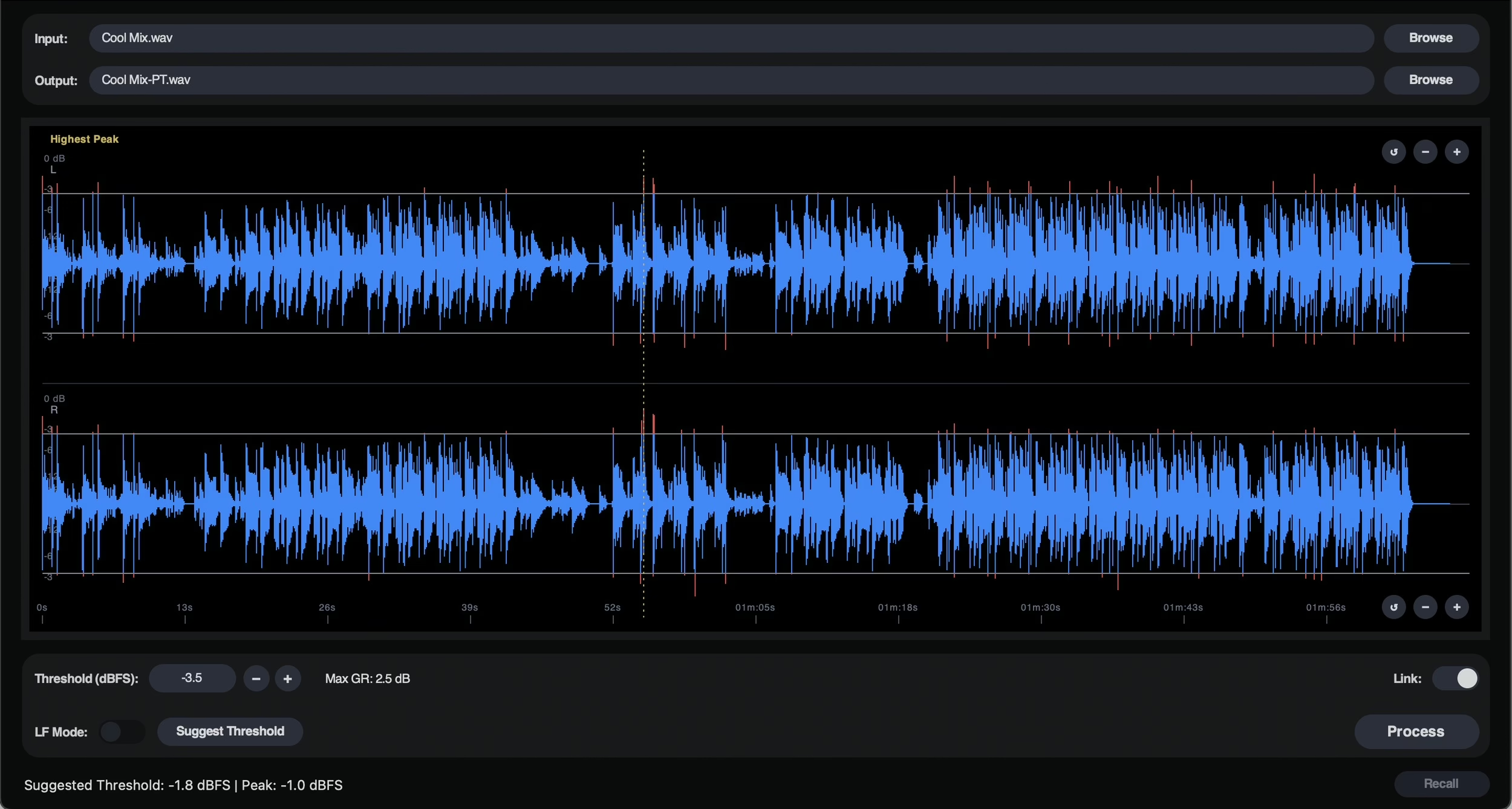
Some mastering tools earn their keep by what they refuse to do. Peak Tamer, the new standalone app from UK mastering engineer Nicky Howard, belongs to that quiet but valuable category: it does not compress, it does not color, it is not chasing loudness. It simply tames isolated peaks ahead of your limiters, so those limiters can finally do their job under decent conditions.
An old studio move, brought up to date
Anyone who has spent real time mastering knows the problem: a handful of over-tall transients — a snare hit, a snapping consonant, a bass note that overshoots — force the limiter at the end of the chain to clamp down far harder than necessary. The result is that you crush the entire signal just to tame three peaks. The classic workaround has existed for decades: ride the gain by hand, pulling back a few dB only on those moments, upstream of the processing. Effective, but tedious, hard to reproduce, and quickly unmanageable across a full album.
That is precisely the move Peak Tamer automates. The app spots isolated peaks and applies gain-envelope conditioning in a fast, reliable and — crucially — recallable way. The key point: this is not dynamics processing. No compression, no ratio, no compressor time constants here — just gain envelopes rising and falling to smooth out the occasional spike.

Feeding your limiters, not replacing them
The philosophy fits in a sentence: give the clippers and limiters downstream a more consistent source so they can perform at their best. By gently shaving rogue peaks before the limiter, you spare it those sudden dives, and that translates into a more transparent, more open master — often louder at equal perceived quality, not because Peak Tamer pushes level, but because the limiting stage is no longer fighting a few isolated spikes.
Nicky Howard brings more than twenty years of mastering practice and a Master’s in Electronic Engineering to the table, and it shows in the tool’s stance: a deliberately stripped-back interface, organized into a few sections to identify peaks and adjust processing, with only a handful of controls and the promise of consistent results within minutes. This is the opposite of a Swiss-army-knife plug-in.
Availability and price
Peak Tamer ships as a standalone application for macOS (both Apple Silicon and Intel) and Windows. The current build is v1.0.1. A fully functional 14-day free trial lets you form an opinion before buying; the full license is listed at £59.99 including VAT. US buyers should expect the usual currency conversion at checkout.
My take. The best mastering is often the kind you cannot hear, and hand-riding the gain is one of those invisible moves that separate a real pro from a preset. I have spent enough time running a studio to know that taming three transients before the limiter changes a master more than ten “magic” plug-ins stacked behind it. Having a dedicated, transparent and — above all — recallable tool formalize that move strikes me as healthy, and welcome in an era that sells us plenty of color and little rigor. I will keep an eye on one thing: the line between “conditioning” and “flattening” a signal is thin, and everything hinges on how smart the generated envelopes are. But the intent is right: prepare the ground rather than paper over the problem.
To go deeper, this kind of peak conditioning slots naturally into a mastering chain alongside an equalizer like the Dangerous Music BAX EQ; and if threshold, ratio and time constants still feel fuzzy, our guide to audio compression explained lays the groundwork. And there is always the deeper debate about the source: a signal well captured on a console like the SSL Odyssey will always hand you fewer rogue peaks to fix.