What the V1.1 update concretely changes in your setup
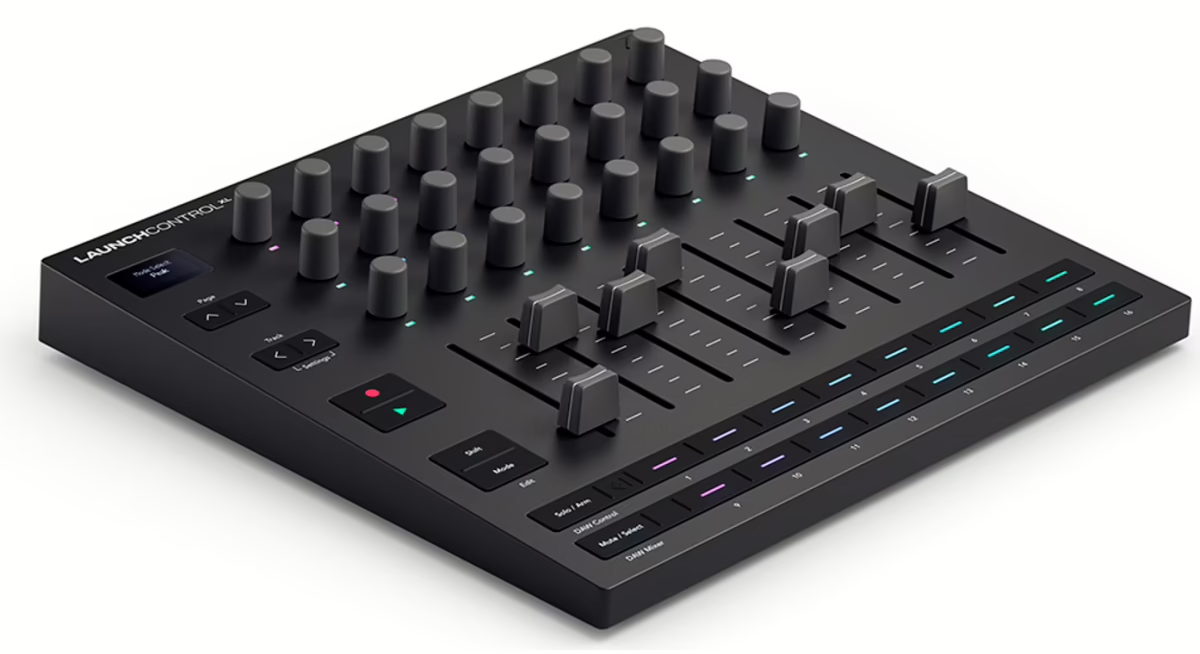
The Launch Control XL 3 is already one of the most popular MIDI controllers for handling a mix, whether in the studio or on stage. With firmware V1.1, Novation does more than just fix minor issues: the brand genuinely expands how the controller can be used, especially for users of less mainstream DAWs and for those working in a hybrid DAW + hardware configuration.
This free update, available via Novation’s own Components tool, brings four key improvements:
- extended compatibility with new DAWs (including Pro Tools and Reaper)
- much more flexible MIDI routing (USB ↔ DIN with filtering and merging)
- improved behaviour of the encoders and faders for more precise control
- faster access to Custom Modes and fader value preview on the OLED screen
For a controller focused on mixing, these changes go far beyond mere refinement: they bring the Launch Control XL 3 in line with the expectations of a professional setup where tactile control must be reliable, predictable and perfectly integrated into the workstation.
DAW compatibility: the Launch Control XL 3 becomes more universal
With firmware V1.1, the Novation Launch Control XL 3 gains official compatibility with Pro Tools and Reaper. Novation also indicates compatibility with Studio One, which has recently evolved into Fender Studio Pro. In other words, the controller is no longer limited to the most common environments such as Ableton Live or Logic: it now finds its place in control rooms geared towards post-production, broadcast or more traditional recording.
What this changes for Pro Tools users
Historically, Pro Tools has always been more demanding when it comes to managing control surfaces (HUI, EUCON, etc.). The arrival of improved support means:
- more consistent matching between the physical faders and the tracks in the session
- more logical mapping of buttons and encoders for mix and automation functions
- less tedious manual configuration required from the user
In practice, a sound engineer can now use the Launch Control XL 3 as a compact, affordable control surface in an environment where you would normally expect dedicated consoles or much more expensive surfaces.
Reaper, Studio One / Fender Studio Pro: better alignment with modern workflows
Reaper and Studio One (now Fender Studio Pro) are very popular among independent producers, advanced home-studio users and certain studios that prioritise flexibility. The enhanced compatibility turns the Launch Control XL 3 into a serious option for:
- creators who want a single controller capable of following a DAW change without having to be completely reconfigured
- educational or community studios that juggle several pieces of software on different machines
- live performers who use a DAW in the background (Reaper, FSP) but want stable tactile control of the mix
This comes close to a “universal controller” philosophy: a single device, multiple DAWs, without sacrificing ergonomics.
MIDI routing: a real step forward for hybrid setups
The V1.1 update introduces expanded MIDI routing with a more flexible USB-to-DIN passthrough, including merging of control data and channel-based filtering. For producers who combine DAWs, hardware synths, grooveboxes and external modules, this is crucial.
In practice, you can:
- use the Launch Control XL 3 as a MIDI bridge between your computer (USB) and your hardware gear (DIN)
- merge control data coming from the XL 3 with data from another controller or the DAW for the same instrument
- filter by MIDI channel to avoid control conflicts and stray messages
Where many controllers are limited to USB-only and force you to add a MIDI interface or hub, the Launch Control XL 3 starts to play in the league of central control tools in your setup. Without replacing a full MIDI interface, it positions itself as an efficient control node for a compact live rig or mobile studio.
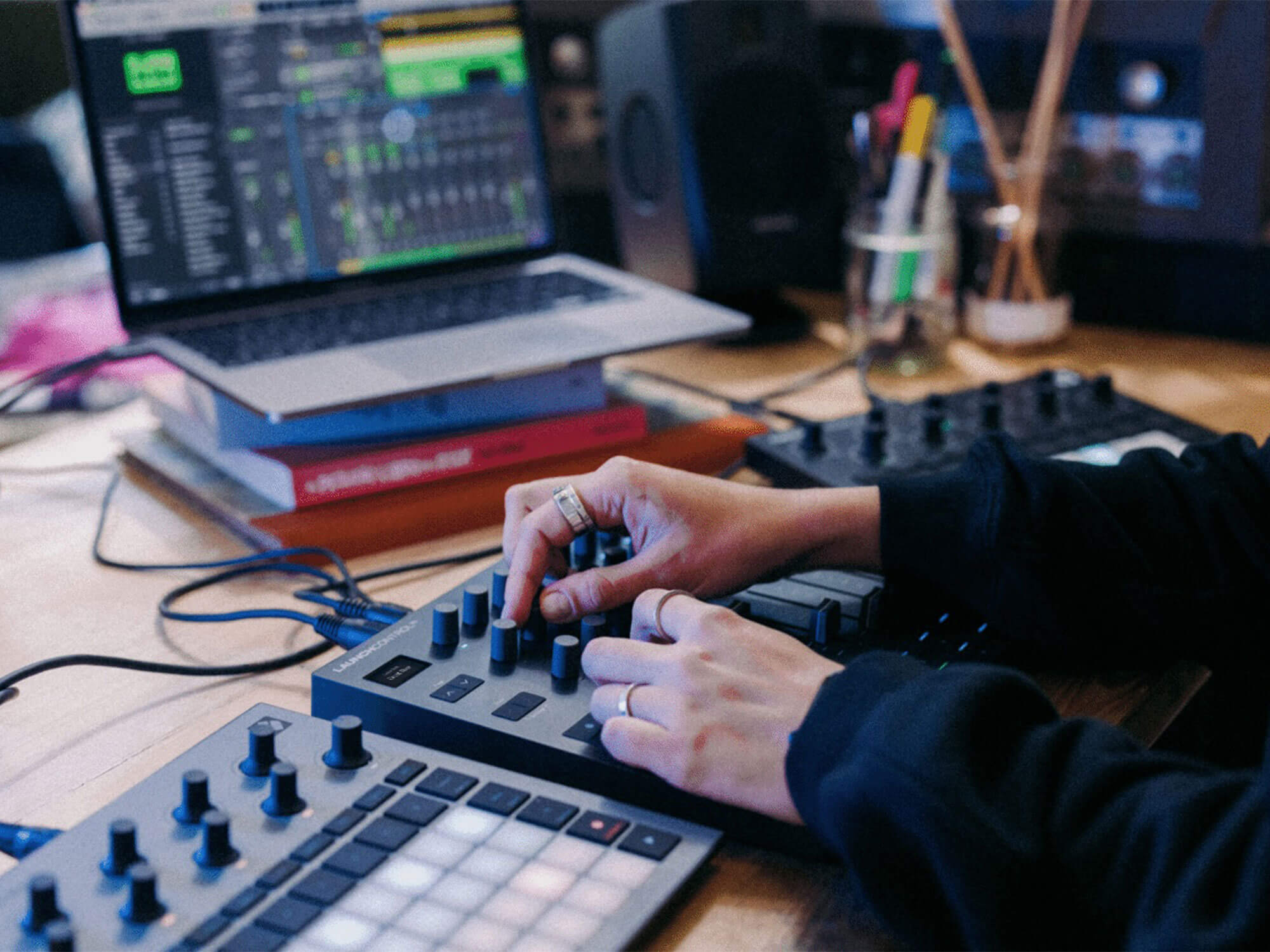
Encoders, faders and fader preview: ergonomics closer to pro surfaces
On a control surface, the quality of the experience is not just about mapping, but also about the feel and predictability of the controls. Firmware V1.1 precisely tweaks these aspects.
Encoder response: from broad control to ultra-fine adjustment
The encoders on the Launch Control XL 3 can now have their response adjusted. In other words, you can adapt their sensitivity to your use case:
- finer adjustment for EQ, effect sends or delicate synthesis parameters
- faster response for global level changes or live parameters
This is similar to behaviour found on higher-end control surfaces, where you expect a response curve tailored to the type of parameter being controlled.
Fader “pick up” mode: no more abrupt value jumps
The update allows you to activate a mode in which the faders “catch up” with the existing value before changing it. Instead of having the value jump immediately as soon as you touch a fader, the fader must first reach the current virtual position before taking control.
For mixing and live performance, this behaviour is crucial:
- no sudden volume changes if a fader was not physically aligned with the software value
- the ability to chain several presets or scenes without fearing a destructive “fader slam”
- a more musical approach to transitions, closer to the behaviour of an automated analogue console
Fader preview: see the value without wrecking the mix
A notable new feature: fader preview. By pressing the Shift button and then moving a fader, the value of the corresponding parameter is displayed on the Launch Control XL 3’s OLED screen.
Real-world benefits:
- you can check the status of an effect send or a specific level without immediately throwing the value off
- on stage, it becomes possible to visually monitor a few key parameters without looking at the computer screen
- in the studio, it makes fine tweaks easier on complex automation
This type of visual feedback is typical of integrated control surfaces with per-channel displays. Adding it to such a compact controller is a genuine day-to-day comfort boost.
Faster Custom Modes: a more agile controller on stage
The Launch Control XL 3 lets you define several Custom Modes to adapt the controller to different uses (mixing, external synths, effect controls, etc.). With V1.1, selecting these modes is now faster:
You now simply hold down the Mode button, choose the desired mode, then release. In practice, this means:
- fewer button presses live when switching from one layout to another
- more complex configurations (for example: a mix mode, a synth mode, an effects mode) that are genuinely usable within a single set
- better fluidity for users who constantly switch between controlling the DAW and controlling hardware
This may seem minor on paper, but it’s exactly the kind of detail that separates a controller that is enjoyable to play from one you abandon after a few months due to poor ergonomics.

Who is this V1.1 update really interesting for?
Version V1.1 of the Novation Launch Control XL 3 does not turn the device into a completely new product, but it clearly repositions it for several demanding use cases:
- Sound engineers and mixers on Pro Tools or Reaper
A compact control surface, now better integrated, to handle levels, busses and certain key parameters without investing in a large or expensive console. - Producers with a hybrid setup
The improved MIDI routing, with USB-↔-DIN and filtering, makes it a good candidate as a control hub for a few hardware synths, external effects and a DAW. - Live performers
The “pick up” mode, fader preview and quick access to Custom Modes make the controller far more reliable for performances where every move has to be predictable. - Educational studios and shared spaces
The extended compatibility with several DAWs and the improved ergonomics make it easier to adopt for users with very different habits.
For existing users, the V1.1 update is clearly worth installing: it addresses practical limitations rather than adding gimmicks. For those hesitating between several control surfaces, this evolution brings the Launch Control XL 3 closer to more “pro” options while still keeping a simple and accessible form factor.
The V1.1 firmware for the Launch Control XL 3 is available now via Novation’s Components software.
FAQ: getting the most out of the Novation Launch Control XL 3 with firmware V1.1
1. Does the Launch Control XL 3 become a good main control surface for mixing?
Yes, provided you’re happy with its compact format (8 faders, 24 knobs, a few buttons). V1.1 improves encoder precision, adds the fader “pick up” mode and fader preview, which clearly brings it closer to a dedicated control surface. For a home studio or project studio, it is a very credible solution as a main surface, especially if you mostly work on levels, sends and a few insert parameters.
2. Is this update enough for serious use with Pro Tools?
For mix-focused use covering the basics (volumes, pan, sends, a few plug-in controls), yes. The improved compatibility makes the Launch Control XL 3 far more usable in Pro Tools than before. If you are looking for total integration with detailed automation, managing dozens of tracks simultaneously and advanced transport functions, a Pro Tools-specialised surface will still be more suitable. But as a compact and affordable solution, V1.1 absolutely does the job.
3. Is it enough to drive a proper hybrid setup with synths and drum machines?
For a reasonably sized hybrid setup, yes. The USB-to-DIN passthrough, data merging and channel filtering allow you to place the Launch Control XL 3 at the centre of a small configuration: a DAW, one or two synths, a drum machine or an effects module. For a large modular system or a big collection of machines, you will still need a more complete MIDI interface, but the XL 3 will remain an excellent control panel for the key parameters.
4. If I already have the previous firmware version, is it really worth updating?
Yes, very much so. V1.1 is not limited to small fixes: it improves ergonomics (fader pick up, fader preview, faster Custom Modes), DAW compatibility (Pro Tools, Reaper, Studio One/Fender Studio Pro) and MIDI routing. Even if you don’t use all the newly supported DAWs, the simple combination of “better control precision + smoother transitions” alone justifies updating.