Ui24R: what it is (and what it isn’t)
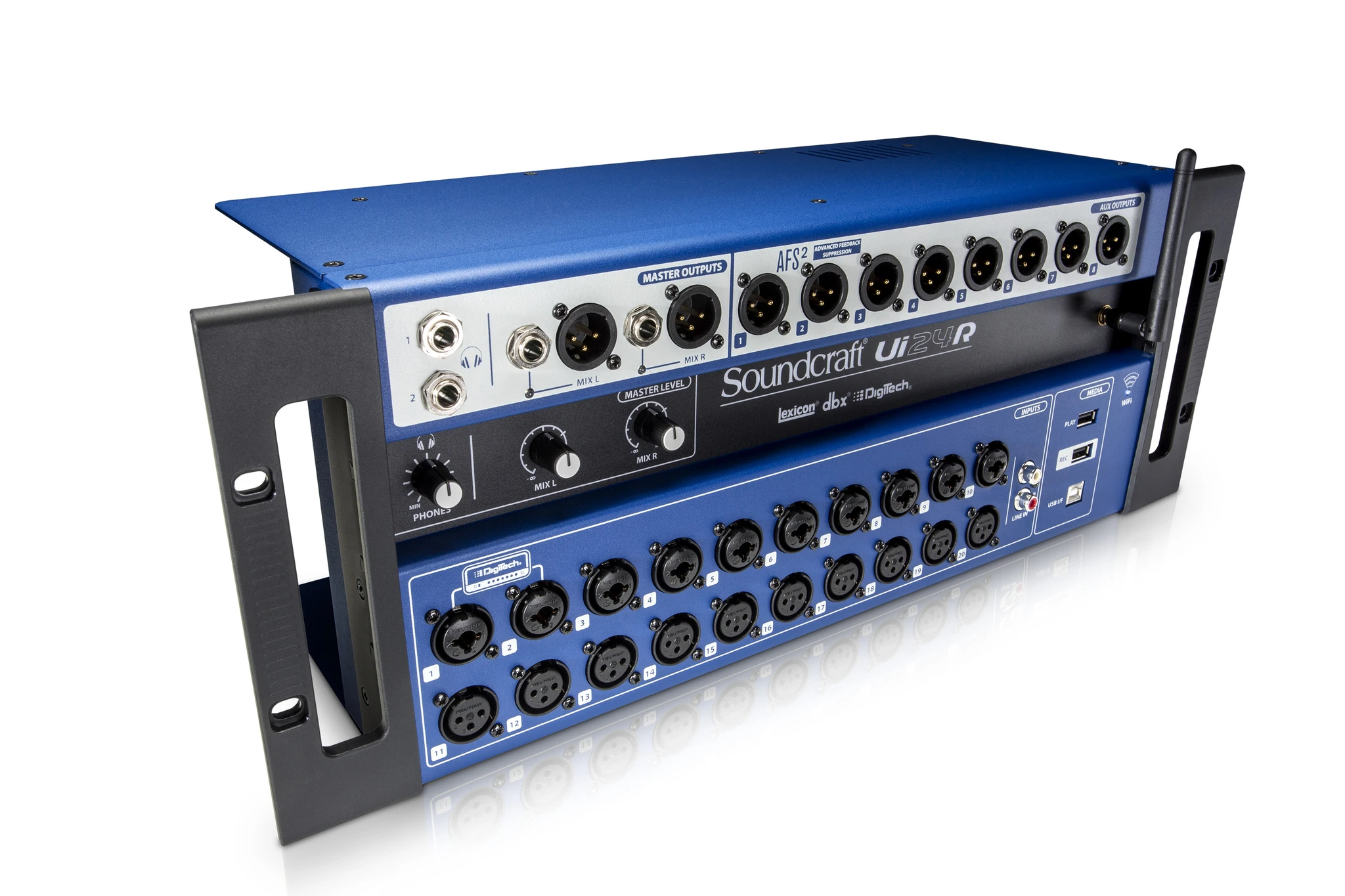
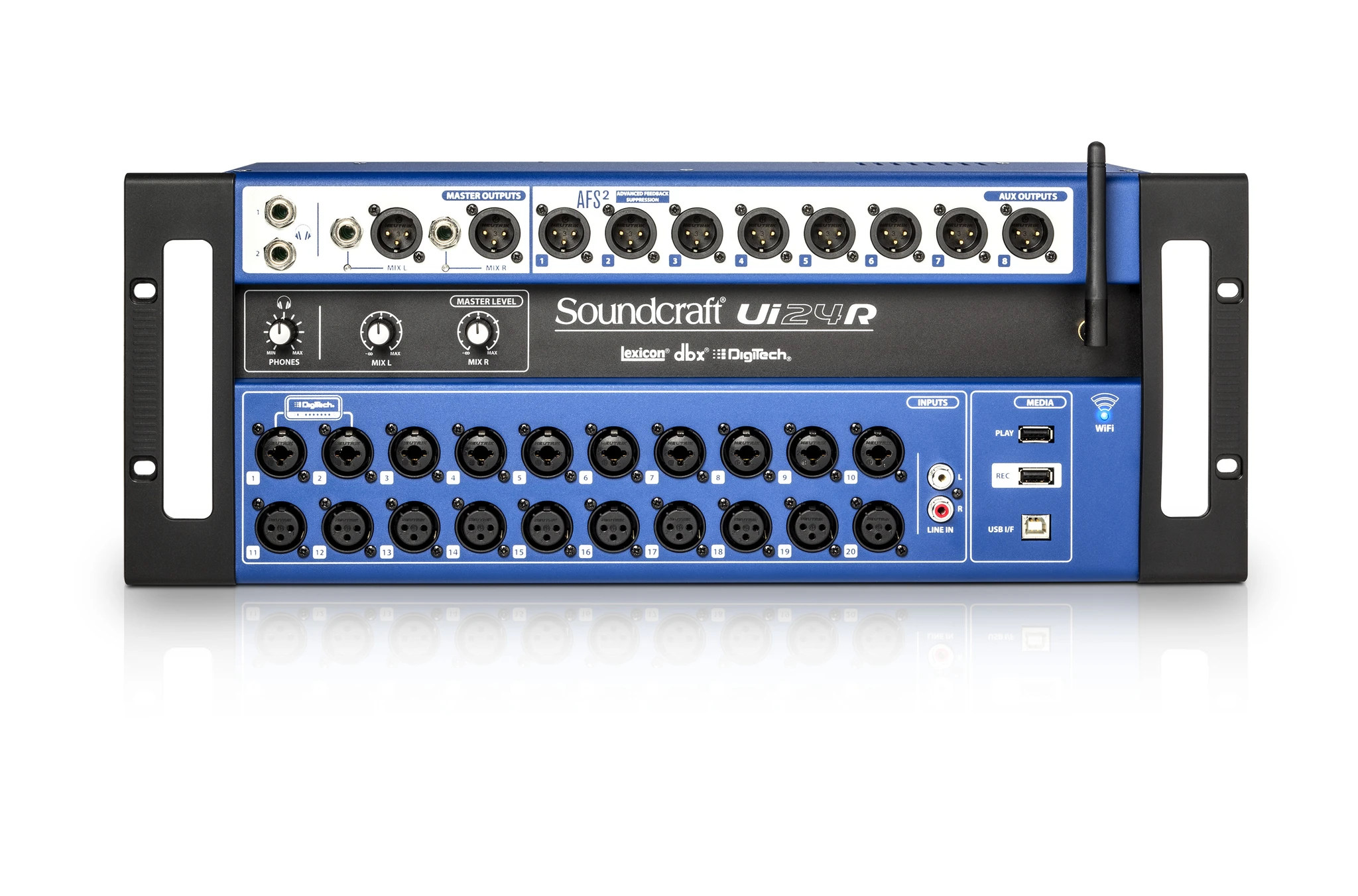
The Ui24R is a 24-channel digital mixing console equipped with a multitrack USB recorder and browser-based control. It is not a touchscreen console with motorised faders: everything is controlled via iOS, Android, Mac, Windows or Linux in a web browser, with no app required. The unit comes as a 4U rack device and can also be used as a stagebox for live shows.
I/O and architecture: where it really matters
24 simultaneous inputs: clear and flexible
The Ui24R offers a total of 24 inputs: 10 combo XLR/1/4″ mic/line inputs, 10 XLR mic/line inputs and 2 RCA line inputs, plus 2 digital channels over USB. This configuration lets you handle full bands and a wide range of sources without needing external expansion.
Outputs, auxiliaries and musicians’ monitor mixes
It provides multiple XLR aux outputs, headphone outputs and stereo XLR/TRS master outputs, all of which can be configured to create separate monitor mixes. This makes it easy to set up scenarios with FOH, musicians’ foldback and independent monitoring groups.
Control and networking
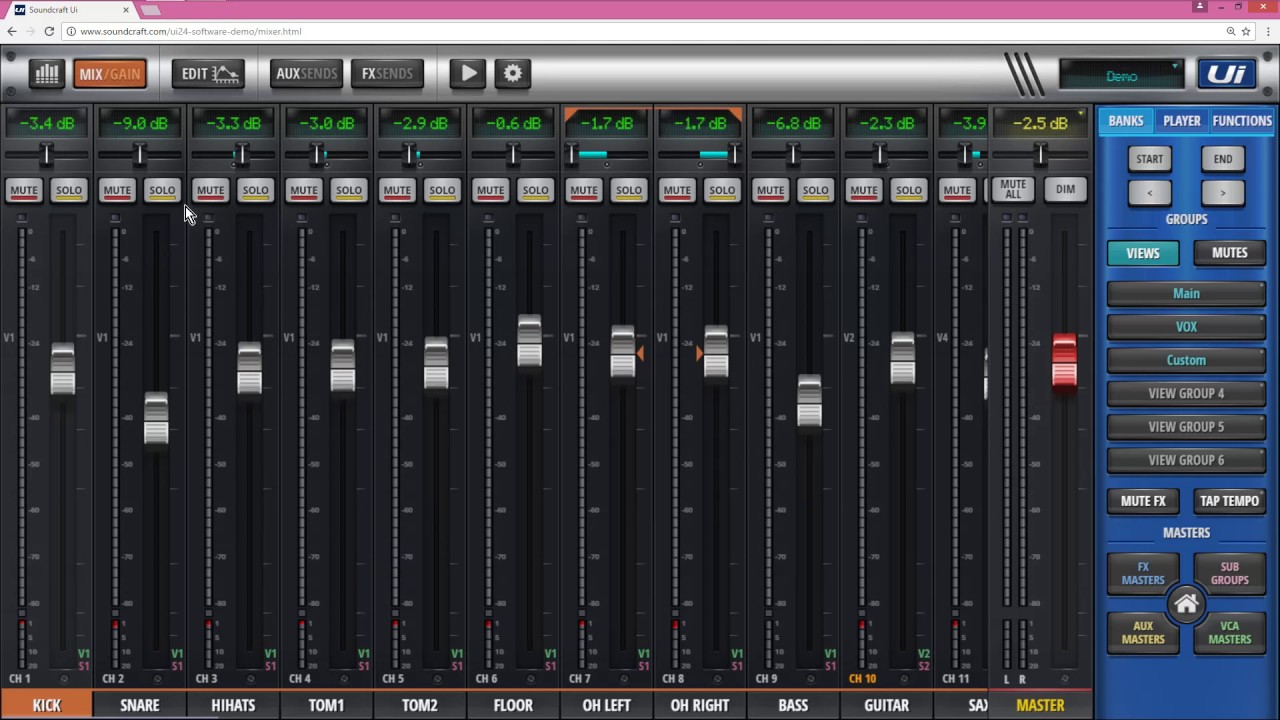
Web interface: “surface-less” by design
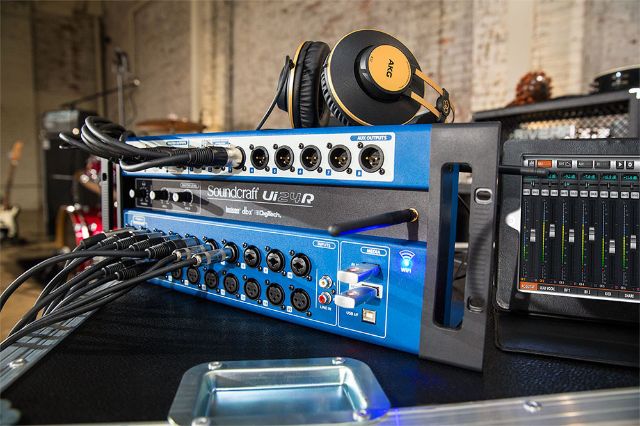
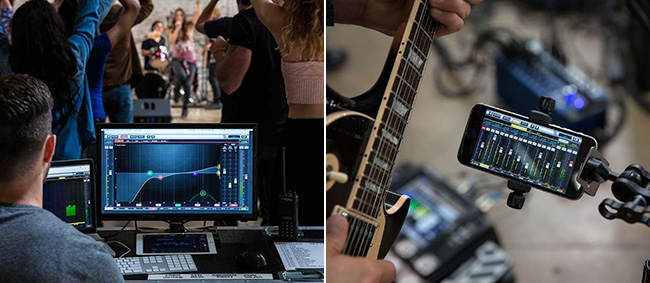
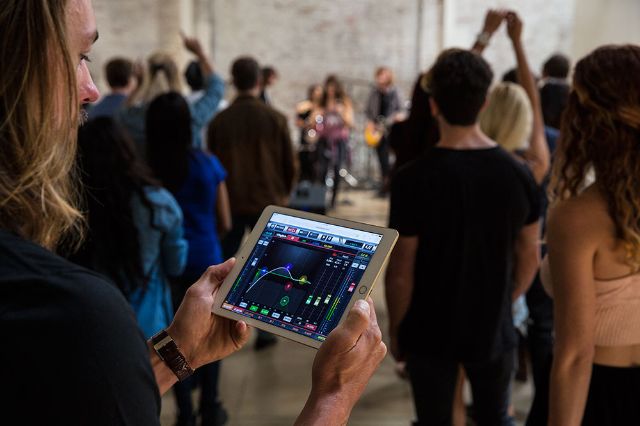
All mixing functions are controlled via an HTML5 web browser, meaning no native app is required. Tablets, smartphones or computers can all connect and control the Ui24R at the same time, with up to 10 devices simultaneously.
Internal Wi‑Fi vs external router vs Ethernet
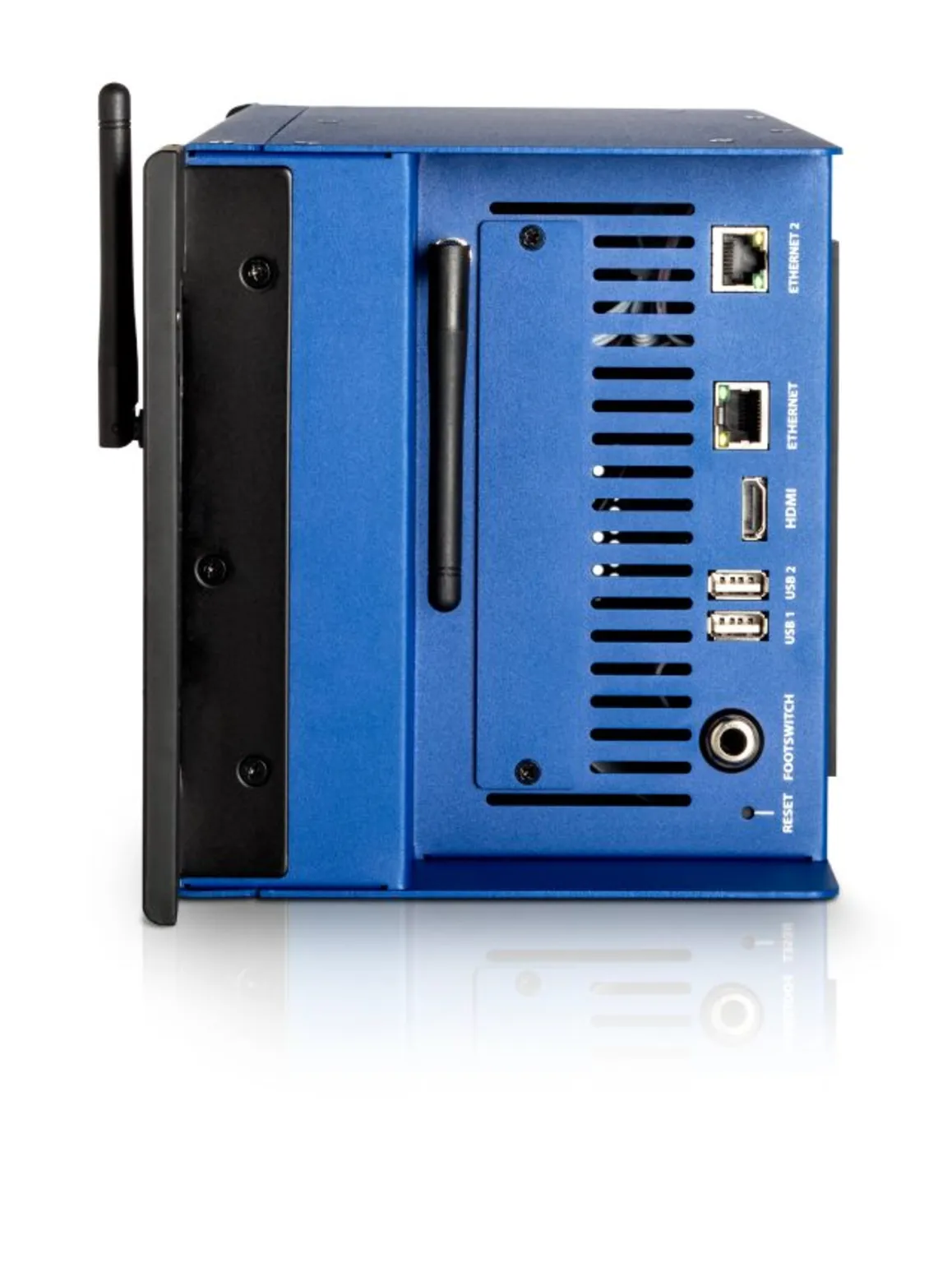
The Ui24R includes dual-band Wi‑Fi (2.4/5 GHz) for direct connections with no extra infrastructure. In critical environments (gigs, venues with crowded Wi‑Fi), an external router or a dedicated Ethernet link improves reliability and control latency when several users are connected.
Recording and streaming
Redundancy (USB + computer): how to use it
The console offers dual-path multichannel recording: all inputs can be recorded both to a USB drive and to a computer via USB‑B at the same time. This redundancy helps you avoid data loss if one of the storage media fails.
Two mixes: FOH vs streaming (method)
For a live event with streaming, create two separate busses: a main mix for the audience (FOH) and a dedicated streaming mix with different processing (EQ, compression, balance). The web interface makes it straightforward to manage both configurations in parallel.
Typical (real-world) setups
Band + 4 monitor mixes + recording
In a band context, use separate auxes for each musician’s monitor mix. Record simultaneously to a USB drive and a DAW to document the session while keeping mixes available for playback in rehearsals.
Venue/charity or community space: 10 devices (musicians + engineer)
In a venue where performers manage their own foldback, each musician or technician can adjust their mix via Wi‑Fi on a smartphone. Make sure you manage permissions and segment network access to avoid clashes and accidental changes.
Recording only: redundancy + session discipline
For pure capture sessions, define clear recording ranges, name the tracks consistently on both the USB media and in the DAW, and check available storage before the session starts. For live work, having an assistant dedicated to monitoring the recording is recommended.
Limitations and best practice
Network security, plan B, access management
If poorly secured, the built-in Wi‑Fi can expose your kit to risks. Enable a strong password, segment the network where possible, and prepare a wired Ethernet connection as a fallback if things become unstable. Reserve specific control devices for the lead engineer and restrict non-essential access.

FAQ
How many devices can control a Ui24R?
Up to 10 devices can connect simultaneously to the web controller to manage mixing and functions.
Do you need an app for the Ui24R?
No. The interface is controlled directly via an HTML5 web browser on iOS, Android, Windows, Mac or Linux.
Can the Ui24R record all channels?
Yes. All channels can be recorded simultaneously in multitrack to a USB drive or a connected computer, with the option of dual redundant paths.
Which network setup is most reliable for live shows?
A combination of dedicated Ethernet for the engineer and a separate Wi‑Fi network for musicians’ monitor control is the most stable approach.
Is the Ui24R suitable for a separate streaming mix?
Yes. It allows you to set up a main mix for FOH and a secondary mix optimised for streaming or monitoring.