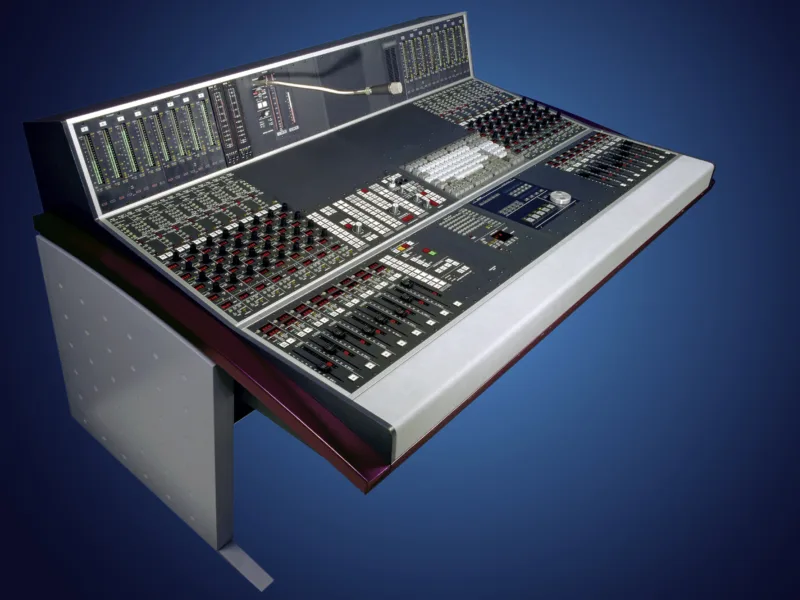
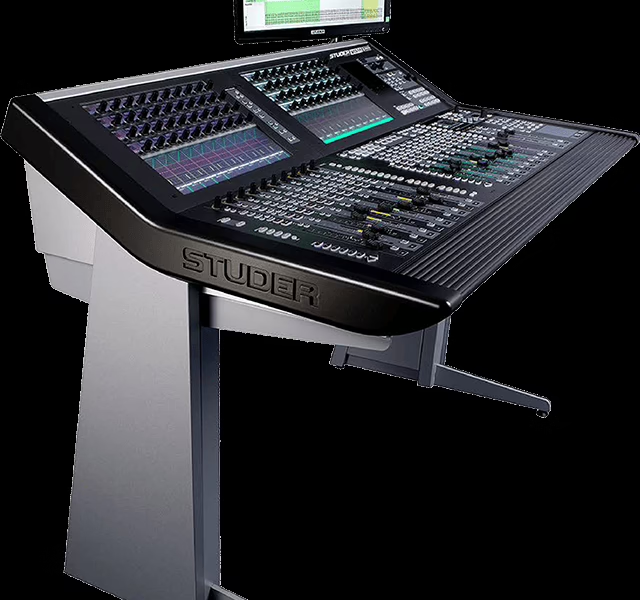
Studer OnAir 1000 — Operating Instructions (SW V4.0/4.03)
Console : Studer OnAir 1000
Sommaire
- Studer OnAir 1000 V4.03 Operating Instructions1
- Safety Information3
- Declarations of Conformity9
- New Features with SW V4.02/V4.0315
- 1 - Momentary/Latching Key Functions15
- 1.1 - PFL and Talkback Keys15
- 1.2 - Monitoring Keys15
- 2 - Talkback and PFL Signaling15
- 2.1 - Talkback Signaling from CR to Studio, and Vice Versa15
- 2.2 - PFL Signaling16
- 3 - MONITOR EXPANDER Page, Talkback Functions16
- 4 - Additional REC Signaling Output17
- 5 - Additional Customer Codes18
- 0 - Contents19
- 1 - Introduction25
- 1.1 - Block Diagram OnAir 1000, SW V4.026
- 1.2 - Definition of Terms28
- 2 - General29
- 2.1 - Utilization for the Purpose Intended29
- 2.2 - First Steps29
- 2.2.1 - Unpacking and Inspection29
- 2.2.2 - Installation29
- 2.2.3 - Adjustments, Repair30
- 2.2.4 - PC-Card30
- 2.3 - Technical Specifications31
- 3 - Operating Concept35
- 3.1 - Operating Elements35
- 3.1.1 - Power Switch35
- 3.1.2 - Touch-Screen Unit36
- 3.1.3 - Metering Section37
- 3.1.4 - Monitoring and Talkback Section38
- 3.1.5 - Fader Section40
- 3.2 - Connector Panels42
- 4 - Channel Functions43
- 4.1 - Keys43
- 4.2 - Faders44
- 4.3 - LED Indicators44
- 4.4 - Channel Control Page, Microphone Input46
- 4.5 - Channel Control Page, Line Input47
- 4.6 - EQ/Filter Page, Microphone Input49
- 4.7 - EQ/Filter Page, Analog Line/Digital Input50
- 5 - Master Functions51
- 5.1 - Login/Logout51
- 5.2 - AUX and Insert Control52
- 5.3 - N-1/Audition Bus and Telephone Hybrid Control53
- 5.3.1 - N-1 and Audition Bus Routing54
- 5.4 - Studio Monitoring55
- 5.5 - Mixer Setup56
- 5.6 - Snapshots57
- 5.6.1 - Recall a Snapshot from Memory57
- 5.6.2 - Save a Snapshot to Memory58
- 5.6.3 - Delete a Snapshot from Memory58
- 5.7 - Mic Settings59
- 5.7.1 - Recall a Mic Setting from Memory59
- 5.7.2 - Save a Mic Setting to Memory60
- 5.7.3 - Delete a Mic Setting from Memory60
- 5.8 - Routing61
- 5.8.1 - Channel Routing61
- 5.8.2 - Recall a Channel Routing from Memory64
- 5.8.3 - Save a Channel Routing to Memory64
- 5.8.4 - Delete a Channel Routing from Memory (Administrator Only)65
- 5.8.5 - Channel Routing Administration65
- 5.9 - Using PC-Cards66
- 5.9.1 - Load a Snapshot/Mic Setting/Channel Routing from PC-Card66
- 5.9.2 - Save a Snapshot/Mic Setting/Channel Routing to PC-Card67
- 5.9.3 - Delete a Snapshot/Mic Setting/Channel Routing from PC-Card67
- 5.10 - Administrator68
- 5.10.1 - Features68
- 5.10.2 - Admin Selection of Snapshots/Mic Settings/Channel Routings69
- 5.10.3 - Users with and without a Password70
- 5.11 - User Administration71
- 5.12 - System Configuration71
- 5.13 - Watch and Stopwatch72
- 5.13.1 - Watch72
- 5.13.2 - Fader Stopwatch73
- 5.13.3 - User Stopwatch73
- 5.14 - PGM and REC Master Faders74
- 5.14.1 - Fixed Master Levels74
- 6 - Monitoring75
- 6.1 - Control Room Monitoring75
- 6.2 - Studio Monitoring77
- 6.3 - Talkback78
- 6.3.1 - Talkback Settings79
- 6.4 - External PFL80
- 7 - Signaling81
- 8 - Machine Control83
- 8.1 - Keys and LEDs83
- 8.2 - Control Outputs85
- 8.2.1 - CTRL OUT185
- 8.2.2 - CTRL OUT285
- 8.3 - Control Inputs86
- 8.3.1 - CTRL IN86
- 8.3.2 - EXT PFL Input86
- 8.4 - CTRL OUT1/2 and CTRL IN Application Examples87
- 9 - Automation89
- 9.1 - Introduction89
- 9.2 - Features of the OnAir 1000 CAB Support89
- 9.3 - Application Handling90
- 9.3.1 - Configuration for Automation Control90
- 9.3.2 - Communication Time-Out90
- 9.3.3 - Output Selection91
- 9.3.4 - Start a New Title from Schedule91
- 9.3.5 - Indication of the Currently Playing Input Line92
- 9.3.6 - Pre-Listening92
- 9.3.7 - Time Synchronization92
- 10 - User Modes93
- 10.1 - Purpose of User Modes93
- 10.2 - Access to Configurable Functions of the Console94
- 10.3 - User Administration96
- 10.4 - Administration Functions97
- 10.5 - Log-in Procedure and Defaults99
- 11 - Configuration101
- 11.1 - Configuration Handling101
- 11.2 - Configuration Procedure101
- 11.2.1 - Input103
- 11.2.2 - Common Settings106
- 11.2.3 - Output107
- 11.2.4 - Level Meter107
- 11.2.5 - Time and Date108
- 11.2.6 - System Test109