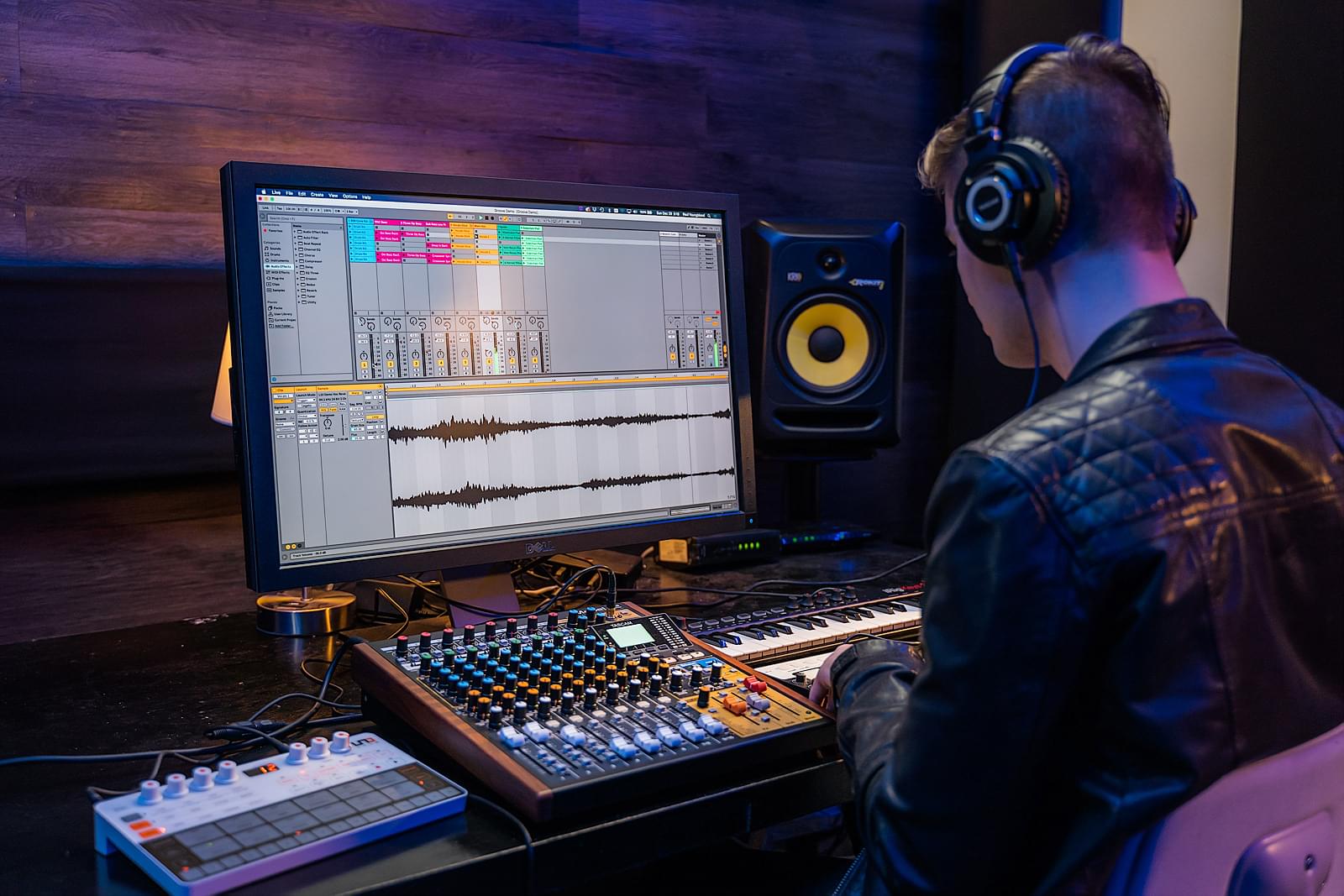
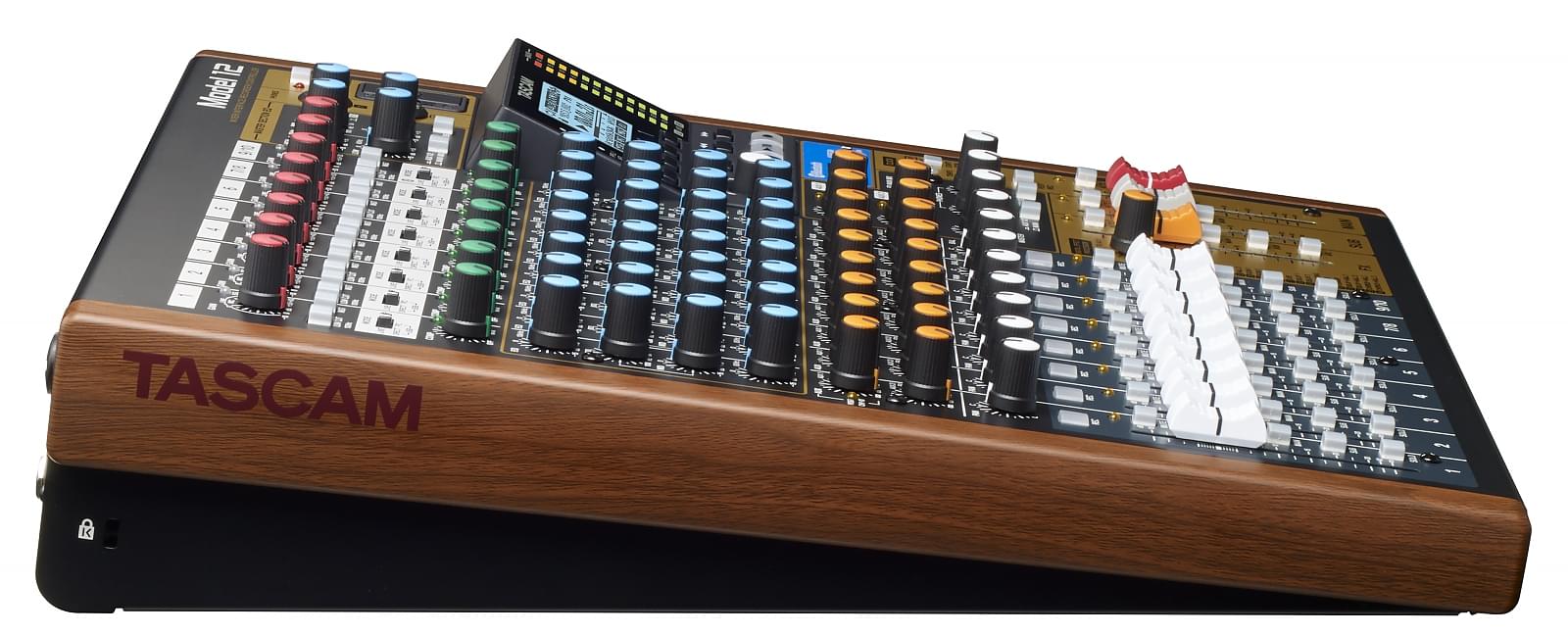
La Tascam Model 12 is a multi‑function audio console that combines a 10‑input analogue mixing desk, a 12‑track multitrack recorder onto SD card, a USB audio/MIDI interface, DAW control functions and tools dedicated to podcasting and streaming (including mix-minus and a smartphone input). This “all‑in‑one” approach allows it to cover a wide range of needs for audio creators, whether in a home studio, for podcasts or for compact live setups.
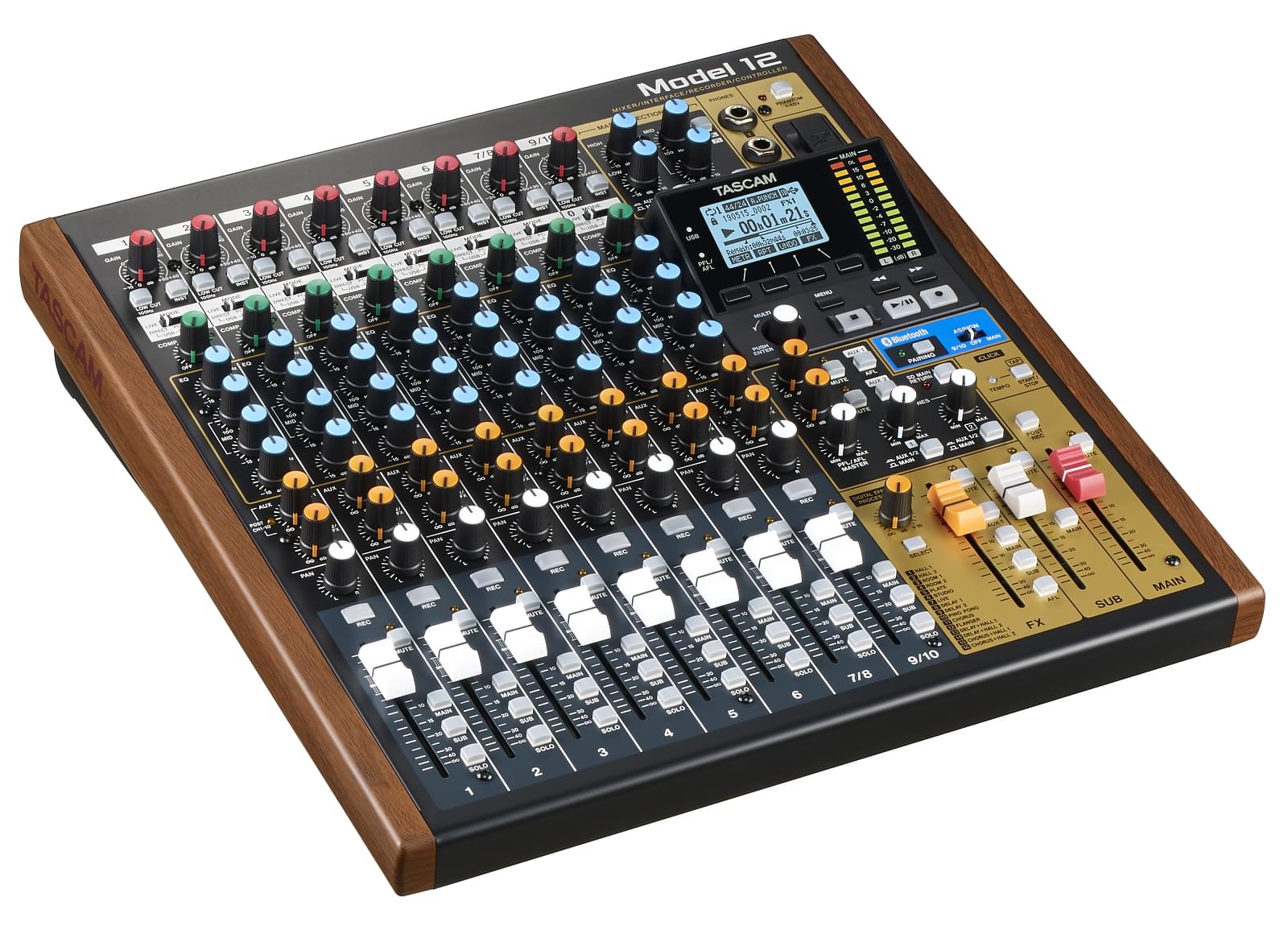
Tascam Model 12 | 10-Channel Analogue Mixer With 12-Track Digital Recorder
What the Model 12 is really for
The Model 12 is aimed at a broad range of uses: mixing, recording, production and managing your overall audio signal flow. Its strong points lie in its flexibility and its ability to centralise several functions that are often split across separate bits of kit.
Use cases: home studio, rehearsal, podcast, streaming, small live gigs
- Home studio: standalone multitrack recorder to capture ideas, demos and rehearsals without needing a computer.
- Rehearsal & live: hands‑on mixer with mic preamps and flexible routing for small live rigs.
- Podcast & streaming: built‑in mix-minus and smartphone input make it easier to run shows with guests and live broadcasts.
- DAW workflow: audio/MIDI interface and DAW control so you can drive your software directly from the console.
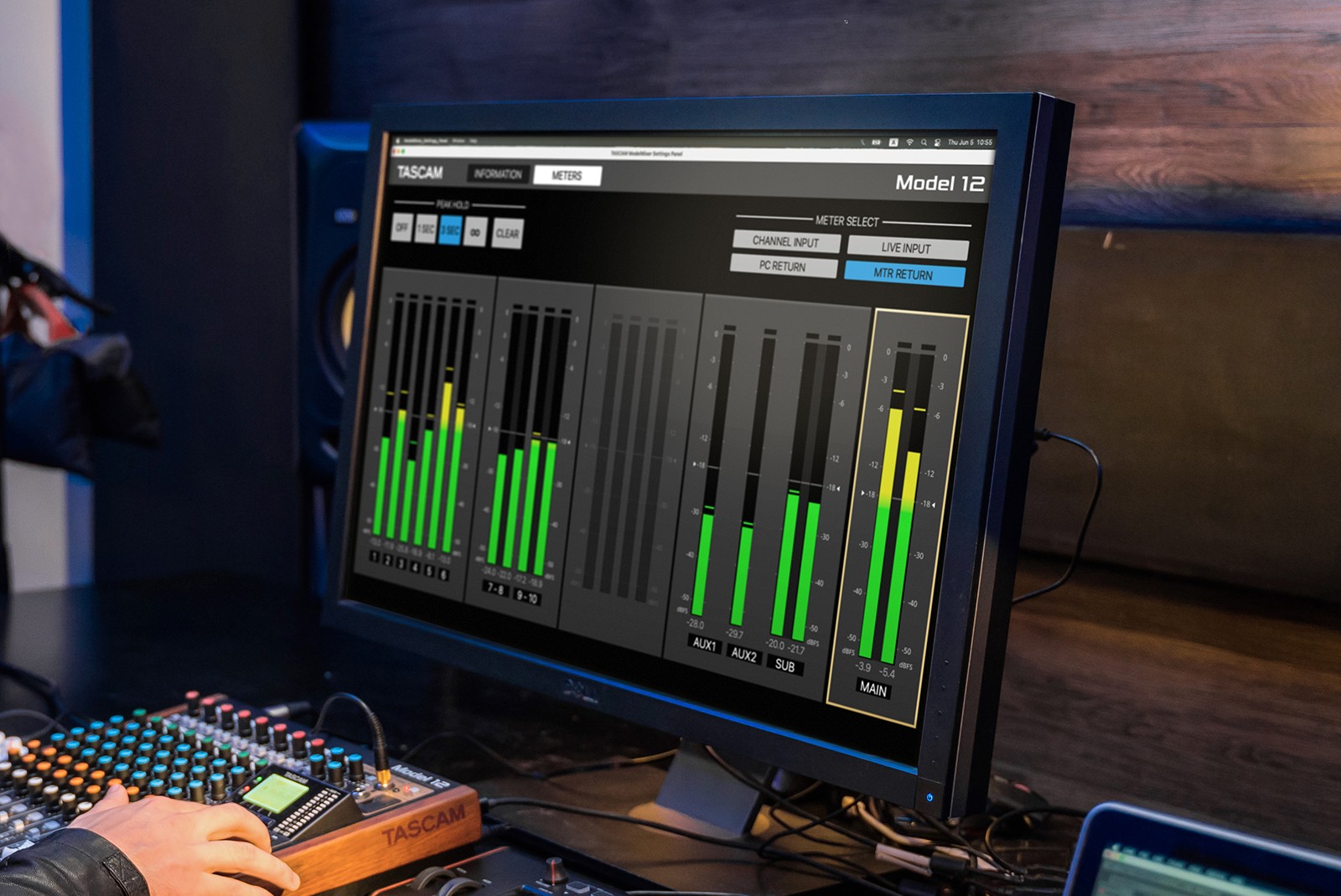
Recording: SD vs computer
The Model 12 can record up to 12 tracks simultaneously in 24‑bit / 48 kHz WAV directly onto an SD card, with playback of up to 10 tracks at a time.
“No‑DAW” scenarios
Without a computer, the Model 12 acts as a genuine standalone multitracker. You capture performances, layer tracks, use the metronome, punch-in/out and overdub functions, then export your WAV files for post‑production or later mixing.
“DAW + USB interface” scenarios
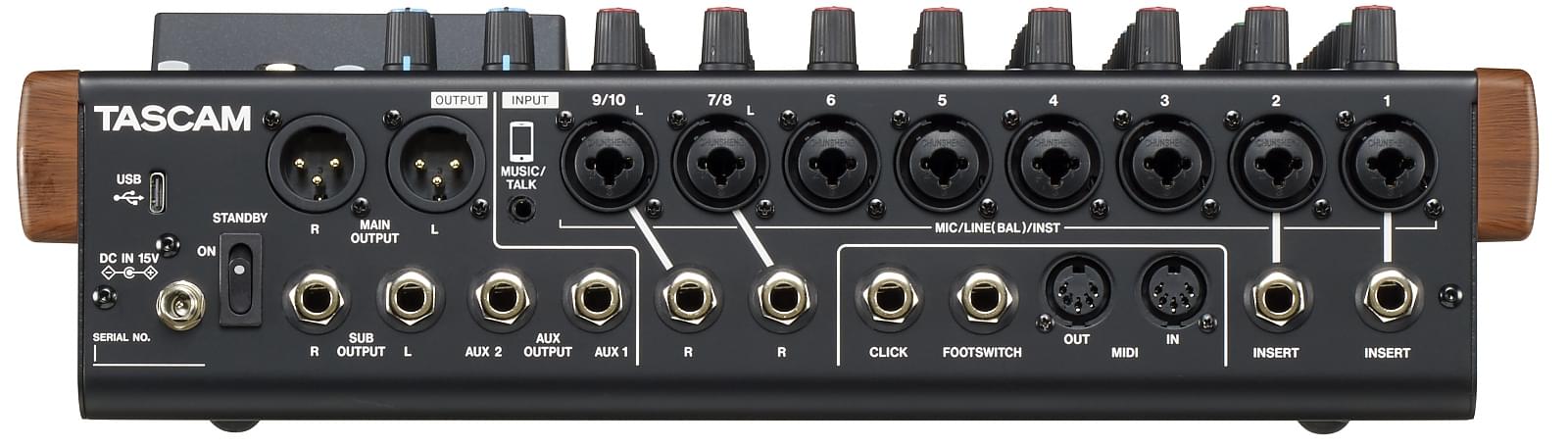
Connected via USB to a computer, the Model 12 becomes a 12‑in / 10‑out audio/MIDI interface compatible with most DAWs. You can record, mix and route your tracks within the software environment of your choice, with accurate audio monitoring.
Tascam Model 12 | 10-Channel Analogue Mixer With 12-Track Digital Recorder
Podcast / streaming: mix-minus and smartphone input
The console features a smartphone (TRRS) input and mix-minus, which removes the caller’s return echo during live sessions or recorded podcasts, making the setup simpler and cleaner for interviews.
Typical scenario: remote guest + mic + music
In practice, mix-minus lets you send the remote guest a clean signal without feeding their own voice back to them, while you mix local voices, music and effects. It’s a real asset for content creators juggling multiple audio sources.
Common mistakes (loops, feedback, latency)
Typical mistakes in a streaming setup include audio loops caused by incorrect mix-minus routing or poorly managed latency. It’s worth double‑checking sends/returns and monitoring settings to avoid these artefacts.
Tascam Model 12 | 10-Channel Analogue Mixer With 12-Track Digital Recorder
DAW control: how it changes day‑to‑day use
Instead of clicking around in your DAW’s interface, you can control transport, faders, mutes and other functions directly from the Model 12. This streamlines your workflow and gives you a more hands‑on, tactile way to interact with your recording or mixing session.
Things to watch out for before buying
Ergonomics, routing, backups, session discipline
Its versatility comes at a price: without a disciplined approach (track naming, regular SD card backups, careful routing management), you can quickly lose clarity in how everything’s working. Navigating the menus for some advanced functions can take a bit of getting used to.
Alternatives to consider (depending on your needs)
If your main requirement is pure podcasting or live streaming with more automated processing, solutions like the Zoom LiveTrak range or dedicated interfaces plus software might be more ergonomic. For a DAW‑centred setup with deeper control, an interface plus a dedicated MIDI/DAW control surface is still a strong option.
Interface + controller
An audio interface paired with a dedicated controller often offers tighter software integration, but you’ll need two separate devices, which can make your setup bulkier.
Compact digital mixer
There are compact digital mixers with screens and advanced presets, but they can be less intuitive for standalone SD‑card recording.
“Podcast” solutions
Specialised podcast mixers provide more built‑in processing (compressors, gating, etc.). They’re aimed more at content creators who don’t need to record more complex instrumental sessions.
FAQ
Can the Tascam Model 12 record without a computer?
Yes. It has a built‑in multitrack recorder that captures up to 12 tracks in 24‑bit / 48 kHz WAV onto an SD card without needing a computer.
What is mix-minus used for on a Model 12?
Mix-minus prevents a remote guest from hearing their own signal being sent back to them during a podcast or stream, ensuring clear communication without distracting echoes.
Can it be used as a USB interface with a DAW?
Yes. It connects via USB to act as an audio/MIDI interface and allows control of DAW functions via the HUI/MCU protocol.
Does the Model 12 replace a digital live console?
It can serve as a compact desk for small gigs or rehearsals, but its capabilities are limited by the number of inputs and the lack of the more complex presets you find on some dedicated digital consoles.
What are the alternatives if I want remote control?
For more advanced remote control, an audio interface with a DAW controller or digital mixers with a mobile app offer greater flexibility than the Model 12.