Calrec Brio 36 — manuel utilisateur (PDF)
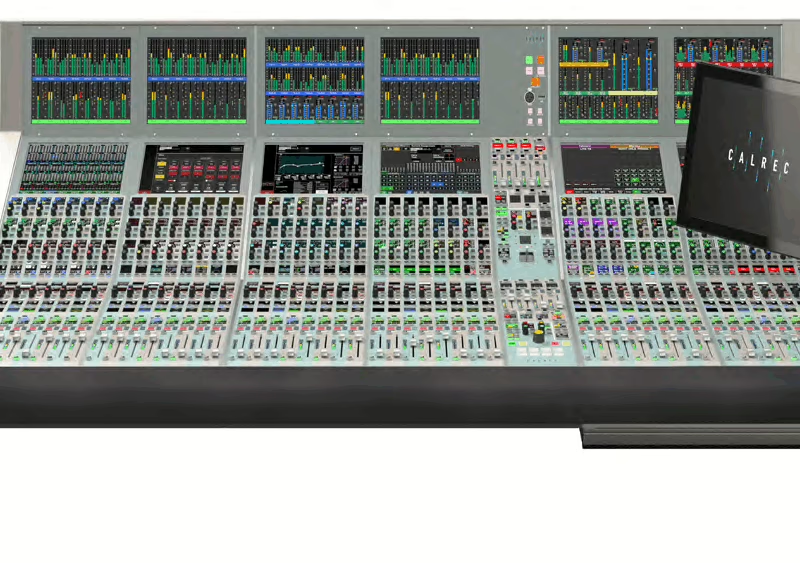
Console : Calrec Brio 36
Sommaire
- CONTENTS3
- PRODUCT INFORMATION13
- INFORMATION14
- Repairs14
- Standard of Service14
- Serial Numbers15
- After Sales Modifications15
- Installation15
- Service Personnel15
- Third Party Equipment15
- ESD (Static) Handling Procedures16
- RoHS Legislation16
- ISO 9001 and ANAB Registered16
- HEALTH AND SAFETY17
- Important Safety Instructions17
- Cleaning17
- Explanation of Warning Symbols17
- Earthing18
- Lithium Battery Replacement18
- PACKAGE CONTENTS19
- SYSTEM OVERVIEW21
- SURFACE OVERVIEW22
- CONTROL SURFACE SECTIONS23
- Fader Strip23
- Fader Display24
- Control Cell Display25
- Screen Area26
- Talkback Microphone26
- Context Based Rotary Controls26
- Console Monitors26
- Studio Monitors27
- Linking Paths27
- Surface Layers27
- Global User Buttons27
- TOUCH INTERFACE28
- Touch Display Views28
- INPUTS, OUTPUTS AND BUSES30
- Identifying Paths30
- Inputs30
- Buses31
- Bus Outputs32
- Path Outputs32
- Console Outputs32
- Inserts33
- HYDRA2 PATCHBAYS35
- Console Specific or Shared35
- Remote Patching35
- Port Sharing36
- Unpatching37
- Hydra2 Patchbays at different sample rates37
- INTERFACING STYLES38
- Physical Controls38
- Touch Display38
- LAYERS40
- Layer Switching Options40
- Surface Layer Pop-up41
- 96KHZ OVERVIEW FOR BRIO 3642
- SETTING UP43
- GENERAL44
- General Settings44
- Surround Leg Suffixes44
- Date and Time44
- ENERGY SAVER45
- Brightness45
- Surface Sleep45
- SYNCHRONISATION46
- Synchronisation at different sample rates:46
- Reset to First Source48
- Sources and Frame-Rates49
- HYDRA2 CONFIGURATION50
- System ID Change50
- H2O Change51
- Auto Promote51
- REQUIRED I/O BOXES52
- Viewing Resources52
- Adding and Removing Resources53
- SHOWS54
- Entering the Shows List56
- Active Show56
- Loading a Show56
- Setting up a New Show56
- Deleting a Show56
- Shows List for Different Sample Rates57
- Editing a Show57
- Duplicating a Show57
- Moving Shows between Systems57
- Show Templates—Admin Only58
- Setting Up and Editing Templates—Admin Only58
- Updating Templates—Admin Only58
- Backing Up Shows58
- Restoring Shows59
- Settings Stored within Shows59
- MEMORIES60
- Loading a User Memory60
- Creating a new User Memory60
- Updating a User Memory60
- Creating Multiple User Memories61
- Storage Capacity61
- Memory Isolation61
- GLOBAL USER BUTTONS64
- CUSTOM STRIP CONFIGURATION65
- Custom Strip Functions / Console Wide Functions Selection66
- FUNCTIONS CONTROLLED FROM GLOBAL & STRIP USER CONTROLS67
- User Button Options67
- Rotary Control Options67
- Getting signals in and out69
- FADER LAYOUT70
- Attaching a Path to a Fader71
- Settings72
- Editing Labels73
- Port Labels73
- Cloning Paths73
- Moving Paths to Different Faders74
- Deleting Paths from Faders74
- Lock a Fader to the Surface74
- Consoles at 96kHz75
- I/O and Hydra2 Patchbays at 96kHz75
- INPUT AND OUTPUT PATCHING76
- The I/O Patching Screen76
- Selecting Sources and Destinations76