Calrec Apollo — Manuel opérateur (PDF officiel)
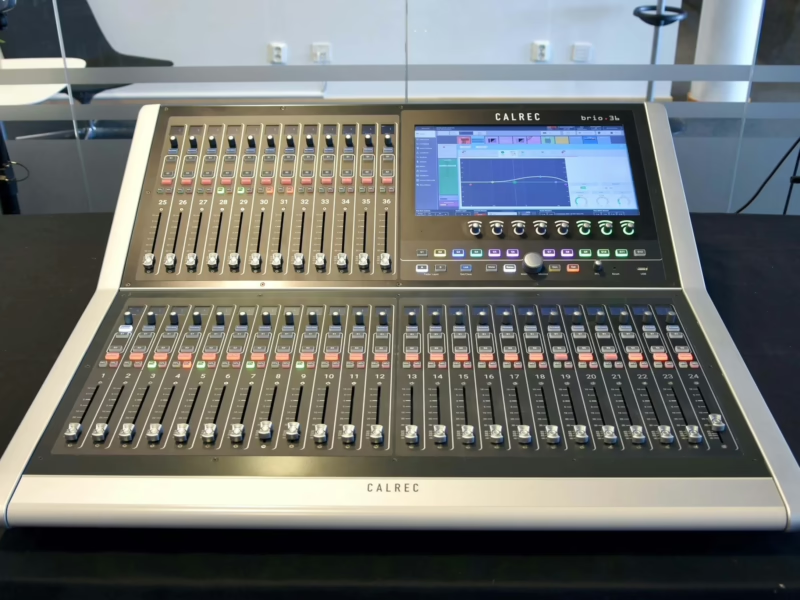
Console : Calrec Apollo
Sommaire
- Information7
- Important Information8
- Health and Safety9
- Technical Support10
- Introduction11
- Introduction12
- Bluefin212
- Hydra212
- Commitment12
- Concord Processors12
- Control Surface12
- Signal Processing12
- I/O12
- Resilience12
- Power12
- Apollo Sample Rate Comparison13
- Changes to Screen Locations in the Main Application from V6.014
- 96kHz Overview for Apollo15
- Control Overview17
- Configuration PC Overview18
- Peripherals18
- Windows login18
- Main application18
- USB Port18
- Installing 3rd party software18
- Power and reset18
- Online Documentation18
- Touch Overview19
- Touch/Tap19
- Multiple touches (Hold and Touch)19
- Swipe19
- Surface Control Overview20
- Rotary controls20
- Buttons20
- Control cell20
- Button cell20
- Strip20
- Rows20
- TFT touchscreen20
- Surface Panel Overview22
- Fader Panel22
- Wild assign panel25
- TFT Panel28
- Monitor Panel29
- Joystick Panel30
- Broadcast Facilities Panel31
- Dual Fader Panel32
- Custom Metering Panel34
- Panel Modes35
- Apply Mode to All Panels35
- Mode Lock35
- User Layout35
- Setting up/Recalling the User Layout35
- Assignable modes35
- Assigning Paths37
- Assigning a path37
- Current Assign and Fader Touch indication shown on meters37
- User Splits38
- Identifying User Split Locations38
- Creating / removing user splits38
- Layers39
- A/B Paths39
- Layers 1-1239
- Using layers39
- Layer Locking39
- Layer Split39
- Turning off the B layer39
- Control Panel Modes41
- Processing42
- Send-Route43
- Output Mode44
- Monitor Mode45
- Wilds Mode46
- Setting Up Wilds mode46
- Selecting Wilds46
- Memorising Wilds46
- Assigning and Clearing47
- Wildable controls47
- Alternate Fader Wilds47
- Setting Up Fader Wilds48
- Memory Isolation48
- Wilds pages48
- Wildable Controls49
- Strips Mode50
- Accessing Strips mode50
- Apply to All Strips50
- Routing display50
- A/B path indicator51
- Changing Strips types51
- Getting Signals into Apollo53
- I/O Boxes & Hydra Patchbays Sample Rate Selection in H2O54
- Consoles at 96kHz54
- I/O and Hydra2 Patchbays at 96kHz54
- Input Source Organisation55
- Filtering the Hydra2 network55
- Boxes at different sample rates55
- Input ports55
- Hydra2 Patchbays55
- Hydra2 Patchbays at different sample rates55
- Port labels55
- Port lists56
- Creating lists56
- Copying and moving ports to lists56
- Removing ports from lists56
- Renaming lists56
- Removing lists56
- Sets56
- Adding ports to sets57
- Allocating Signal Paths to Faders58
- Assigning channels to faders58
- Assigning buses to faders58
- Assigning auxs and tracks to faders in the Tools menu59
- Inserting blank faders59
- Removing a path from a fader59
- Layer locking faders59
- Cloning paths59
- Moving / Swapping paths60
- Copying path settings60
- Warnings and Conflicts60
- Fader Setup Screen61