With Logic Pro 12, Apple doesn’t just add a layer of music theory on top of an existing workstation. The new version literally turns chords into a kind of “raw material” used to drive the entire project. For demanding producers, this is less a simple update than a change of working method: harmony becomes an engine for creation, not just information displayed at the top of the session.
Compose faster: Logic Pro 12 as a harmonic translator
Logic Pro has always been appreciated for its value for money and its built-in composition tools. Logic Pro 12 pushes this philosophy much further with an environment that feels less like a simple virtual studio and more like a real-time musical translator.
At the heart of this approach is the harmonic recognition function: when you drag an audio file, a MIDI file or even a quick recording into the project, the system automatically analyses the chords and writes them onto a dedicated chord track. Apple refers to this as “Chord ID”, a module that listens to a track, infers the harmonies, then turns them into a harmonic template for the other tracks.
In practical terms, a simple loop no longer just provides a sound, but a harmonic roadmap that the whole track can follow. Whereas many DAWs are content to display chord names (or generate them from a piano roll), Logic Pro 12 uses them as a genuine control source for the entire session.
Chord analysis is described as often surprisingly accurate, not only in identifying the chord itself but also in tracking its variations over time. This is important: in many competing solutions (chord extensions, scale assistants, etc.), recognition is limited to fairly basic snapshots. Here, Logic Pro 12 clearly bets on continuous tracking, which directly affects how pads move, how accompaniments breathe, and how the arrangement evolves.
Another non-trivial detail for workflow: if you disable this system, you can still reactivate it later and continue using the detected harmonic structure. No need to re-enter everything. For composers working under time pressure (advertising, TV, sync, commissioned music), this is exactly the kind of “invisible” assistant that saves hours.
Intelligent accompaniments: when tracks react like musicians
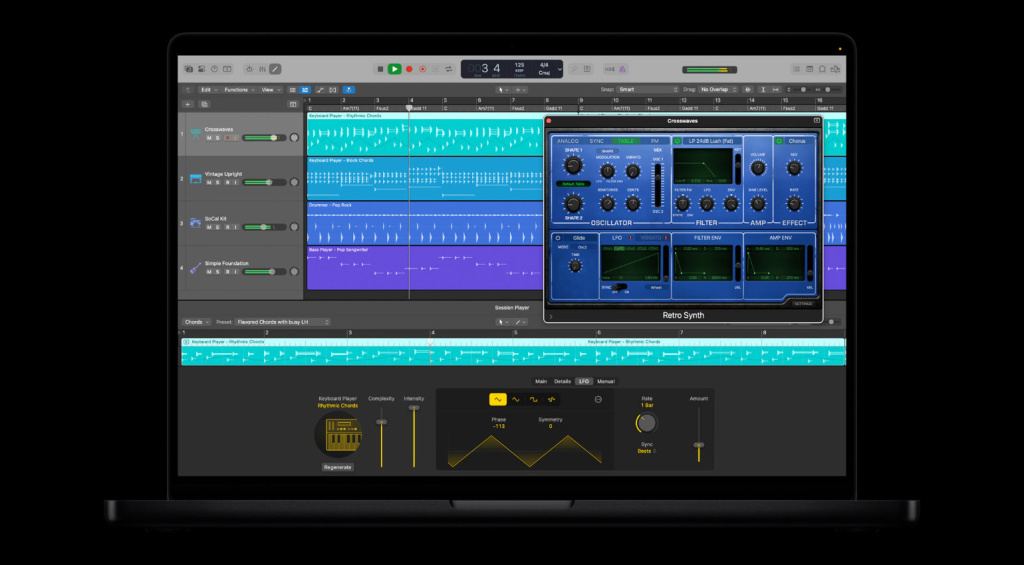
Once the chord track is in place, Logic Pro 12 doesn’t just leave it at the top of the window: other tracks automatically adapt to it. Apple notably introduces new “synth players” and “bass players” based on the chord track.
The idea is similar to what Logic’s existing virtual “drummers” or those in other DAWs already do: instruments that behave like playing partners rather than fixed loops. Here, these accompaniment tracks remain permanently consistent with the project’s harmonic context. The result: dynamic textures created from static sources that naturally interlock within the arrangement.
This approach is particularly relevant for:
- Filling out the background of a track (pads, textures, light pulses) without spending hours on every voice.
- Thickening an existing bassline with variations that always stay in the right key.
- Creating atmospheric layers for intros, transitions, interludes or breakdowns.
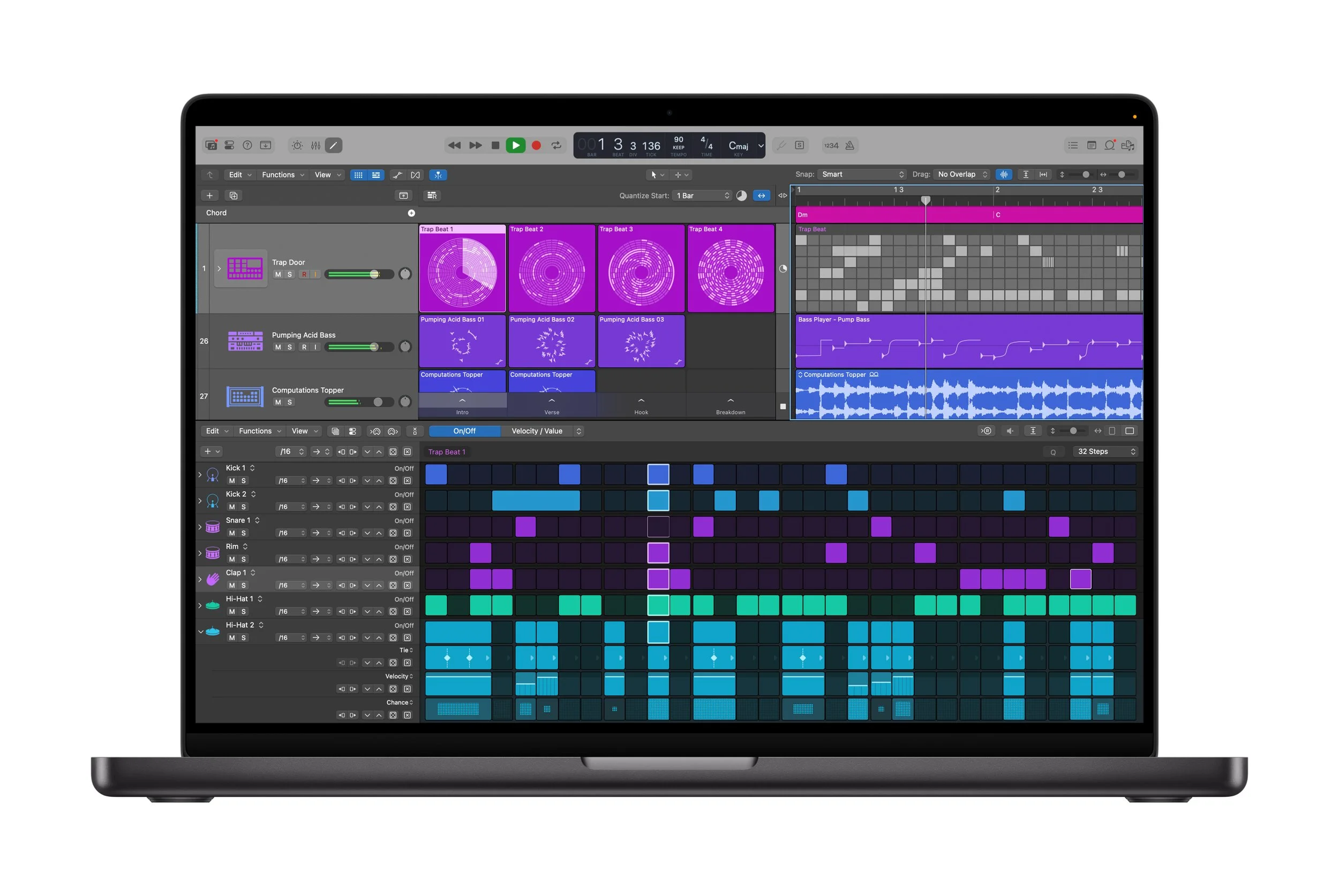
The step sequencer also becomes context-aware: it now reacts to the project’s harmonies and adapts its patterns accordingly. You start with simple rhythmic steps, but the generated lines automatically evolve over the course of the track, following the chord changes. Combined with the sequencer’s randomisation functions, this produces rhythmic movement that remains tonally coherent at all times instead of drifting into random dissonance.
In a market where tools like Scaler, Captain Chords or built-in chord assistants in other DAWs already exist, Logic Pro 12’s difference lies in the depth of integration within the session’s ecosystem: accompaniment tracks, the step sequencer, pads… everything is designed to “listen” to the chord track the way a band would follow a keyboard player leading the harmony.
Using the chord track to build a complete track
Where Logic Pro 11 (and earlier versions) mainly offered harmonic information as an overlay, Logic Pro 12 now treats harmony as editable material. Chords are no longer just a visual guide: they actively drive other tools.
You can move blocks of harmony around the arrangement, copy them between sections (verse, pre-chorus, bridge…) and influence a whole part of the project indirectly. It’s no longer about “correcting” note by note, but about sculpting harmony.
In practice, this opens up several concrete uses:
- Quickly creating a structure from a single loop: a sample, a guitar or piano progression becomes the harmonic foundation that other tracks will follow automatically.
- Breaking through creative blocks: with very little source material, you can generate layers, transitions and variations that retain musical unity.
- Experimenting without reprogramming everything: moving a chord block, testing a modulation, or duplicating a harmonic plan to another part of the song immediately brings the arrangement to life without going back through MIDI.
For producers of electronic music, modern pop or film music, this brings Logic Pro 12 closer to a musical design environment rather than just a mixing console with a piano roll.
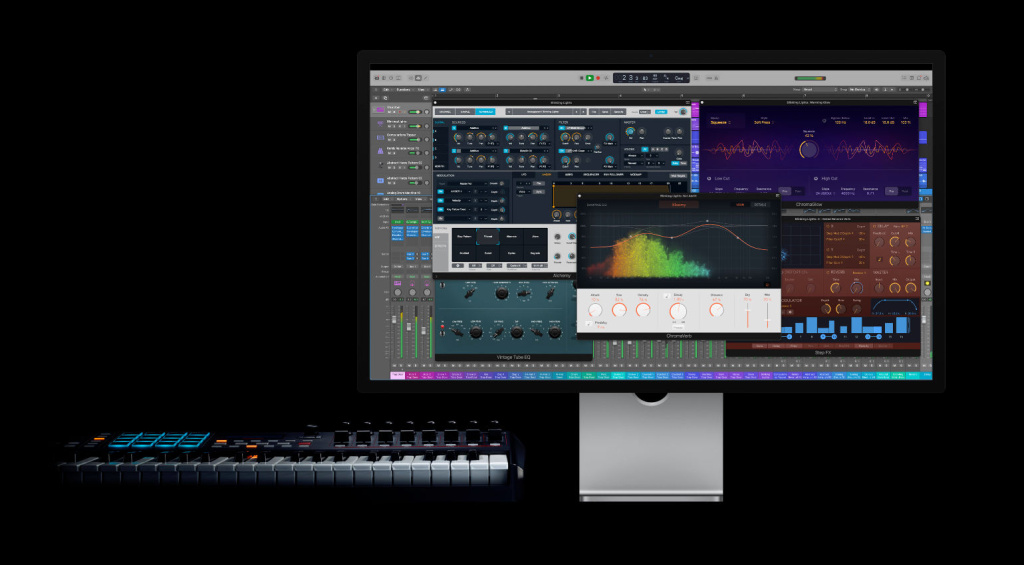
Apple Logic Pro 12
What Logic Pro 12 really changes in a pro workflow
Beyond the marketing headlines, the real benefit for an advanced user is measured in time saved and creative control. On this front, Logic Pro 12 ticks several key boxes:
- Less time spent “putting theory on the grid”: no need to reprogram every pad, arpeggio or bassline for each chord change.
- Better alignment between intuition and result: you start from a simple idea (a loop, a recording, an improvised progression) and let the system extract the harmonic logic to apply it everywhere.
- Control remains with the producer: this isn’t a “black box” musical generator, but a network of configurable relationships between the elements of the track.
Logic Pro 12 doesn’t stop at these new features: Apple also announces numerous minor updates and bug fixes to existing functions. These incremental improvements are less flashy but often crucial for studio stability, especially on heavy projects with lots of plug-ins and virtual instruments.
Price, update policy and integration into the Apple ecosystem
Logic Pro 12 runs on recent versions of macOS and iPadOS. Apple is sticking with a particularly aggressive policy for existing users: the update is free for all current Logic Pro owners.
For new users, the software is still available as a one-off purchase for $199. Within the Apple ecosystem, that price, converted into pounds, still makes Logic Pro one of the most affordable DAWs, especially considering the bundle of instruments, effects and built-in composition features.
Another strategic development: the Logic Pro app for iPad is now part of the Apple Creator Studio subscription. This means creators already working with other Apple tools in this bundle can integrate Logic on iPad into their production flow, then switch to Mac for heavy-duty mixing or mastering.
Should you move to Logic Pro 12 if you already produce every day?
For a professional user, the real question isn’t “are there new features?”, but “will my work be faster or more reliable?“.
In the case of Logic Pro 12, the answer depends on the type of production:
- If your work is heavily harmony-based (songwriting, pop, R&B, film music, ambient, hybrid orchestral), the chord track driving accompaniments and the reactive step sequencer offer a tangible time saving.
- If you mainly do live recording (rock, metal, jazz, full band tracking), these new features will be more secondary, but the free update and bug fixes still make it a natural evolution of the system.
- If you’re already locked into another DAW (Pro Tools, Cubase, Ableton Live, Studio One) but work on Mac, Logic Pro 12 becomes a very serious competitor in terms of features-to-price ratio, especially if harmony is central to your productions.
FAQ: Logic Pro 12 key questions
Is Logic Pro 12 worth it if I already use Logic Pro 11 every day?
Yes, especially if you make extensive use of harmonies, pads and accompaniments. The new chord track that drives other tracks genuinely changes the way you build a song. As the update is free for existing users, there’s no extra cost to make the jump, only some adaptation time to plan for.
Is the chord recognition reliable enough for professional use?
It’s described as “often surprisingly accurate” and designed to follow changes over time. In practice, you can expect very good performance on clear progressions (piano, guitar, pads), with occasional tweaks needed on dense mixes or very busy recordings. In a professional workflow, the ideal approach is to quickly check the detected chords, then let the system handle the bulk of the repetitive work.
What does Logic Pro 12 give me that a chord plugin or external assistant doesn’t?
The key difference is integration. Where a chord plugin mainly generates MIDI or suggests progressions, Logic Pro 12 uses the chord track as a nerve centre that directly influences accompaniment tracks, the step sequencer and the project’s textures. You’re no longer manipulating an isolated plugin, but a harmonic language shared by the entire session.
Is Logic Pro 12 suitable if I’m a beginner in music theory?
Yes, and that’s actually one of its strengths. You can start from a simple loop or an idea played “by ear” and let Logic extract the chords to build everything else around them. It doesn’t replace learning theory, but it lets you produce coherent tracks without mastering everything straight away, while providing a pedagogical basis to understand what you’re already doing intuitively.